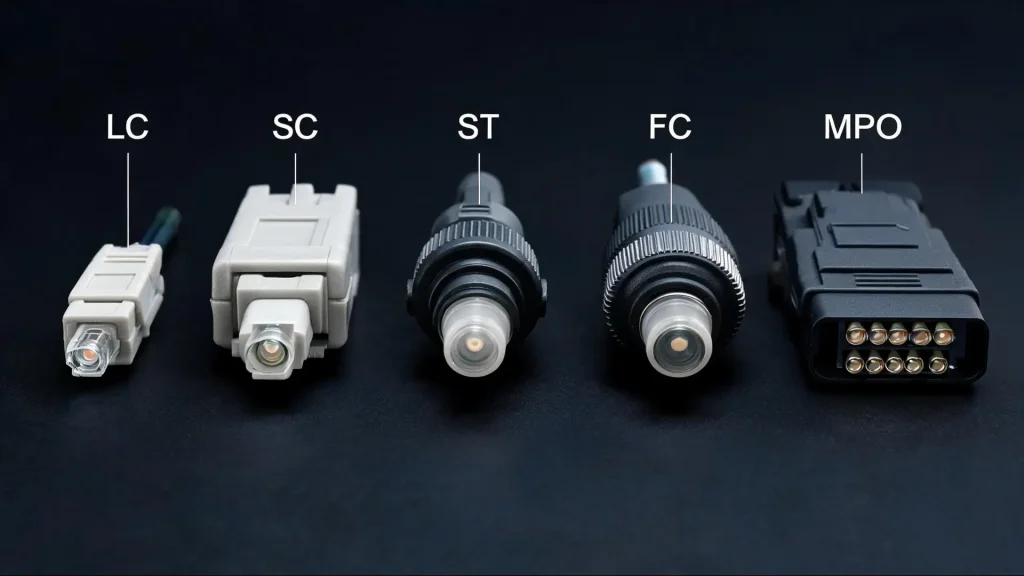
If you plan events that rely on a venue’s network, this list matters more than it may seem.
A mismatched connector at a patch panel can turn a smooth livestream into a buffering mess in front of a room full of attendees. I have watched connector standards shift as data centers and event venues scaled up their bandwidth needs.
There is no single “best” connector, only the right one for the job in front of you.
Below, I have covered fiber connector types, the types of fiber connectors you will run into, how they compare, and how to pick the right one the first time.
What is a Fiber Connector?
A fiber connector is the small piece of hardware at the end of a fiber optic cable that allows it to plug into a port, adapter, or another cable without permanent splicing.
Nearly 100 fiber connector designs have been introduced over the years, but all share three core parts: a ferrule, a protective housing, and a locking mechanism.
The ferrule is the part that matters most for performance.
It is a thin, usually ceramic, cylinder that centers the fiber so that light passes through with minimal loss when two connectors meet.
A connector with a scratched or dirty ferrule end face will cause signal loss even if everything else about the install is correct, which is why cleaning kits are standard gear on any fiber job.
Connectors come in a wide variety because fiber networks serve different jobs. A data center packing thousands of connections into a rack needs something small and dense.
A rooftop antenna link needs something that will not vibrate loose.
A legacy telecom closet might still run on hardware installed decades ago, and each constraint pushed manufacturers toward a different shape.
Fiber Connector Types
Several types of fiber connectors are used across modern networks, each designed for specific installation, performance, and compatibility requirements.
1. LC Connector
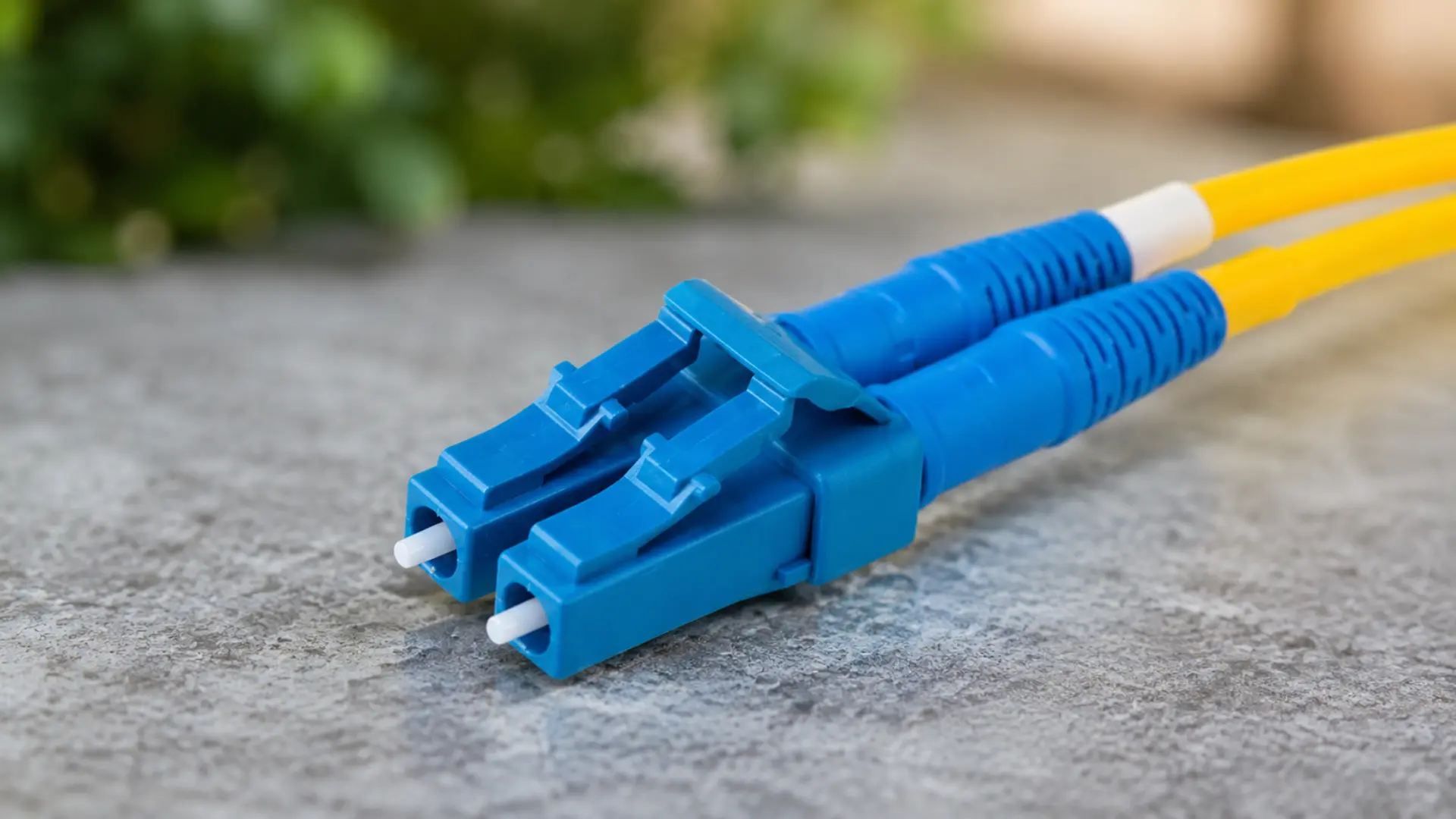
The LC (Lucent Connector) uses a small 1.25mm ferrule and a simple push-pull latch, similar to a phone jack click.
Its compact size means twice as many LC ports fit in the same rack space as older SC connectors, which is exactly why it has become the default choice in modern data centers and high-density server rooms.
Teams evaluating hybrid event platforms for a venue with heavy streaming needs will often find LC hardware already sitting behind the network closet door.
If you are working with SFP or SFP+ transceivers, there is a strong chance you are already using LC.
2. SC Connector
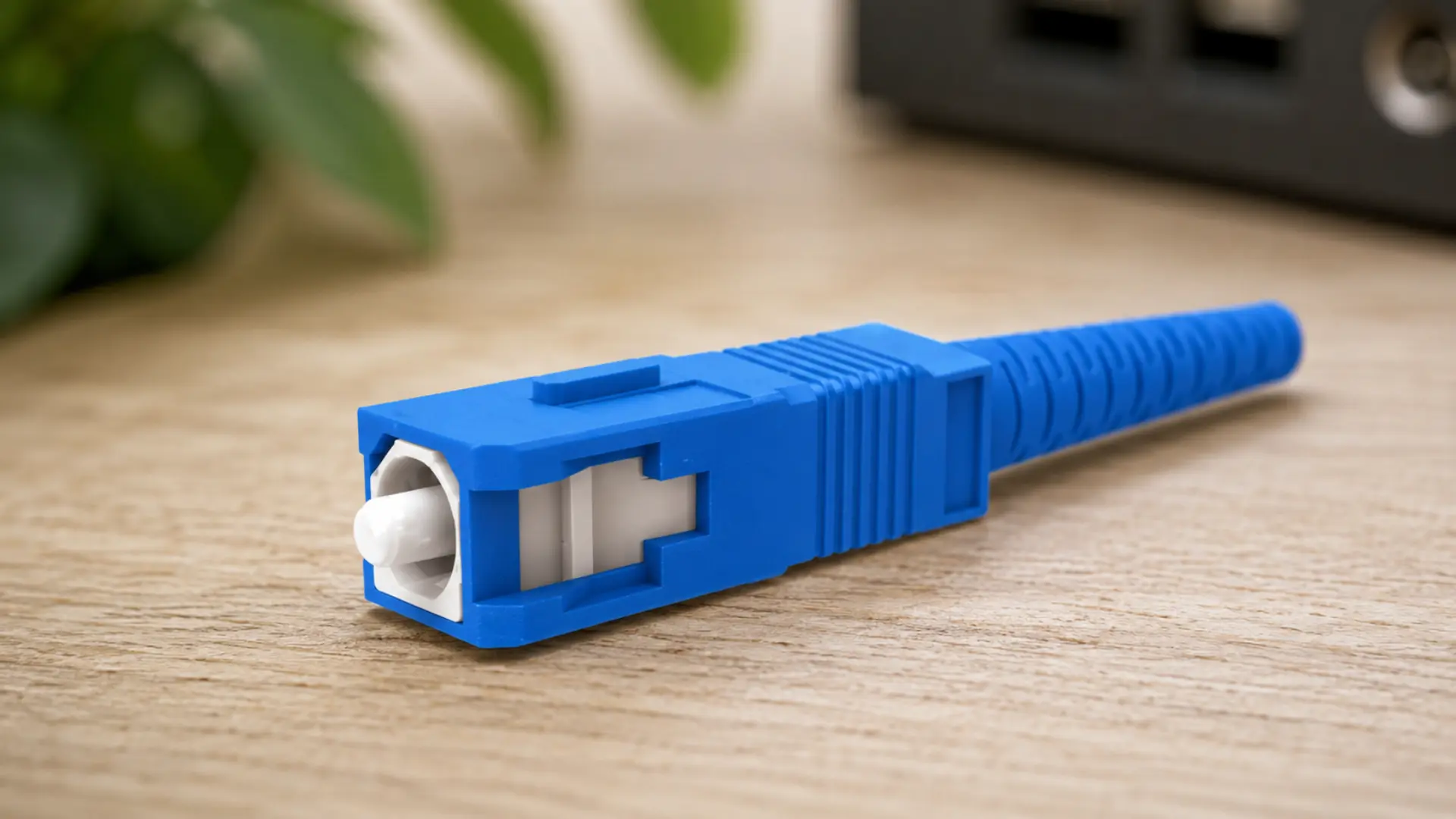
The SC (Subscriber Connector, sometimes called Square Connector) has a 2.5mm ferrule and the same push-pull latch as LC, just in a larger body.
It was one of the earliest connectors to gain wide adoption because it is durable and easy to handle.
SC still shows up in telecommunications infrastructure, older enterprise networks, and any setting standardized before LC took over.
3. ST Connector
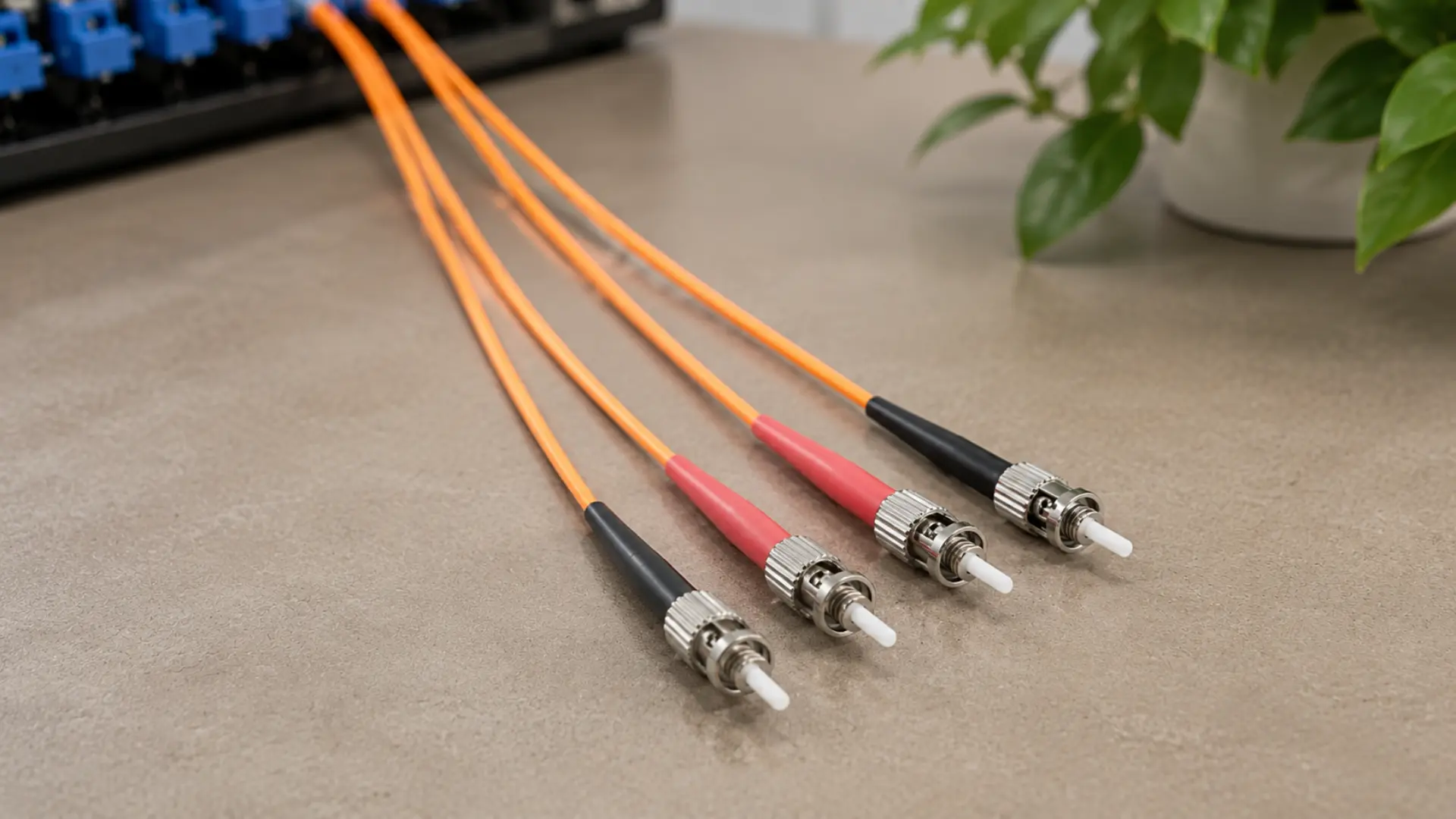
The ST (Straight Tip) connector was developed by AT&T and locks in with a spring-loaded, half-twist bayonet mount rather than a push-pull latch.
That twist-lock design makes it resistant to accidental disconnects, so it still turns up in campus networks, industrial settings, and military applications where cables are often bumped.
New installs rarely spec ST anymore, but plenty of legacy corporate and campus wiring, including some venues that hybrid event production agencies work in every week, still relies on it.
4. FC Connector
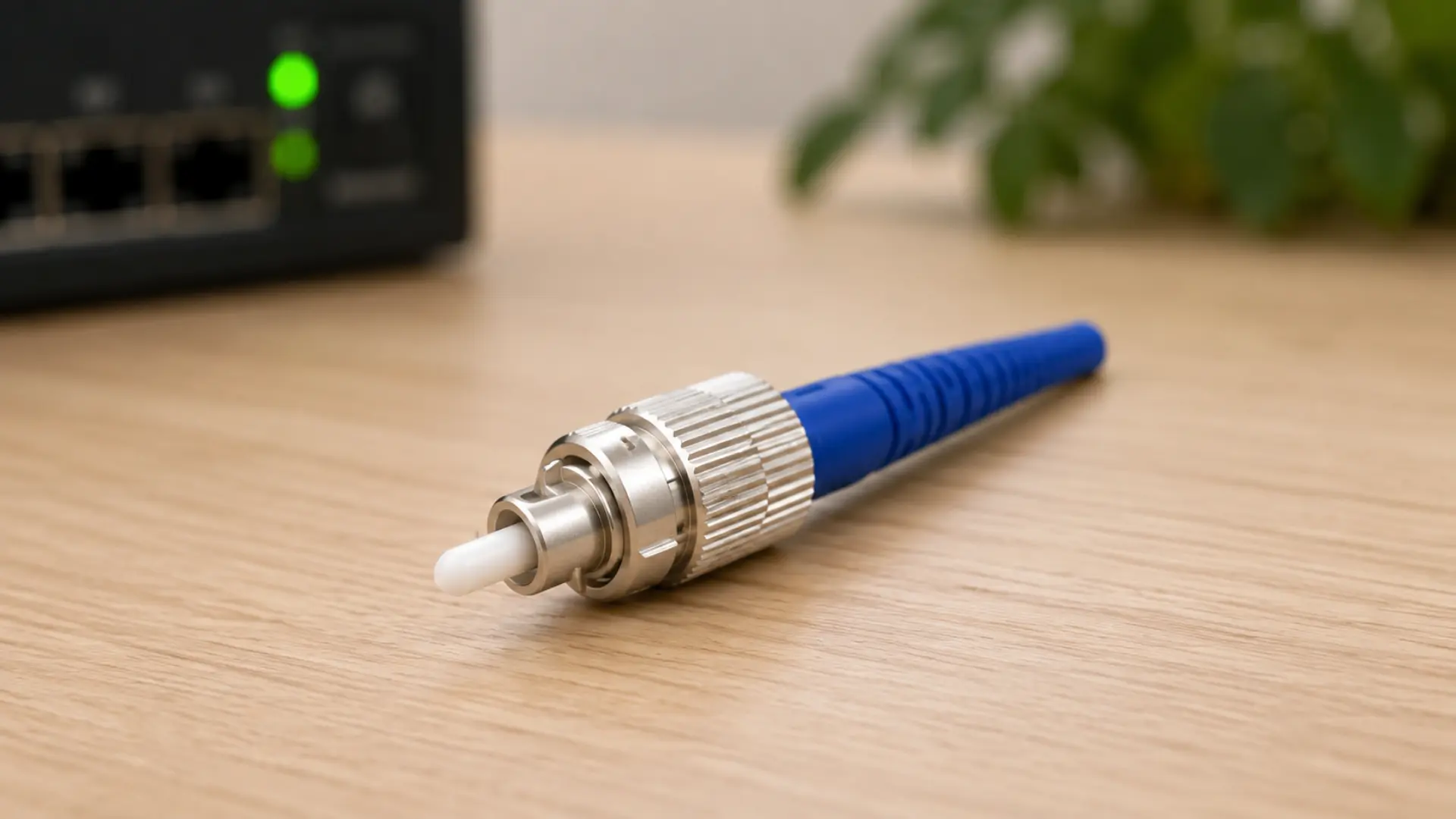
The FC (Ferrule Connector) uses a threaded, screw-type coupling made of nickel-plated or stainless steel rather than a plastic push-pull body.
That thread lock makes FC resistant to vibration, which is why it still appears in test equipment, precision instrumentation, and some telecom environments.
The tradeoff is speed: threading a connector takes longer than snapping a latch, so FC has lost ground to SC and LC in day-to-day network builds.
5. MPO/MTP Connector
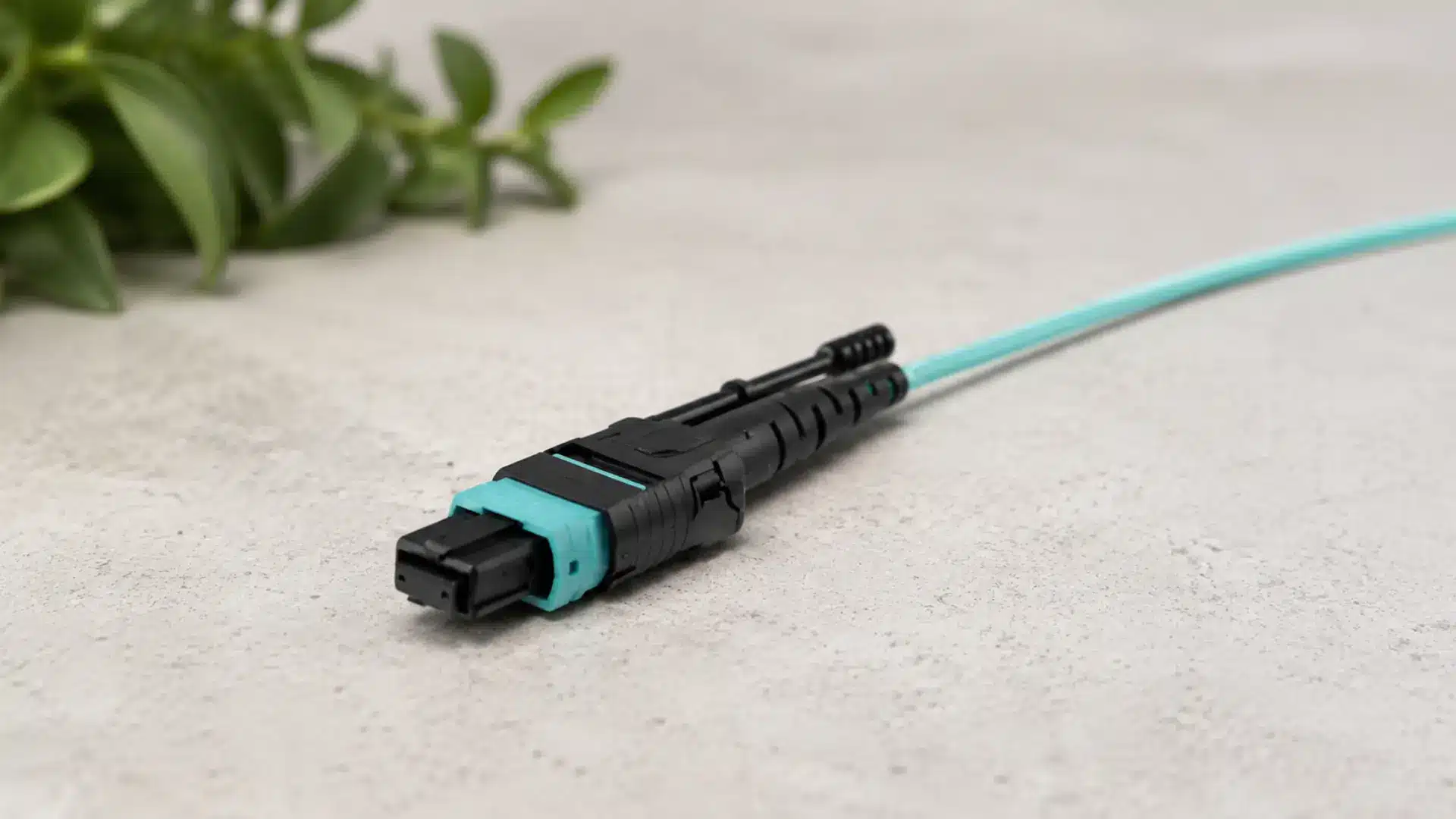
MPO (Multi-fiber Push On) and MTP connectors, a trademarked and improved version of MPO, carry multiple fibers, commonly 8, 12, or 24, inside a single body.
Instead of running a separate cable for each fiber pair, a single MPO connector handles an entire bundle at once.
This makes it the go-to choice for hyperscale data centers and high-density backbone links, and demand for higher fiber counts per MPO connector continues to climb as data centers scale for AI workloads.
How These Connector Types Compare
Once you see them side by side, the tradeoffs get easier to reason through.
| Connector | Ferrule size | Locking style | Typical setting |
|---|---|---|---|
| LC | 1.25mm | Push-pull latch | Data centers, high-density racks, transceivers |
| SC | 2.5mm | Push-pull latch | Telecom, legacy enterprise networks |
| ST | 2.5mm | Bayonet twist-lock | Campus networks, industrial, military |
| FC | 2.5mm | Threaded screw | Test equipment, precision instrumentation |
| MPO/MTP | Multi-fiber ribbon | Push-on with clip | Hyperscale data centers, backbone links |
LC’s smaller footprint is the main reason it has displaced SC in new builds, even though both share the same latch style.
ST and FC persist mostly in older or vibration-prone environments where their locking style earns its keep. MPO sits in its own category since it solves a density problem rather than competing on latch design.
Reliable fiber backbones also keep hybrid event production setups running without dropped feeds between the AV booth and the streaming platform
That is one reason why event technology teams end up caring about hardware that looks like a pure IT concern.
Understanding Polish Types: UPC vs APC
Beyond the connector body itself, the ferrule end face gets polished in different ways, and this affects how much light reflects back into the system:
- UPC (Ultra Physical Contact): The end face has a slight dome shape and is polished to a fine finish, yielding a return loss of around -50dB. UPC connectors are color-coded blue and work well for most data and Ethernet applications.
- APC (Angled Physical Contact): The ferrule is polished at an 8-degree angle, which redirects reflected light away from the core instead of back down the fiber. This pushes the return loss closer to -60dB, which matters for RF-sensitive links such as CATV, satellite, and GPS. APC connectors are color-coded green.
- PC (Physical Contact): An older, flatter polish style with return loss around -40dB. Mostly phased out in favor of UPC and APC.
Never plug a green APC connector into a blue UPC or PC port. The angle mismatch can damage both ferrule faces and will spike your insertion loss even if the connection physically clicks into place.
Simplex vs Duplex Fiber Connectors
Fiber connectors differ in the number of fibers each plug carries and in the direction of signal flow. This distinction shapes cabling choices across simplex, duplex, and multi-fiber connector types used in networks.
| Connector Type | Fibers Per Plug | Direction | Details |
| Simplex | 1 fiber | One-way only | Needs two connectors and cables (one send, one receive) to complete a two-way link |
| Duplex | 2 fibers | Two-way (transmit + receive) | LC and SC connectors often come in duplex form, clipped together as a matched pair |
| Multi-fiber (MPO/MTP) | 8 or more fibers | Two-way, high-capacity | Bundles many fibers into one connector for trunk lines |
Choosing the right connector type depends on network size and direction of data flow. Duplex connectors suit enterprise and data center setups, while simplex and multi-fiber options serve niche needs.
Choosing the Right Fiber Connector Type
Matching a connector to a job depends on a few practical factors, including how many fibers need to pass through the connection, rack density, and how often the connector will be plugged and unplugged.
It also helps to match the connector already installed on the other end whenever possible.
Demand for fiber connector hardware continues to grow as 5G deployments and AI data centers require more connections within the same rack space.
As a result, the best choice for a new data center often differs from what works in an older telecom closet.
For high-density racks, LC is usually the best default. If existing equipment uses SC, matching it is often the simplest approach.
In high-vibration environments, ST or FC connectors provide a more secure mechanical lock, while MPO/MTP connectors are ideal for moving large fiber counts with less space and labor.
Common Mistakes to Avoid
Fiber connections often fail not from bad cable but from small setup errors. Knowing these common mistakes helps teams avoid wasted time, signal loss, and costly rework during installation or event setup.
- Mixing APC and UPC connectors on the same link without a hybrid adapter causes significant insertion loss.
- Skipping ferrule cleaning before every mating because dust and oil are the leading causes of intermittent fiber faults.
- Choosing a connector based on what is in stock rather than what the port on the other end actually requires.
- Assuming all 2.5mm ferrule connectors are interchangeable. ST, SC, and FC share a ferrule size but not a locking mechanism, so they still will not mate directly.
Event teams evaluating hybrid event platforms often run into the same matching problem at the venue network layer, where AV vendors, in-house IT, and streaming providers may each bring different connector standards.
Final Thoughts
Fiber connector types, or the various types of fiber connectors in use today, are not interchangeable trivia.
LC dominates dense modern networks; SC and ST hold ground in legacy and rugged settings; FC earns its keep where vibration is a real risk; and MPO/MTP exists to move more fibers through less space.
Polish type and simplex or duplex configuration matter just as much as connector shape once you look at real performance numbers.
Match the connector to the equipment already in place, check the polish color before you plug anything in, and clean the ferrule every single time. That habit alone prevents most of the intermittent faults technicians chase for hours.
If your team manages the network side of hybrid events, pair this checklist with a look at how your hybrid event production agency handles AV and on-site connectivity setup, since the two systems depend on each other. Drop a comment below and share your thoughts.
Frequently Asked Questions
Can You Mix Connector Types on the Same Fiber Run?
Not directly. LC, SC, ST, and FC all need matching connectors on both ends unless you use a hybrid patch cable or adapter that converts between types.
How Long Do Fiber Connectors Typically Last?
Most are rated for 500 to 1,000 mating cycles before performance degrades, though careful handling and regular cleaning extend that well beyond the rating.
Are Fiber Connectors Interchangeable Between Manufacturers?
Generally yes, since connector types follow standards like IEC and Telcordia, but verify ferrule tolerances if you are mixing brands on a critical link.
Do Fiber Connector Types Affect Internet Speed?
The connector itself does not set your speed, but a poor connection with high insertion loss can cause packet loss and force a link to negotiate down to a lower speed than the fiber supports.