Audio is the one system that touches every moment of an event: keynotes, walk-on music, audience questions, remote callers, and recordings people replay later. It also has the tightest margin for error. Viewers will forgive a soft camera shot. They rarely forgive words they cannot understand.
A strong hybrid plan treats audio like a chain with weak links, not a single device to “set and forget.” Microphones have to match how people actually behave on stage.
Mixers need clean routing so remote participants hear what they need, not what they do not. Q&A needs a producer mindset so questions move smoothly between the room and the stream.
The goal of this guide is simple: help you build an audio workflow that survives real rooms, real internet, and real human habits, while keeping remote participation feeling immediate and fair.
Pre-Event Regional Access Checks for Streaming Confidence
Hybrid audio preparation is not only about what happens at the mixer. It is also about confirming that remote attendees can reach the stream and interact with it before you ever open doors. If you are running a global event, “it works for us” is not a full test. Streaming platforms can behave differently across regions because of:
- how traffic is routed
- which edge location serves the video
- how sign-in and playback are scored based on network identity
That matters for sound because audio dropouts often show up first as buffering, quality shifts, or delayed playback that throws Q&A timing off.
This is where residential proxies can be useful during pre-event testing. They let your team simulate access from the places your audience will actually join from, using real consumer-style networks instead of a single corporate connection.
When you move beyond one-off spot checks and need repeatable results, a dedicated residential IP can make the testing more stable because you are not changing network identity every time you refresh a page or restart a player. In practice, that consistency helps you compare like with like: same region, same “viewer,” same test clip, same expected latency.
Good proxy solutions are not about “getting around” anything. They are about validation. You are trying to confirm that your chosen stream settings, embeds, captions, and interactive layers load cleanly in the regions you promised to support. If you need a proxy for this kind of work, treat it like lab gear: controlled inputs, clear notes, and documented outcomes.
Mic and Mixer Choices that Hold up Under Hybrid Pressure
Hybrid audiences judge “event quality” through small signals: how quickly sound arrives, whether voices stay clear when someone turns their head, and whether questions are easy to follow. One reason this is high-stakes is that attendee research keeps pointing to experience design as the differentiator, and audio is the layer that makes those experiences readable.
Here is a useful snapshot from a 2024 attendee survey on what most improves an event experience, with a hybrid audio lens added.
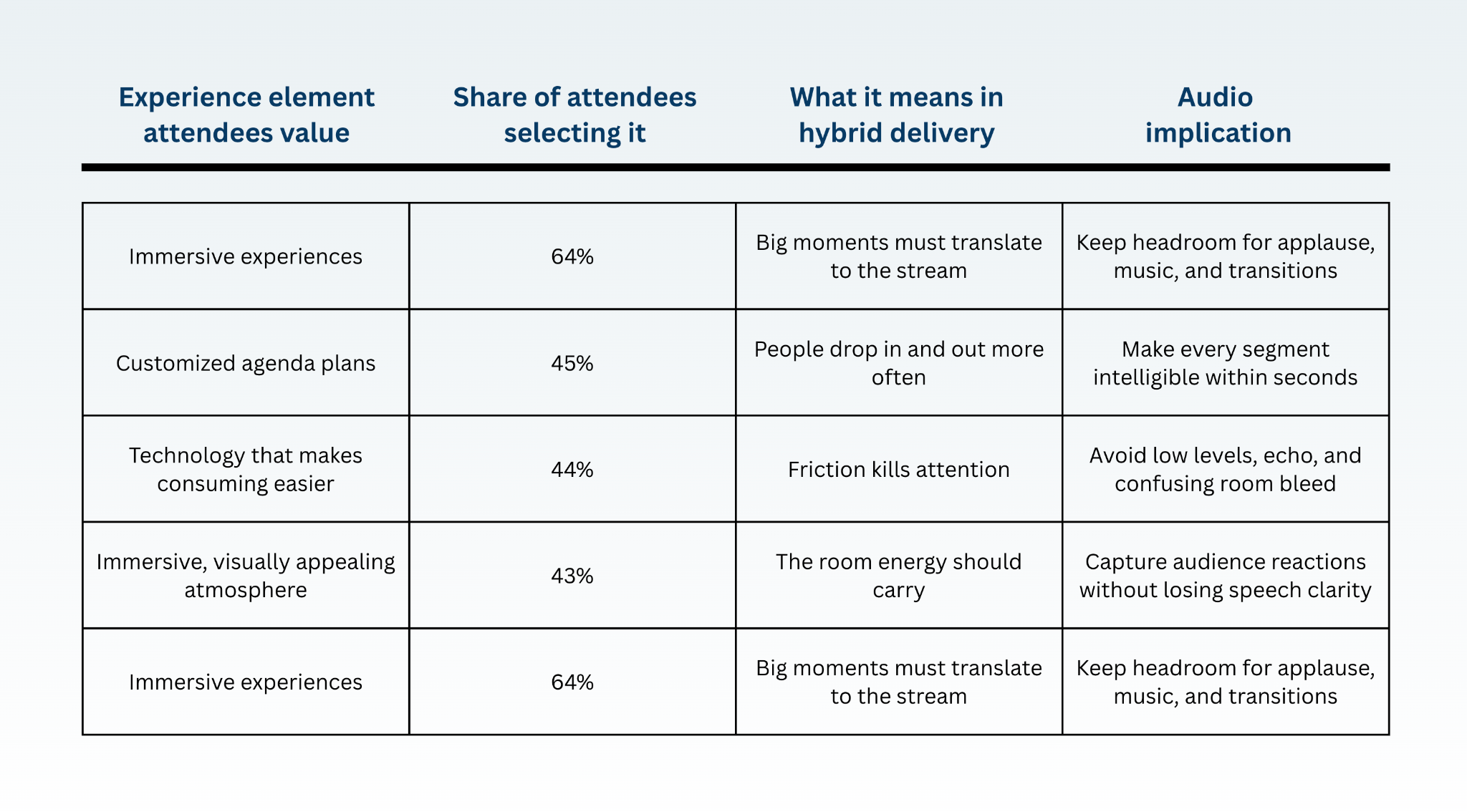
These percentages come from the Freeman Trends Report Q1 2024 on attendee experience elements.
The image was created by us, specifically, for this article.
So how does that show up in gear choices?
Microphones should be picked for behavior, not for wishful thinking. If presenters roam, a headset or well-managed lav can keep level consistent. If they are likely to handle a mic, a handheld can reduce clothing noise and keep the capsule closer to the mouth. In the room, clarity often depends more on placement and technique than on the model.
Remote Q&a that Feels Fair to Both Audiences
Remote Q&A only works well if you treat it like a small show inside the big show. It needs its own timing, clear roles, and good watching of sound. The main goal is fairness: people in the room should feel listened to, but people watching online should also feel included, not ignored.
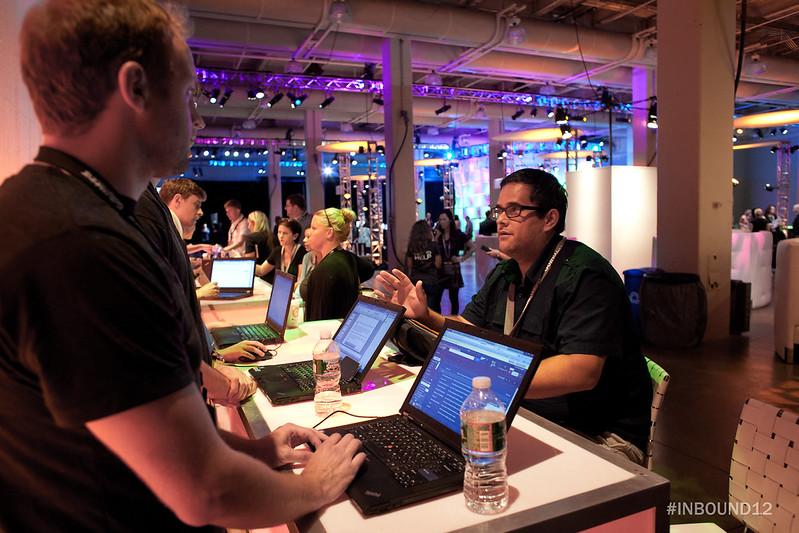
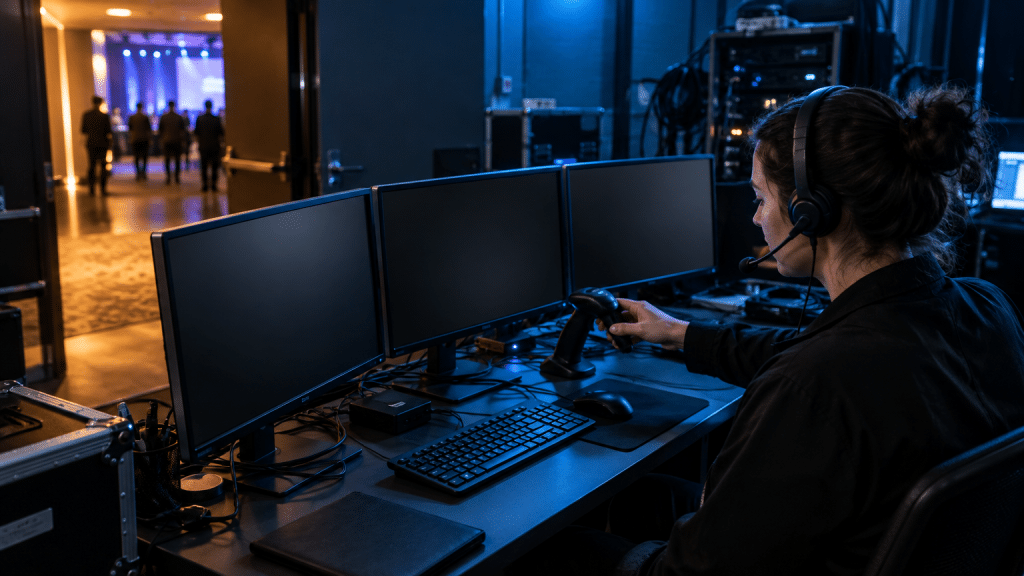
At HubSpot’s INBOUND conference, they use a special monitoring desk to keep an eye on remote Q&A, so people watching from home feel just as involved in the “mini show” of questions and answers as the people sitting in the room. Image: Here
First, remember that hybrid Q&A is a timing problem. People in the room hear the speaker right away. People online hear it a bit later because of the internet and video processing.
That’s why you should not jump quickly back and forth between room questions and online questions. Instead, switch in clear blocks, like: “Now we’ll take a question from the room,” then “Now one from online.” It sounds like a hosting tip, but it’s really a trick to match the sound delay.
Next, make sure questions asked in the room are recorded clearly, just like the speaker’s voice. If you rely only on a camera mic or a ceiling mic, online viewers often can’t hear the question and feel left out.
If you don’t have microphones for the audience, use a simple habit: the moderator repeats the question into their own mic before answering. This one step can improve clarity, recordings, and captions a lot.
Sound really is the top priority. As AV groups say, bad audio is the number one complaint in meetings and events.
A Simple Q&a Setup You Can Reuse
Also, hybrid events are not going away. One industry report says 63% of event organizers plan to spend more on virtual events in 2025. That means it’s smart to build a repeatable Q&A system now:
- a person in charge of Q&A,
- a clear way for them to talk to the moderator,
- and monitoring that lets you hear exactly what remote viewers hear.
If you listen to the event the same way your remote audience does, and you pace Q&A for that reality, your hybrid sessions will feel smoother and more fair for everyone.