I know how overwhelming security systems can feel, especially when you just want a safe and simple way to control who gets into your space.
Today, keeping doors secure matters more than ever, and that’s where biometric access comes in.
It uses things like fingerprints or face scans to make access faster and harder to fake.
In this guide, I’ll walk you through what biometric access control is, how it works, and why many people now prefer it over keys or cards.
You’ll see the main types of systems, what features matter most, and how to choose one that actually fits your needs.
By the end, you’ll have a clear picture of your options and what to look for when upgrading your security.
What is a Biometric Access Control System?
A biometric access control system is a security tool that checks your identity by using physical traits such as your fingerprint, face, or eye pattern.
These traits are difficult to copy, which makes the system more dependable than codes or cards that can be shared, lost, or stolen.
When you touch a scanner or look into a camera, the system compares your traits to the ones stored in its database.
If they match, access is approved. You’ll see these systems in offices, schools, hospitals, airports, and many homes because they allow quick entry and lower the chance of unauthorized access.
They provide a simple way to stay secure by using your personal traits instead of objects you carry or information you need to remember.
Key Features to Look for
Choosing the right biometric system can feel confusing, but a few core features make the decision easier. These points will help you understand what separates a strong system from a weak one.
1. Accuracy
Accuracy decides how well a system can correctly identify a real user.
A good biometric system should scan details clearly, match data correctly, and avoid mistakes like letting in the wrong person or blocking the right one.
High-quality scanners read traits even in low light or busy environments.
When accuracy is strong, you can trust the system to work the same way every time without constant manual checks or repeated attempts.
2. Speed
Speed affects how quickly people can get through doors or checkpoints. A strong biometric system should scan, match, and approve access in one smooth motion.
Slow systems lead to lines, frustration, and delays during busy hours.
Faster systems work well in offices, schools, and factories where many people enter at once.
Good speed means the system doesn’t struggle with repeated scans or long wait times, making daily use easier and more efficient for everyone.
3. Integration Options
Integration allows a biometric system to work with tools you already use, such as door locks, time-tracking systems, or security software.
A strong system connects smoothly without complicated setups or extra equipment.
When integration is flexible, you can expand the system as your needs grow, instead of replacing everything.
It also helps create a single, organized dashboard for managing entries, tracking activity, and updating user data. Good integration keeps everything simple and connected.
4. User Capacity
User capacity shows how many people the system can store and manage at one time.
A small office may need only a few profiles, while large buildings might require thousands. A strong system should handle growth without slowing down or losing data.
Higher capacity also supports different permission levels, so you can control who enters certain areas.
When user capacity is high, you won’t need upgrades every time your team expands or your security needs change.
5. Data Security
Data security protects the biometric information stored in the system.
Because traits like fingerprints and face scans are personal, the system must encrypt all data and store it safely. A strong system blocks hacking attempts, prevents unauthorized changes, and keeps information private.
Good data security also includes regular updates, safe storage methods, and clear access controls.
When data security is solid, you can trust that sensitive details stay protected and that only approved people can manage the system.
How Biometric Identification Works?
A biometric identification system works by capturing a physical trait and checking it against stored data to confirm who you are.
The process starts when you scan your fingerprint, face, or another trait using a sensor or camera.
The system then turns that trait into a digital pattern made of numbers and points. It doesn’t store a photo but keeps this pattern for comparison.
When you try to access a space again, the system captures a new scan and compares it to the saved pattern.
If both match, access is approved. If they don’t, the system rejects the attempt.
This step-by-step process happens in seconds and reduces the risk of someone pretending to be you.
Benefits of Using Biometrics for Security
Biometric systems offer real-world advantages that make daily access easier and safer. These key benefits help you understand why many workplaces and homes now rely on them.
1. Hands-Free Access
Hands-free access makes entry quick and convenient. You don’t have to search for keys, swipe cards, or enter codes.
A simple fingerprint scan or face check is enough, even when your hands are full. This reduces delays at doors and helps large groups move smoothly through busy areas.
It also works well in places where hygiene matters, since you don’t need to touch shared surfaces.
With hands-free access, getting in feels faster and more natural.
2. Fewer Lost Credentials
With biometrics, there’s nothing to carry, lose, or replace.
People often misplace cards or forget codes, which interrupts access and creates extra work for administrators. Biometrics solve this by using traits that stay with you.
This cuts down on replacement costs and avoids situations where someone finds a lost card and misuses it.
By removing physical credentials, the system stays simpler, cleaner, and more reliable for everyday use.
3. Strong Identity Verification
Biometrics offer stronger identity checks because physical traits are difficult to copy or share.
A password can be guessed, and a card can be passed around, but a fingerprint or face pattern belongs only to one person. This makes it easier to confirm exactly who is entering a space.
The system also reduces errors by matching detailed patterns instead of relying on something someone knows.
Strong identity verification helps protect sensitive areas without adding extra steps.
4. Better Tracking and Management
Biometric systems make tracking and managing access simpler and more organized.
Every scan creates a clear record of who entered and when, which helps with audits, attendance, and security checks. There’s no guessing or relying on shared credentials.
Administrators can update permissions quickly, add new users, or remove old ones without sorting through cards or resetting codes.
Better tracking leads to cleaner data, fewer mistakes, and a system that stays easy to maintain.
Biometric Access Control vs Traditional Systems
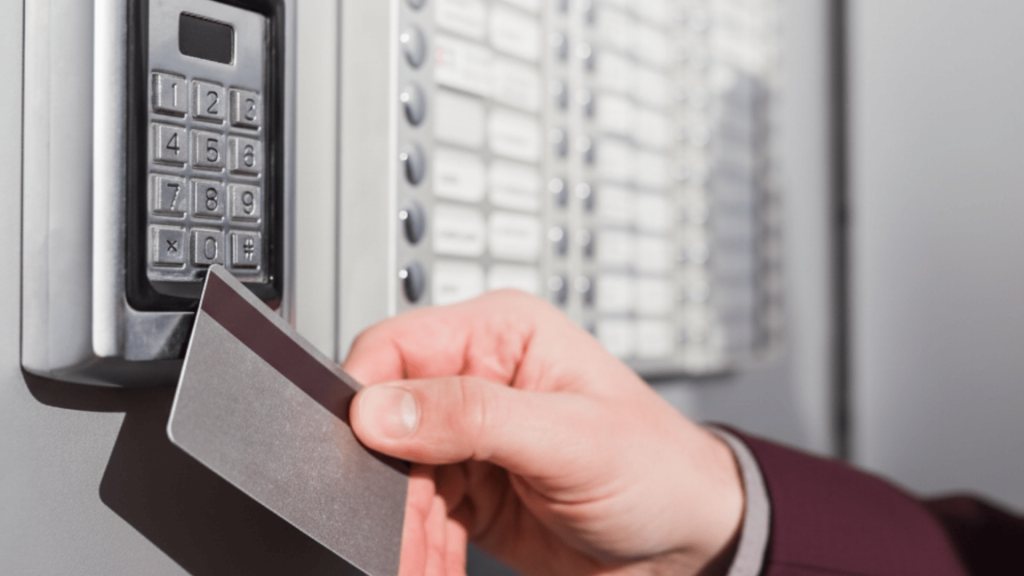
Biometric systems work differently from cards and PINs because they rely on physical traits instead of objects or codes.
| Feature | Card-Based Access | PIN-Based Access | Biometric Access |
|---|---|---|---|
| Convenience | Easy to use, but cards can be lost or forgotten | Simple but requires remembering codes | Very convenient with no items to carry or remember |
| Security Level | Moderate; cards can be shared or stolen | Moderate; PINs can be guessed or shared | High; traits are unique and hard to copy |
| Cost | Low upfront but ongoing card replacements | Low upfront cost with minimal hardware | Higher upfront but fewer long-term costs |
| Long-Term Reliability | May require frequent replacements | Codes need updates and resets | Very reliable with consistent performance over time |
Types of Biometric Access Control
Different biometric systems work in different ways, and each one fits certain needs better than others. These options help you choose the method that matches your space, budget, and security level.
1. Fingerprint Recognition
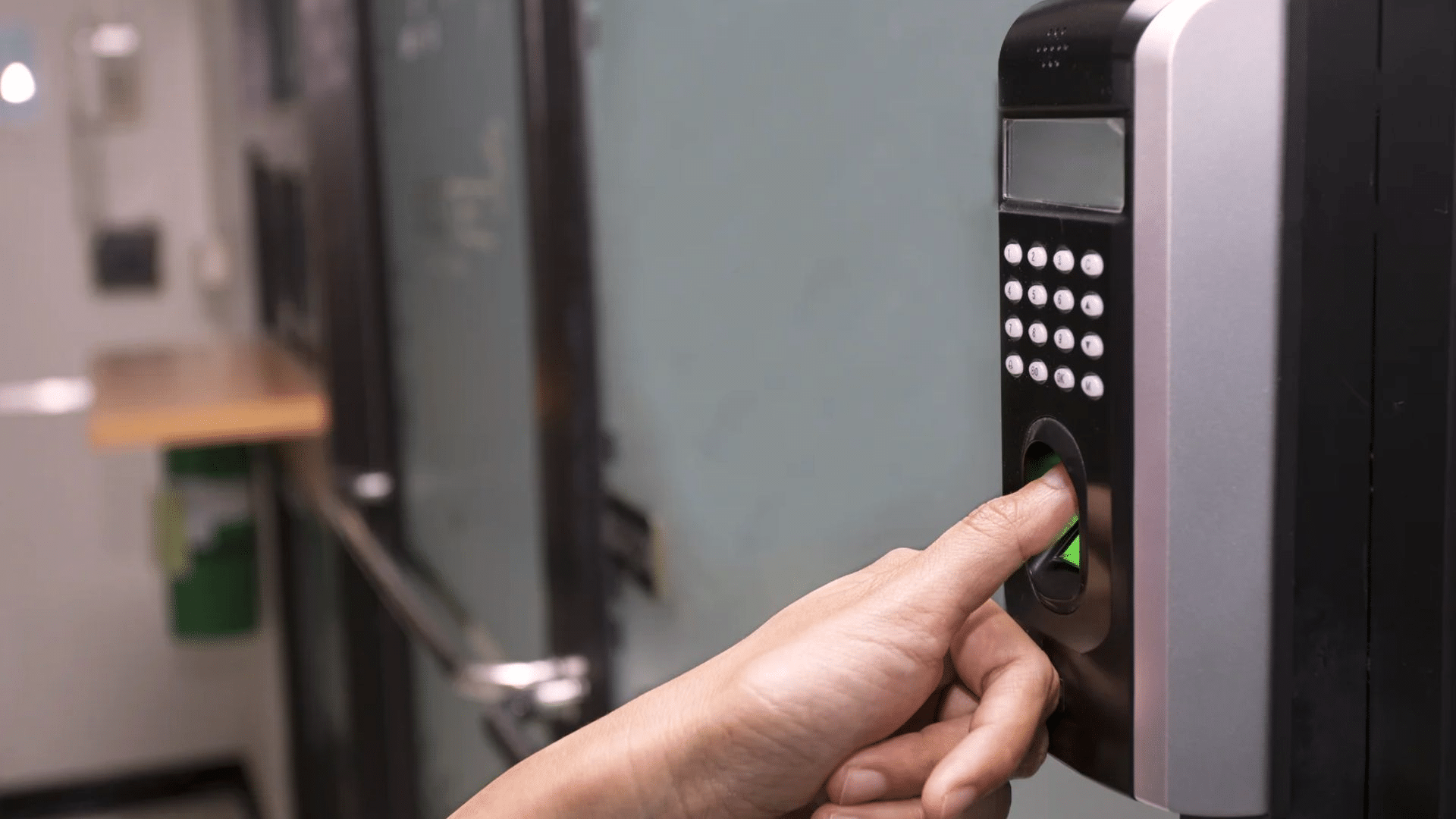
Fingerprint recognition is one of the most common biometric methods. It scans the ridges and patterns on your fingertip and compares them to stored data.
This option works well for offices, schools, and small businesses because it’s affordable, accurate, and easy to use.
It’s best for areas with moderate foot traffic where people can quickly place a finger on a sensor. It’s not ideal in environments where hands often get dirty or damaged.
2. Facial Recognition
Facial recognition uses a camera to capture key points on your face, such as the spacing between your eyes or the shape of your jaw.
It’s helpful in busy places where people need fast, hands-free access.
Offices, airports, and hospitals use it because it works even when someone is carrying bags or wearing gloves.
It’s also useful for high-security areas where you want strong verification without slowing people down at entry points.
3. Iris Scan
Iris scanning reads the patterns around the colored part of your eye. These patterns are extremely detailed and stay stable over time, making this method highly secure.
It’s used in places that need strict protection, such as research labs, government buildings, and data centers.
Even though it costs more, it offers strong accuracy and low false matches. It also works well when fingerprint or facial scans aren’t reliable due to lighting or physical conditions.
4. Hand Geometry
Hand geometry measures the shape, size, and angles of your hand. It doesn’t capture fine details, but it’s still reliable for verifying identity.
This method works well in workplaces with large groups moving through quickly, like factories or construction sites.
It’s durable, easy to maintain, and less affected by dirty or gloved hands. While it’s not as precise as fingerprints or iris scans, it offers a good balance of speed, cost, and simplicity.
5. Voice Verification
Voice verification analyzes the sound patterns in your speech. It listens to pitch, tone, and rhythm to confirm identity.
This option is helpful in situations where hands-free access is needed or when other biometric tools aren’t practical. It’s used in call centers, smart home systems, and some remote verification tools.
While background noise can affect accuracy, it’s still a flexible method for people who need access without touching sensors or looking into a camera.
Costs to Expect
A biometric access control system comes with a few main costs you should plan for before installing it.
Hardware is usually the largest part of the budget because scanners, cameras, and sensors vary in price based on accuracy, durability, and security features.
Installation adds another cost, especially if doors need adjustments or if new wiring and network setups are required.
Software costs cover the system that stores biometric data, manages users, and handles updates. Maintenance includes cleaning scanners, updating software, and fixing small issues that come up over time.
You may also need upgrades later, such as adding more devices, expanding user capacity, or improving security features.
When you understand each of these cost areas clearly, it becomes easier to set a realistic budget and choose a system that fits your long-term security needs without surprises.
Standalone vs Multi-Factor Biometric Authentication
Biometric systems can work on their own or combine with another method for stronger protection.
This table shows how both options compare so you can choose what fits your security needs.
| Feature | Standalone Biometric System | Multi-Factor Biometric System |
| How It Works | Uses only a biometric trait, like a fingerprint or face scan, to grant access | Uses a biometric trait plus another factor, such as a PIN or card |
| Security Level | Good for general access where basic protection is enough | Higher security for sensitive areas requiring more than one verification step |
| Best Use Cases | Offices, schools, gyms, small businesses, and low-risk zones | Labs, server rooms, financial spaces, government areas, and high-risk zones |
| Convenience | Very easy and fast since only one scan is needed | Slightly slower, but provides a stronger identity check |
| Cost | Lower cost with fewer components | Higher cost due to added hardware or PIN systems |
Tips for Keeping Your System Secure
A biometric system stays reliable only when it’s maintained the right way. These simple tips help you keep performance strong and data protected.
- Clean scanners regularly to prevent dirt or smudges from blocking accurate scans.
- Update software on time so the system gets new security fixes and performance improvements.
- Enroll users in good lighting and stable conditions to capture clear, accurate biometric data.
- Use strong encryption to protect stored biometric templates from unauthorized access.
- Limit admin rights so only trusted staff can manage settings or user data.
- Review access logs often to spot unusual activity early.
- Replace or service damaged sensors quickly to avoid errors or security gaps.
- Back up system data safely to avoid losing important records during failures.
Conclusion
A biometric access control system can make everyday security smoother, quicker, and far more reliable, and now you have the core information to choose the right one with confidence.
You learned how biometrics work, what features matter, and how they differ from cards or PINs.
You also saw the typical costs involved, the main types you can choose from, and the steps that help keep the system secure in the long run.
With this guide, you can match the right setup to your space, budget, and security needs without feeling unsure.
If you’ve used a biometric system before, or are thinking about installing one, share your thoughts or questions in the comments below.