Portable monitors have come a long way from being simple secondary displays for your PC to becoming fully featured productivity tools or even gaming powerhouses. The screen surface has become as important a purchase criterion as the resolution, refresh rate, or connectivity of your portable display.
Terms like “anti-glare” and “anti-reflective” frequently appear when searching for a new portable monitor. What do these terms actually mean? And which one should you get?
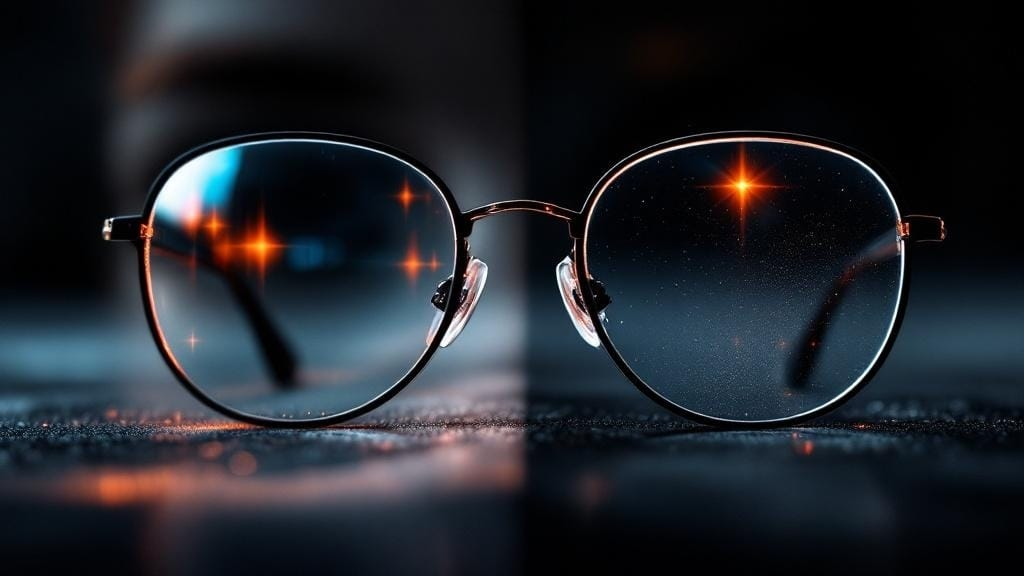
It all comes down to how much light reflects off your portable monitor screen. Anti-glare coatings scatter reflected light by diffusing it across the surface. Anti-reflective coatings cancel it out using light interference, resulting in a shiny surface.
To understand which coating to get, let’s look at:
- What are anti-glare and anti-reflective coatings?
- How they work
- Differences in brightness, sharpness, and color
- Advantages for gaming, work, and travel
- A full comparison table
- Frequently asked questions about buying the right coating
You’ll know exactly which screen coating you need by the end of this article.
Before We Get Into the Differences: How Are Screen Reflections Formed?
Portable monitors are often used under uncontrolled lighting conditions—cafés, offices, hotel rooms, trains, or even outdoors. Unlike fixed desktop monitors, portable displays are subject to shifting ambient light.
The screen is the largest light emitter on a portable display. As light from your screen hits the screen surface, three different outcomes are possible.
- The light is absorbed
- The light is scattered
- The light is reflected back towards your eyes
Anti-glare and anti-reflective coatings both influence only the latter case.
What Is an Anti-Glare (AG) Coating?
Anti-glare or AG coating reduces screen reflections by diffusing them. The diffused light is scattered in multiple directions, and a direct reflection back into the user’s eyes is avoided.
How Do Anti-Glare Coatings Work?
An anti-glare coating uses a micro-textured or matte surface finish. This breaks up any direct reflections into soft, blurry patches that look very different from a mirror-like reflection from windows or overhead lights.
That is why office monitors, business laptops, and productivity-focused portable displays often use anti-glare coatings.
Key Characteristics of Anti-Glare Displays
- Matte screen appearance
- Very low reflection, even under direct light
- Soft, less “glassy” look
- Very slightly reduced perceived sharpness
- Superb visibility in brightly lit rooms
It is a common choice among users who do a lot of text reading, coding, or document editing on their vertical monitor. Productivity-focused and anti-glare screens are often perceived as having less eye strain over long work sessions.
What Is an Anti-Reflective (AR) Coating?
Anti-reflective coating is a misnomer, as it does not eliminate reflections like anti-glare screens. It only reduces them at the surface level by canceling them out optically. This is done by applying ultra-thin layers of special chemical coatings to the screen surface.
How Do Anti-Reflective Coatings Work?
Anti-reflective coatings use the principle of light interference to eliminate as much reflected light as possible. This allows more light to pass through, which preserves image clarity and contrast.
Unlike anti-glare coatings, AR coatings do not change the surface texture of the screen. As a result, AR screens still maintain a smooth, glossy-like surface. This is why they are more common on high-end displays and premium portable gaming monitor.
Key Characteristics of Anti-Reflective Displays
- Very sharp image quality
- Higher perceived contrast and saturation
- More vibrant colors
- Visible reflections under strong ambient light
- Cleaner, more “premium” look
We have all used a portable gaming monitor at some point. If it delivered punchy colors and crisp, sharp visuals, the screen most likely featured an anti-reflective coating.
Anti-Glare vs Anti-Reflective: Key Differences
The critical difference is in the way reflections are addressed:
- Anti-glare scatters the light
- Anti-reflective reduces the light reflection at the surface level
The result is significant differences in real-world usage, especially on portable monitors.
Comparison Table: Anti-Glare vs Anti-Reflective Coatings
|
Feature |
Anti-Glare Coating |
Anti-Reflective Coating |
|---|---|---|
|
Surface Finish |
Matte, textured |
Smooth, semi-gloss |
|
Reflection Control |
Scatters reflections |
Minimizes reflections optically |
|
Image Sharpness |
Slightly reduced |
Very sharp |
|
Color Vibrancy |
Slightly muted |
More vivid and saturated |
|
Contrast |
Moderate |
Higher perceived contrast |
|
Bright Room Performance |
Excellent |
Good, but reflections possible |
|
Eye Comfort for Long Work |
Very high |
Moderate to high |
|
Gaming Visual Impact |
Good |
Excellent |
|
Outdoor Usability |
Better |
Limited in direct sunlight |
|
Typical Use Case |
Productivity, office, travel |
Gaming, media, creative work |
How Do Anti-Glare and Anti-Reflective Coatings Affect Brightness and Image Quality?
Brightness Perception
- Anti-glare screens appear slightly dimmer as the scattered light reduces perceived brightness.
- Anti-reflective displays have no such effect and preserve brightness better, which makes AR better for HDR content and gaming.
Anti-reflective and anti-glare screens have measurable differences in perceived brightness. This becomes especially visible on high-resolution panels, like on the smallest 4K monitor.
Sharpness and Text Clarity
- Anti-glare screens introduce a very subtle grain to the screen surface, which can soften up fine text a bit.
- Anti-reflective coatings preserve sharpness at a pixel level, which makes screen icons, game details, or interface elements stand out.
Which Coating Is Better for Gaming?
Anti-reflective coatings are generally more suitable for gaming on a portable gaming monitor.
- Gamers prefer Anti-Reflective because of the
- Sharper visuals
- More vibrant colors
- Better contrast in dark scenes
- Cleaner motion clarity
But if you like gaming in a brightly lit room or under direct sunlight, then the visible reflections can be distracting. Some gamers even prefer a light anti-glare coating as a compromise.
Which Coating Is Better for Work and Productivity?
Productivity tasks such as
- Writing
- Coding
- Spreadsheets
- Vertical document viewing
Are better served by anti-glare coatings.
Anti-Glare is superior for productivity because:
- It reduces eye fatigue during long sessions
- Eliminates almost all reflections under office lighting
- Reading text is more comfortable
Vertical monitors, which many users pair in a multitasking setup, also work much better with anti-glare screens.
The Screen Coating for a Portable Monitor: Portability Considerations
Portable monitors are used differently than fixed desktop displays. Coating choice also has a large impact on real-world usability:
Anti-Glare for Travel
Portable displays used during travel or work on the go are better off with a reliable anti-glare coating. They are much more forgiving in uncontrolled, unpredictable lighting and reflections. Trains, cafés, and shared spaces are less of an issue with anti-glare screens.
Anti-Reflective for Controlled Environments
Desktop replacements, office computers, and gaming setups used indoors with controllable lighting are better off with an anti-reflective coating. This works best in hotel rooms or gaming desks.
Durability and Maintenance
Cleaning and Smudges
- Anti-glare coatings can hide fingerprints and smudges but are harder to clean thoroughly.
- Anti-reflective coatings show smudges and fingerprints easily but can be wiped clean quickly with a microfiber cloth.
Scratch Visibility
- Matte textures can also hide small scratches.
- Smooth AR screens will show scratches more clearly if they are mishandled.
How to Choose the Right Coating for Your Portable Monitor
The most important question to ask yourself is:
- Will I use this monitor mostly for work or gaming?
- Do I usually work in bright environments?
- Eye comfort or image vibrancy?
- Vertical or horizontal orientation?
The answers will directly point to the right choice for you.
Frequently Asked Questions (FAQs)
1. Does anti-glare coating lower image quality?
Anti-glare coatings do not lower resolution but slightly soften sharpness due to the scattering of light. This should be imperceptible for productivity use.
2. Is anti-reflective better than anti-glare for gaming?
Yes, in most cases. Anti-reflective coatings offer a much sharper, crisper, more detailed image with higher contrast and more saturated colors, which is ideal for gaming.
3. Can I get both anti-glare and anti-reflective coating?
Yes and no. Some displays use hybrid coatings that combine reflection control and image clarity. But true “AG+AR” coatings are rare, and most are found only in expensive premium displays.
4. Which coating is better for a vertical monitor?
Anti-glare coatings are usually better for vertical monitors used to view documents, code, or any multitasking setup in which you read text for long periods.
5. Do these coatings impact touch responsiveness?
No. Touch sensitivity is fully preserved on touchscreen portable monitors with anti-glare or anti-reflective coatings.
6. Is anti-glare better for outdoor use?
Yes. Anti-glare coatings are better for bright or outdoor environments due to their ability to reduce reflections.
7. Does anti-reflective coating cause eye strain?
No. Eye strain is more dependent on brightness levels, blue light emission, and time spent in front of a screen. But in a brightly lit room, reflections may become a distraction.
8. Which screen coating is best for a smallest 4K monitor?
Anti-reflective coatings are typically more popular for higher-resolution displays. This is because AR coatings preserve more fine detail, sharpness, and contrast.
Final Words
The difference between anti-glare and anti-reflective coatings on portable monitors comes down to one thing, how they work with light. Anti-glare coatings scatter light reflections by diffusing them with a matte coating. This makes the portable monitor ideal for working in variable lighting conditions, reading documents, and looking at spreadsheets on your vertical monitor.
Anti-reflective coatings, on the other hand, offer minimal light scattering, a smoother surface, and a glossier appearance. It is the best choice for gaming, watching movies, or other use cases where vibrant colors, contrast, and sharp details are more important than controllable reflections.
By understanding both screen coatings and how they differ, you can choose a portable monitor that best fits your needs.