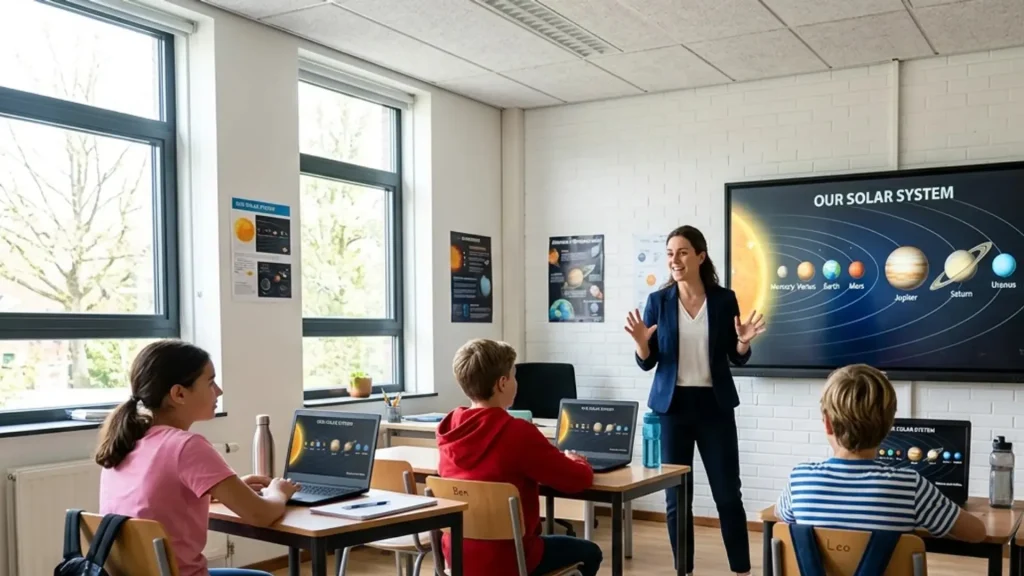
Walk into a classroom today, and you will see screens, digital tools, and interactive lessons changing how students learn every day.
Classroom technology now shapes teaching methods, student engagement, and how schools prepare learners for a digital world.
From my 12 years studying EdTech programs across K-12 and higher education, I have seen one clear pattern: technology improves learning when used with purpose.
But without structure, it can distract more than it helps.
I will show you how classroom technology works in real settings, its benefits, common challenges, and the tools educators use to get better results.
You will also understand what makes technology effective instead of overwhelming.
Before looking at tools and strategies, it helps to understand how classroom technology is shaping modern learning today.
What is Classroom Technology Today?
Classroom technology, also called EdTech or educational technology, is an entire connected ecosystem of digital tools, devices, and software.
Early classrooms used chalkboards in the 1890s, later moved to overhead projectors in the 1930s, and introduced computer labs in the 1980s and 1990s.
Today, modern classrooms feature interactive smart boards, student tablets, high-speed Wi-Fi, and AI-powered platforms that adapt lessons in real time.
The big leap came during the COVID-19 pandemic, when federal and state funding, most notably the Elementary and Secondary School Emergency Relief (ESSER) program, helped schools roll out 1:1 device programs almost overnight.
That rapid scale-up moved digital tools from a supplement to a central pillar of instruction in many districts.
As Purdue University’s clear timeline of the evolution of technology in the classroom shows, we’ve moved from basic hardware to fully integrated digital ecosystems.
When used thoughtfully, it supports great teaching, helping every student stay engaged and ready for tomorrow’s world.
Key Benefits of Classroom Technology
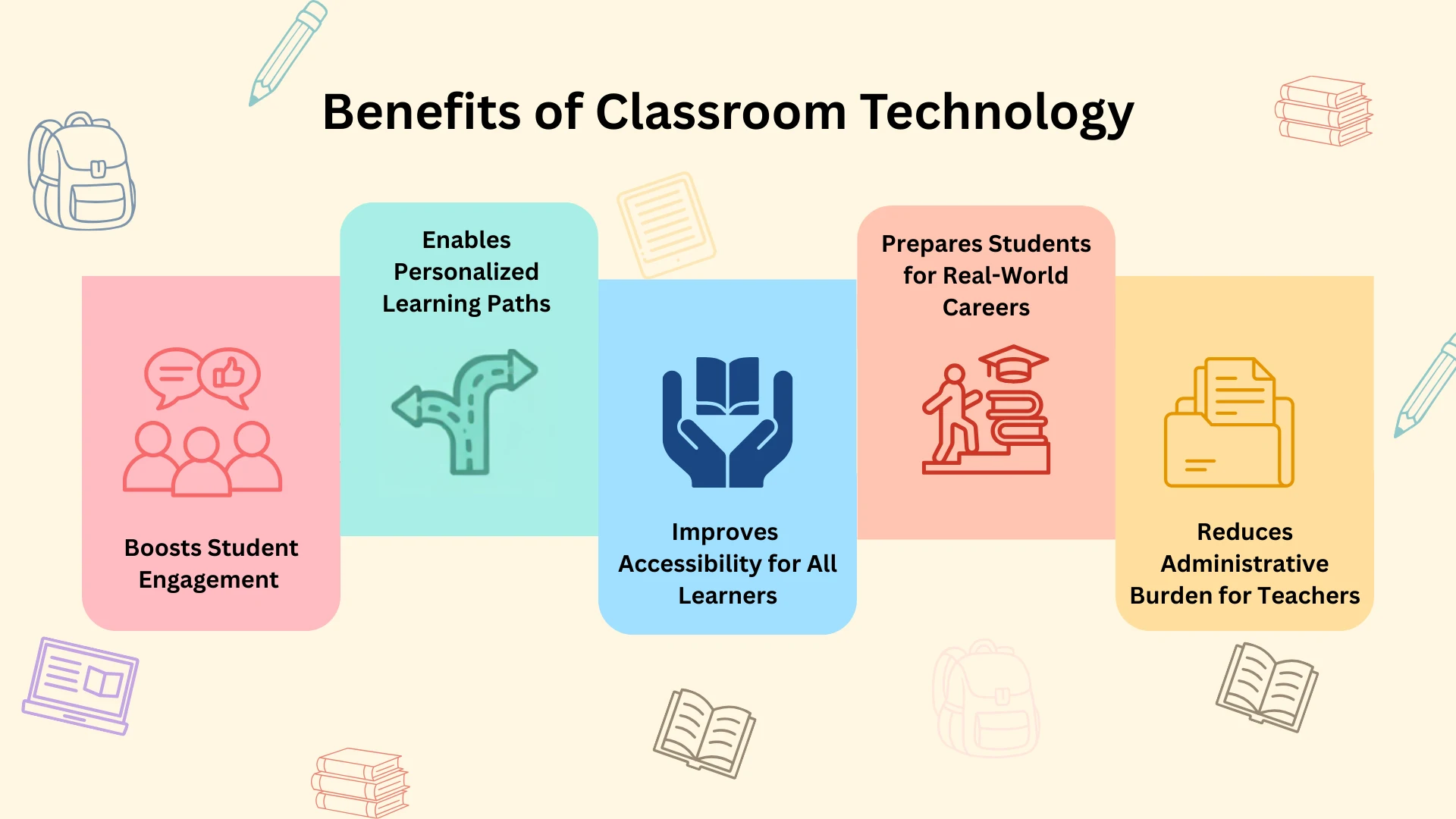
Digital learning tools make lessons more engaging, inclusive, and effective for students while also supporting teachers in daily tasks.
According to the HMH 2024 Educator Confidence Report, 81% of seasoned educators said technology has had a positive impact over the past decade and helped improve instruction.
Research from the U.S. Department of Education shows that well-used digital tools can improve student achievement and engagement.
Technology also supports personalized learning, helping students learn at their own pace and giving extra practice where needed.
Accessibility features such as captions, translation tools, and screen readers make learning easier for students with diverse needs.
Collaborative tools also build teamwork skills, while regular use of technology improves digital literacy and prepares students for future careers.
Learning Management Systems(LMS) Tools
Learning management systems serve as the central hub for organizing courses, assignments, communication, and progress tracking in modern classrooms.
1. Google Classroom
Google Classroom stands out as a free, straightforward platform built into Google Workspace for Education, making it extremely popular in K-12 schools worldwide.
Teachers create classes quickly, post announcements, share materials from Google Drive, assign work with due dates, and grade submissions directly.
The recent updates added audio/video recording in assignments, a refreshed dashboard with engagement insights, and AI features like Read Along for reading progress.
It works well for blended or online learning because setup is quick and mobile access is simple.
2. Canvas by Instructure
Canvas ranks among the top cloud-based LMS platforms, where teachers can build courses with modules, embed multimedia, create quizzes, and track detailed metrics on student performance.
The SpeedGrader feature allows fast grading and feedback. It integrates easily with Zoom, Google tools, and Turnitin to expand its functionality.
Canvas also includes accessibility tools and customizable dashboards that support personalized learning. Many call it the most loved LMS for its balance of power and simplicity.
Schools choose Canvas because it scales easily for large institutions while remaining simple for everyday classroom use.
3. Blackboard Learn
Blackboard Learn delivers an enterprise-level LMS primarily used in higher education. It supports advanced course design, multiple assessment types, and detailed metrics on student progress.
Teachers can create complex learning paths, monitor performance data, and use built-in plagiarism detection.
Recent updates added AI-powered course design assistants and a redesigned interface that improves navigation and automation.
Blackboard works across devices and supports accessibility standards. It is best for institutions that need strong customization, compliance features, and detailed reporting tools.
4.Moodle
Moodle is the most widely used open-source learning management system (LMS). Schools install it on their own servers or use hosted versions, allowing full control over features and design.
Teachers can add forums, quizzes, wikis, assignments, badges, and collaborative activities. Moodle supports learning plans, competency tracking, and detailed progress monitoring.
Thousands of plugins extend its capabilities, making it highly customizable for different teaching needs.
Because the core software is free, many universities and large districts use Moodle to build flexible digital learning systems, thereby avoiding licensing costs.
5. Schoology
Schoology, now part of PowerSchool, focuses on K-12 education with a user-friendly, collaborative platform that connects teachers, students, parents, and administrators.
Teachers create courses, distribute assignments, manage grades, and share resources while students access materials and submit work in one place.
Parents can also monitor progress through built-in communication tools. Schoology integrates with PowerSchool student information systems to keep data synchronized.
It integrates tightly with PowerSchool SIS for easy data flow and features AI-powered workflows, such as PowerBuddy, for personalized student support and educator efficiency.
6. Pathwright

Pathwright is a course platform focused on step-by-step learning paths rather than traditional course structures.
Teachers or course creators build structured learning journeys that guide students through lessons, quizzes, videos, galleries, and discussions.
The platform supports cohort-based learning, mentoring, and progress tracking to help instructors monitor student development.
Pathwright stands out for creators who want beautiful, intuitive courses without complexity. It is an ideal tool for independent teachers, small schools, or non-traditional education programs.
Interactive Teaching and Engagement Tools
Interactive teaching and engagement tools turn passive lectures into dynamic experiences that boost participation through real-time responses and creative collaboration.
7. Kahoot
Kahoot is a game-based learning platform used by millions of educators that turns any topic into fun, competitive quizzes, polls, and live games.
Teachers build questions or choose from huge ready-made libraries, then students join instantly with a game PIN on phones, tablets, or computers.
The platform creates high-energy moments through leaderboards, music, and instant feedback, keeping every learner engaged.
It is ideal for K-12 and higher education teachers who want shy students to participate and see immediate data on understanding. It works in both live classroom mode and online assignments.
8. Nearpod
Nearpod is an interactive lesson delivery platform that lets teachers build or deliver engaging presentations packed with polls, quizzes, drawings, and immersive 3D or VR content.
Teachers can upload existing slides or start from scratch, then control the pace as students respond on their own devices in real time.
You get access to over 22,000 ready-made resources, real-time dashboards, and integration with Google Classroom and Microsoft Teams.
Nearpod is widely used in K-12 classrooms for introducing concepts, conducting virtual field trips, and administering quick assessments without extra planning time.
To understand more about Nearpod, you can check here.
9.Pear Deck
Pear Deck is a teacher-favorite add-on for presentations that instantly makes any presentation interactive with multiple-choice questions, drawings, draggable responses, and text answers.
During the lesson, students answer on their own devices while teachers view responses instantly. This allows teachers to check understanding while teaching, rather than waiting until the end of class.
It has a Content Orchard with over 1,000 certified math and ELA lessons, powerful reporting, and seamless differentiation.
It is ideal for educators already working in Google or Microsoft environments who want engagement without switching platforms.
10. Padlet
Padlet is a versatile digital bulletin board and collaboration canvas where teachers and students can post text, images, videos, drawings, links, and files in real time.
Teachers create beautiful walls for brainstorming, Q&A sessions, or group projects, and students contribute in real time from any device.
Strong privacy settings keep classrooms safe, while templates and layout options make boards simple to design. It works for almost every subject and grade level.
It is ideal for all grade levels and subjects, especially for visual learners and teachers who value student voice.
11. FigJam

FigJam is a free online collaborative whiteboard from Figma that gives teachers and students an infinite canvas for brainstorming, diagramming, mind mapping, and group problem solving.
Multiple users can draw, add sticky notes, shapes, connectors, and comments simultaneously in real time. The primary function is to make visual thinking and teamwork simple and fun.
It can be used for design challenges, planning science experiments, literature analysis, and project brainstorming. It is a very useful tool for group projects and problem-solving activities.
It is ideal for middle school through higher education teachers who want to organize thoughts visually and work together more effectively than traditional paper methods.
12. Genially

Genially is a no-code platform for creating stunning interactive presentations, infographics, quizzes, games, and escape rooms with animations, clickable elements, and branching paths.
Teachers drag and drop content from thousands of templates or build from scratch, then share links that students explore at their own pace.
The primary function is to turn static materials into engaging, game-like experiences without any technical skills. It’s mostly used for flipped lessons, project showcases, and interactive homework.
The platform also tracks how students interact with the material through built-in analytics tools. Students stay motivated because the content feels like an adventure rather than a worksheet.
13. Mentimeter
Mentimeter is an interactive presentation tool that lets teachers turn regular lessons into live, engaging sessions with polls, quizzes, word clouds, and Q&A activities.
Teachers can ask questions during a lesson, and students respond in real time using their phones or laptops. Responses appear instantly on the screen, making the class more interactive and participatory.
The main purpose of Mentimeter is to involve every student, even those who may not feel comfortable speaking out loud.
This classroom technology tools allow teachers to get immediate insight into student understanding. It works well in both in-person and online classrooms.
Assessment and Feedback Platforms
Assessment and feedback platforms make quizzes, grading, and student insights faster and more insightful for teachers.
14.Quizlet
Quizlet is a popular classroom technology tool that helps students learn through flashcards, quizzes, and learning games.
Teachers create custom sets or browse the vast library, then assign activities like Match, Gravity, or live Quizlet Live games.
The primary function is to build long-term retention through spaced repetition and active recall. it is commonly used for vocabulary building, test preparation, and daily reviews across all subjects.
The free version covers most needs, with Quizlet Plus adding offline access and advanced analytics. Students love the fun competition while teachers save time on prep.
15.Edpuzzle
Edpuzzle is a video learning tool that lets teachers crop and embed questions into any YouTube, TED, or their own video.
Students watch and answer multiple-choice, open-ended, or drawing questions at key moments, with automatic grading, ensuring active learning.
The primary function is to make passive video watching active and accountable. It is mostly used for flipped classrooms, homework reviews, and differentiated instruction.
It is ideal for teachers in any subject who use video content. Students stay focused because they must interact to continue, and teachers gain clear insights into comprehension gaps.
16. Socrative
Socrative is a simple classroom assessment tool that allows teachers to run quizzes, polls, and exit tickets in real time.
Teachers create questions and students join using a room code from any device. Responses appear instantly on the teacher dashboard, making it easy to check understanding during lessons.
Features such as Space Race add a game element, with teams competing as they answer questions. Socrative automatically grades and generates reports that teachers can download.
Teachers appreciate how it keeps every student engaged and provides data to adjust teaching on the spot. The platform is widely used for quick formative assessments and daily learning checks.
17. Formative
Formative is a real-time assessment platform that allows teachers to create interactive assignments with multiple question types, including drawing, audio responses, and file uploads.
As students work, teachers can watch responses appear live on the dashboard. This allows teachers to provide immediate feedback or adjust instruction if needed.
It is mostly used for daily checks, unit assessments, and collaborative projects. It is ideal for K-12 educators needing flexible, standards-aligned tools with deep analytics.
While the basic features are free for basic use, schools and district plans unlock unlimited classes and advanced reporting.
18. Gradescope

Gradescope is an AI-powered grading platform that streamlines assessment for large classes, especially in STEM subjects.
Teachers upload assignments or scans of handwritten work, set rubrics, and let AI assist with grouping similar answers for consistent, fast grading.
Use cases include exams, homework, programming projects, and lab reports. It is ideal for high school and university instructors handling large volumes of work.
Recent updates include better AI accuracy for essays and math. The tool integrates with learning management systems such as Canvas and Blackboard, making grading easier for large courses.
Challenges of Classroom Technology Integration

Classroom technology delivers strong results but also poses challenges that require planning and support.
Student distraction is a major concern. OECD research shows heavy device use can lower performance, as students shift to games or unrelated content, while long screen time reduces focus.
Academic integrity is another issue. Tools like ChatGPT allow students to complete work quickly, making it harder for teachers to assess real understanding.
Assessment security is also at risk. Students may access answers during online tests without proper controls, like locked browsers.
The digital divide persists, as many students still lack reliable internet access at home.
Data privacy is increasingly important, with schools required to comply with laws such as FERPA and COPPA while carefully managing student data.
Cost and training also matter. Devices, software, and maintenance are expensive, and teachers need ongoing support to use technology effectively.
Does Technology in The Classroom Improve Learning?
Recent research shows that classroom technology is improving learning outcomes in many schools, though success depends heavily on thoughtful implementation.
A 2025 meta-analysis found small but meaningful gains in student achievement, especially for less advantaged learners, when tools deliver guided computer-assisted learning.
Reviews of early literacy programs also report overall positive effects on reading skills.
At the same time, some studies show mixed results, with limited or even slightly negative impacts when devices are used without clear direction or strong teacher support.
Digital tools work best when tied to clear learning goals, active teacher guidance, and a balance of digital and traditional methods.
Schools that follow these practices consistently see measurable academic gains and better-prepared students.
Tips for Integrating Technology in the Classroom
Successful classroom technology integration follows simple, proven steps that build teacher confidence and deliver positive results for every student.
- Start Small: Introduce one new tool at a time so both teachers and students can learn it comfortably. Gradual changes build confidence and prevent overload.
- Ensure Equal Access: Provide devices, offline learning options, and home internet support, so every student can participate fully.
- Align with Learning Goals: Make sure every tool supports clear lesson objectives. It should strengthen what students are expected to learn, not distract from it.
- Try the Flipped Classroom Model: Assign video lessons or recorded lectures as pre-class homework using tools like Edpuzzle, then use live class time for discussion, problem-solving, and hands-on practice. This shift is one of the most reliable ways to increase both engagement and comprehension without adding to the school day.
- Provide Ongoing Teacher Training: Offer hands-on workshops and real classroom practice sessions to help teachers feel prepared and confident using new tools.
- Balance Digital and Traditional Methods: Combine technology with discussions, hands-on activities, and written work.
- Teach Digital Citizenship Alongside Every Tool: Students need explicit instruction in responsible technology use, evaluating online sources, understanding privacy, and knowing where the line is on AI assistance. Embedding digital citizenship into lessons from day one prevents many of the distractions and academic integrity issues schools face later.
- Engage Families Early: Collect feedback from students and parents, and share simple guides to help them understand new tools. When families feel informed, adoption becomes more successful.
The Future of Classroom Technology in Education
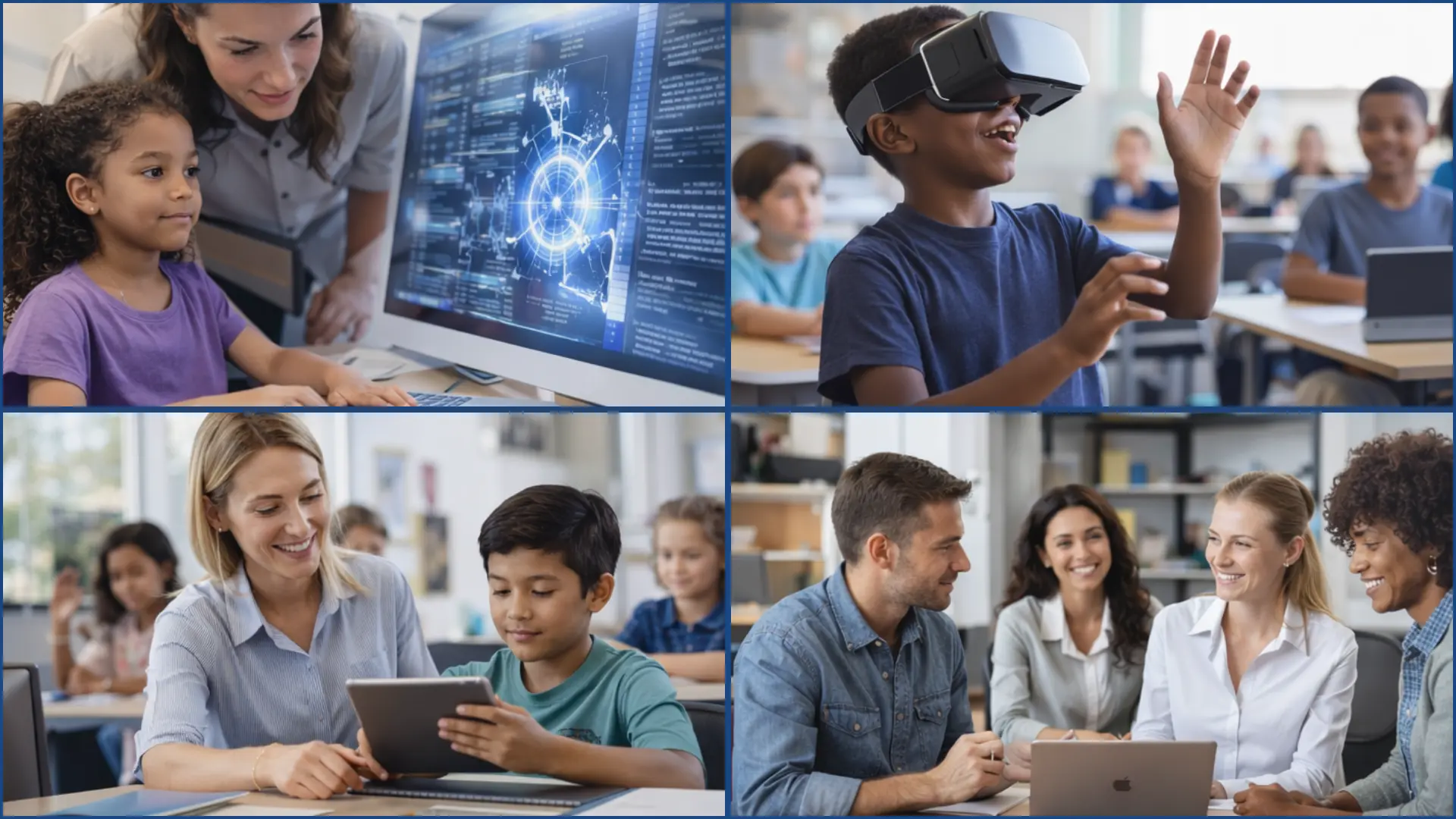
The future of classroom technology offers strong potential for more personalized and immersive learning experiences.
Artificial intelligence will power tools that adjust to each student’s needs and help schools make better data-driven decisions.
Generative AI tools like ChatGPT are already changing how students learn, and schools are beginning to build structured ways to use them responsibly.
Virtual, augmented, and mixed reality will expand hands-on learning. Students can explore places and concepts in ways not possible before, while teachers guide the experience.
As recent Stanford research on immersive tech shows, these tools empower teachers and strengthen human connections rather than replace them.
At the same time, global frameworks from organizations like UNESCO will help schools use technology safely, fairly, and with a clear focus on student learning outcomes.
Conclusion
Classroom technology is neither a quick fix nor a passing trend. Its impact depends on thoughtful planning, strong teacher support, and clear learning goals.
It works best when it serves great teaching, not the other way around. When used with purpose, it improves engagement and prepares students for a future shaped by digital tools.
When examples of technology in the classroom are implemented without structure, they can create distractions, strain budgets, or widen learning gaps.
When technology is implemented without structure, whether that means skipping teacher training, ignoring the digital divide, or deploying tools without clear objectives, it creates distractions, strains budgets, and can widen the very learning gaps it was meant to close.
The schools seeing the best results are the ones that train teachers well, close access gaps, and keep human connection at the center.
What piece of classroom technology have you found most useful? Drop it in the comments and share your experience with fellow readers.