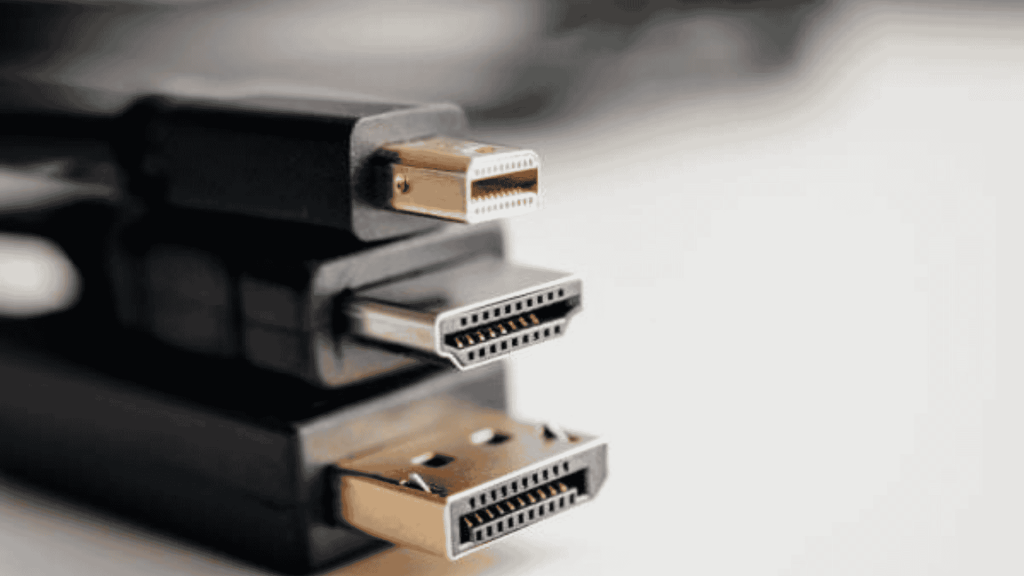
Have you ever grabbed a USB cable, tried to plug it in, and realized it does not fit your device? It could be frustrating, especially when you are in a hurry to charge or transfer files.
With Mini USB, Micro USB, and USB-C all still in use, anyone can feel unsure about which cable works.
Older gadgets relied on larger ports, while newer phones and laptops need faster charging and smoother data transfer.
Each USB type was designed to solve specific problems of its time.
USB-C is included here only as a modern reference point. While it has largely replaced both Mini USB and Micro USB, many people still rely on older devices that cannot be upgraded.
This comparison focuses on Mini USB vs Micro USB first, with USB-C used only to explain why older standards feel limited by today’s expectations.
My Experience Using Mini USB, Micro USB, and USB-C Devices
I have used all three USB types across different devices over the years, from older digital cameras and MP3 players to Android phones, Bluetooth speakers, and modern laptops.
Mini USB was common on early cameras and GPS units I used, and while it felt solid, it was noticeably bulky and easy to misalign. Over time, ports loosened, especially with frequent unplugging.
Micro USB became the most familiar. I used it daily on older Android phones, power banks, and wireless accessories. It held better than Mini USB, but after months of use, cables often needed careful positioning to maintain a stable charge.
USB-C has been the most reliable in daily use. On newer phones and laptops, faster charging, reversible plugging, and consistent connections make a noticeable difference during everyday charging and file transfers.
This hands-on use is why the differences in size, durability, and power matter in real situations, not just on spec sheets.
Mini USB and Micro USB: A Quick Practical Overview
Mini USB and Micro USB were both created to solve portability problems of their time, but they served different generations of devices.
Mini USB appeared first and was commonly used in early digital cameras, MP3 players, and GPS units during the early 2000s. It was designed to be smaller than full-size USB but still robust enough for occasional use.
Micro USB was introduced later as devices became thinner and more frequently charged. It reduced port size, increased durability, and became the standard connector for smartphones and accessories for over a decade.
Understanding their real-world differences matters more than definitions, which is why the comparison below focuses on use, reliability, and compatibility rather than specs alone.
Overview of Micro USB
Micro USB is a smaller USB connector that replaced Mini USB as devices became thinner and more compact.
It was introduced in 2007 by the USB Implementers Forum. It was created to support smaller devices and handle more daily use than a Mini USB.
One main advantage is its longer port life, as it was built to handle more plug-in cycles than Mini USB.
It also helped brands follow a common charging standard, which made cables easier to find and replace.
It includes its support for moderate charging speeds and basic data transfer. The connector is stronger than Mini USB, making it better for regular use over time.
Mini USB vs Micro USB
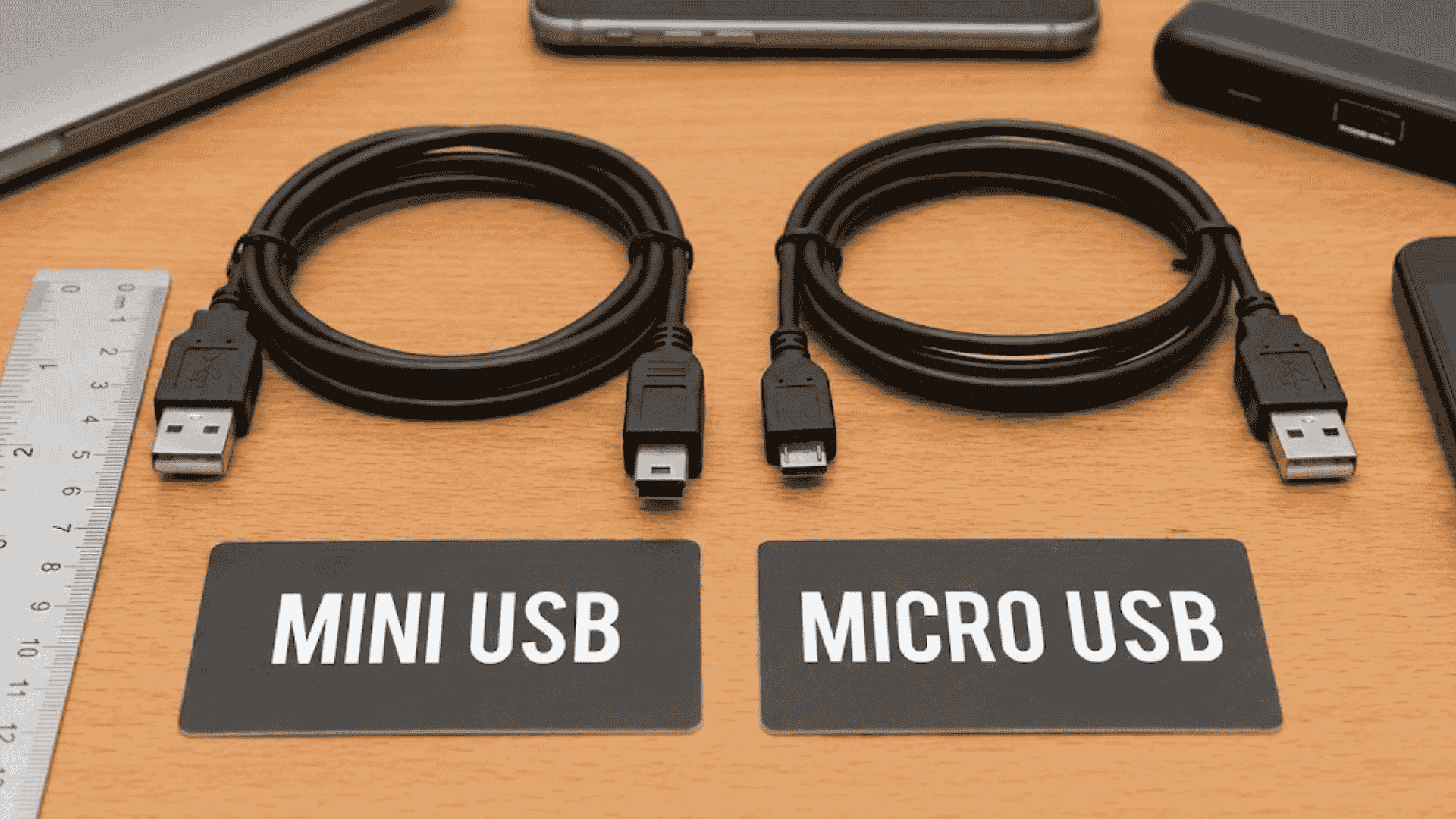
Mini USB and Micro USB are older USB connectors used for charging and data transfer in earlier devices. Micro USB replaced Mini USB because it was better suited for everyday use.
1. Physical Dimensions
Mini USB vs Micro USB, both look similar at first glance, but their sizes set them apart right away.
Mini USB has a trapezoid shape that’s about 3 mm high and 7 mm wide, making it chunkier and better for bigger devices back in the day.
Micro USB, on the other hand, is slimmer at roughly 1.8 mm high and 6.85 mm wide with a flat bottom and rounded top.
This tiny tweak let Micro USB squeeze into super-thin phones and tablets. If you’re plugging into a pocket-sized gadget, Micro USB wins for its snug, space-saving fit.
2. Durability Rating
Durability matters when you’re constantly plugging and unplugging cables.
Mini USB handles around 5,000 connect cycles before wearing out, which isn’t bad but can feel fragile over time.
Micro USB steps it up to 10,000 cycles thanks to its stronger latch mechanism that grips tighter.
That means your Android phone or controller cable lasts longer without loosening. Users prefer this because it cuts down on frustrating mid-charge disconnects.
3. Pin Configuration
Both Mini USB and Micro USB use five pins to handle power and data, but the way those pins work is different.
Mini USB has a simple pin layout that handles charging and file transfer without extra functions.
Micro USB improves this setup by using the ID pin in a more useful way.
This allows OTG support, which lets a phone connect directly to devices like flash drives, keyboards, or mice.
Overall, when comparing Mini USB vs Micro USB, Micro USB offers more flexibility and better everyday support than Mini USB.
4. Data Transfer Speed
Mini USB and Micro USB both support USB 2.0 speeds, which reach up to 480 Mbps.
This means neither connector is fast by today’s standards, but both work well for simple needs. Mini USB was reliable for older cameras, music players, and storage devices where file sizes were small.
Micro USB delivers similar speed but feels more stable on mobile devices due to better connector design.
These connectors are not meant for heavy data use, but they are still useful for basic backups and charging.
5. Use Cases
Mini USB and Micro USB are still used in many older and basic devices.
Mini USB is mainly found in early digital cameras, MP3 players, legacy GPS units, testing tools, and older external hard drives where the hardware has not been updated.
Micro USB is more common and appears in older Android phones, tablets, Bluetooth speakers, and wireless headphones.
It is often used in budget electronics because it provides reliable charging and basic data transfer without higher speed needs.
Real-World Charging and Connection Stability
In real use, the biggest difference between Mini USB and Micro USB shows up during daily charging.
Mini USB connectors often require precise alignment. A slight movement can interrupt charging, especially on older devices.
Micro USB improved this, but after long-term use, I noticed cables becoming loose, especially on phones charged multiple times per day.
USB-C largely solves this problem. Even after extended use, the connection remains firm, and charging does not stop when the device is moved.
This practical reliability is one reason manufacturers moved away from Mini USB and Micro USB.
Why was Mini USB Deprecated in Favor of Micro USB?
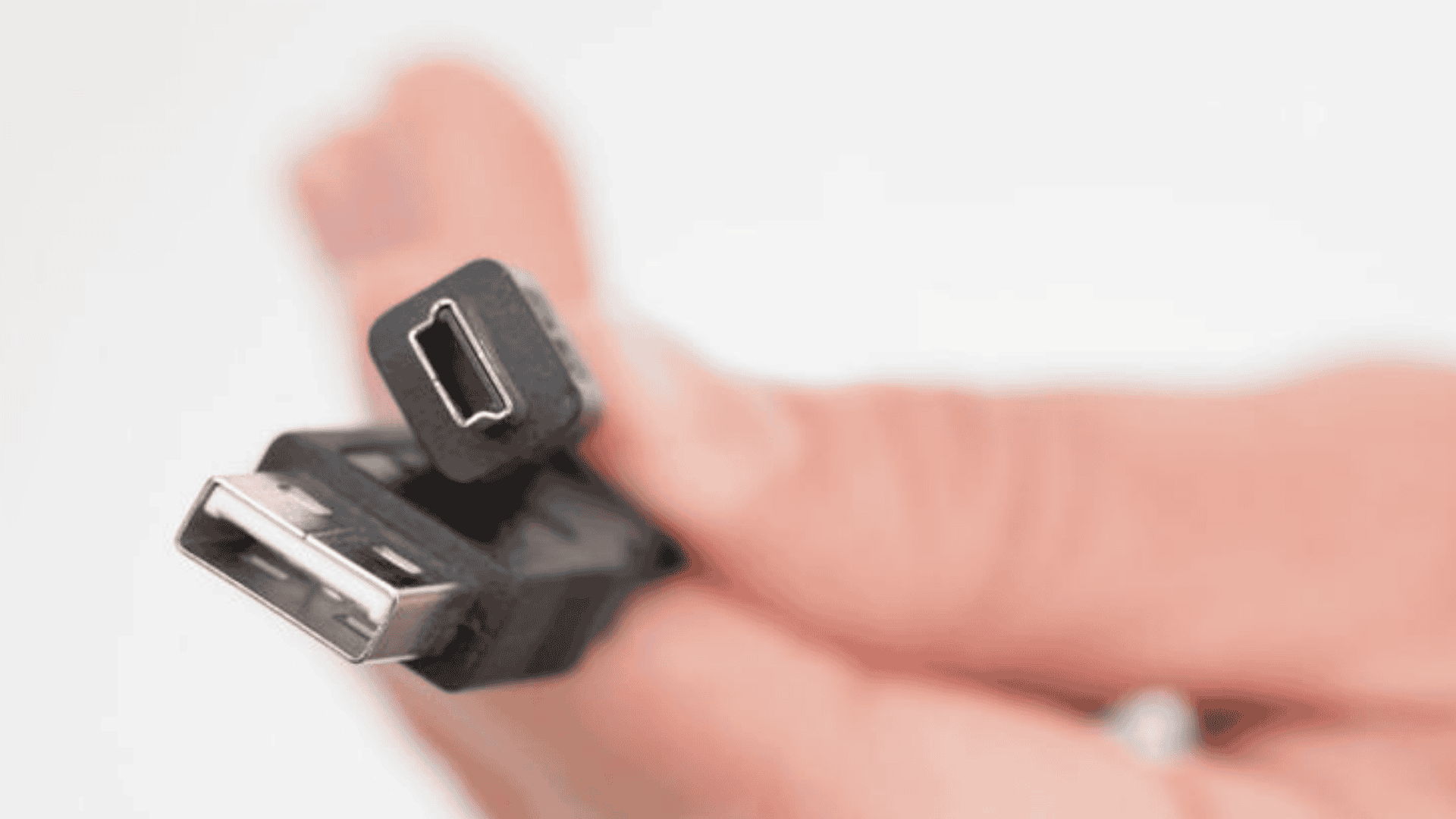
Mini USB was replaced by Micro USB due to both historical and technical reasons as devices evolved over time, making the Mini USB vs Micro USB comparison an important one.
When the Mini USB was first introduced, it worked well for cameras, music players, and early portable electronics.
As mobile phones and gadgets became smaller and lighter, manufacturers needed a connector that took up less space inside the device.
Micro USB solved this issue with a slimmer shape that fits better in compact products.
From a technical side, it was built to handle more plug-and-unplug cycles, making it more reliable for daily charging.
Over time, many brands adopted Micro USB as a shared standard, which reduced cable clutter and made charging simpler for users.
Connector Wear and Longevity in Daily Use
Connector lifespan matters when devices are charged daily.
Mini USB ports wear faster due to their larger size and weaker internal retention. Over time, cables may fall out or fail to connect.
Micro USB improved durability, but frequent daily charging still causes port loosening.
USB-C distributes wear more evenly across pins and supports higher cycle ratings, which is noticeable in long-term use on phones and laptops.
This difference is often overlooked but becomes clear after months or years of regular charging.
Micro USB vs USB-C
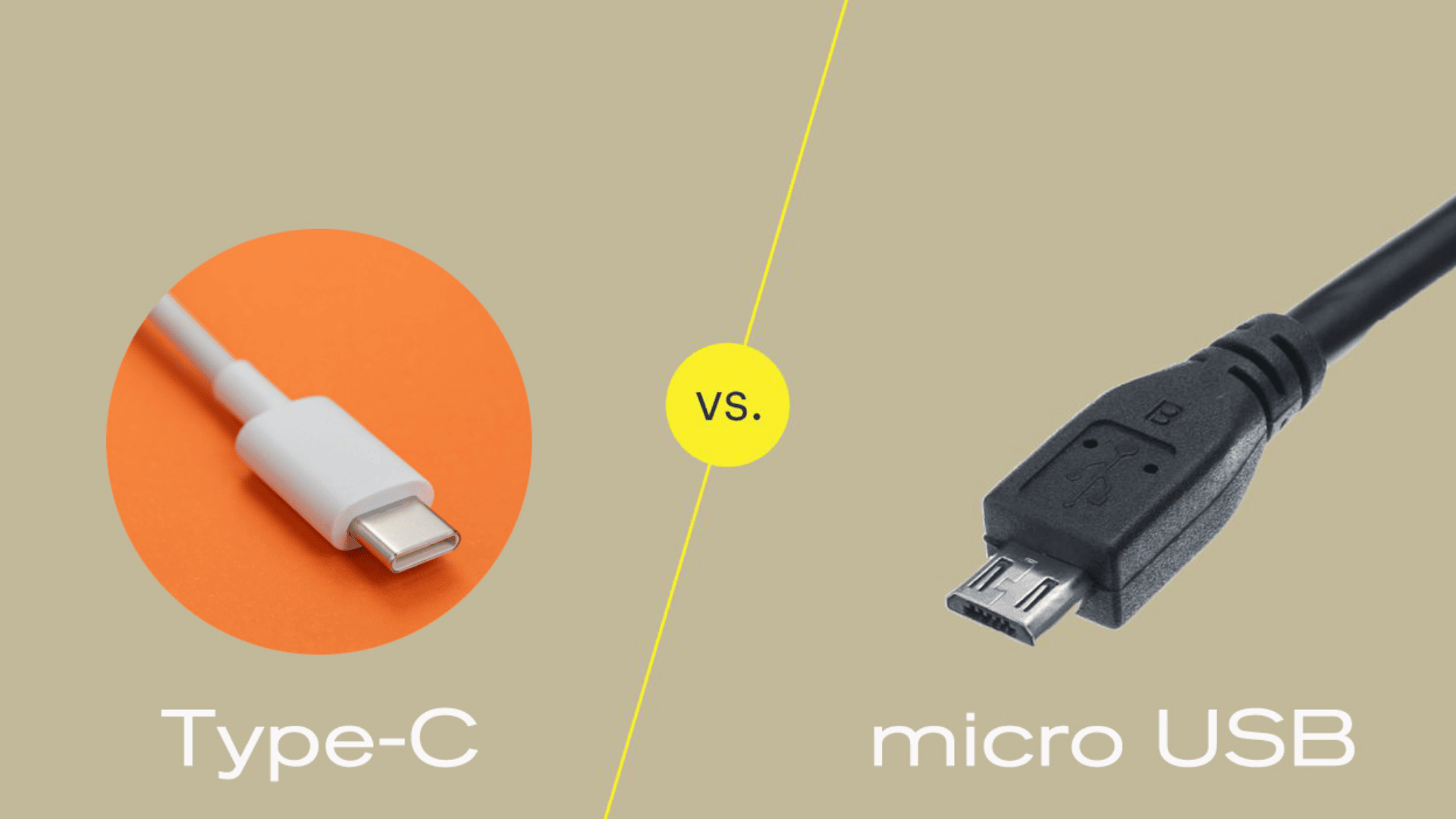
Micro USB and USB-C are both used for charging and data transfer, but they serve different device needs. USB-C offers easier use compared to the older Micro USB standard.
1. Physical Shape
Micro USB and USB-C look very different, and the design affects daily use.
Micro USB is small and thin, with a flat bottom and a curved top.
Because of this shape, it only fits one way. If you try to plug it in upside down, it will not go in.
USB-C has a wider oval shape and works in either direction. You can plug it in without checking the side, which makes charging quicker and easier.
2. Data Speed
Micro USB supports USB 2.0 speeds, which reach up to 480 Mbps.
This speed works fine for music, photos, and small files. However, larger backups or videos can take a long time to transfer.
USB-C supports newer standards that allow much faster data movement. This makes a big difference when moving large videos, apps, or system files.
3. Power Delivery
Micro USB provides limited power, usually up to 15 watts. This means phones and tablets often charge slowly, especially with larger batteries.
USB-C supports higher power levels through smart charging rules. It can safely deliver much more power based on what the device needs.
This allows phones to charge faster and laptops to charge using the same cable.
4. Pin Count
Pins control how power and data move through a cable. Micro USB uses five pins, which handle basic charging and data transfer.
USB-C uses many more pins arranged in a flexible layout. These pins can change roles depending on the task.
This allows USB-C to support charging, fast data transfer, and video output at the same time.
Mini USB vs Micro USB vs USB-C at a Glance
A quick comparison based on everyday use. It helps you see which option fits older devices and which works best for newer technology.
| Criteria | Mini USB | Micro USB | USB-C |
| Compatibility | Works with older gadgets only | Common on older phones and accessories | Used on most new phones and laptops |
| Power Delivery | Low charging power | Moderate charging power |
Fast and high-power charging |
| Future Proofing | Not suitable for modern devices | Limited support today | Best option for new devices |
| Reversal Feature | Fits only one way | Fits only one way | Fits both ways |
Real Devices Where These Connectors Still Appear
Over the years, I’ve run into both Mini USB and Micro USB while setting up and maintaining older hardware rather than modern phones.
Mini USB still appears on devices like older Canon PowerShot cameras, early Garmin GPS units, and handheld testing equipment released in the mid-2000s. I’ve personally had to replace Mini USB cables for a Canon PowerShot A-series camera when transferring photos, where cable fit mattered more than speed.
Micro USB is far more common. I’ve used it extensively on older Android phones, Bluetooth speakers, game controllers, and power banks manufactured between roughly 2012 and 2019. In daily use, Micro USB ports tend to fail from looseness long before the cable itself stops working.
These experiences are why durability and connector wear matter more than raw data speed for older USB standards.
When Each USB Type Still Makes Sense
Mini USB still makes sense if you are using legacy equipment that has not been updated, such as older cameras or industrial tools. Replacing cables is cheaper than replacing working hardware.
Micro USB is practical for budget electronics or backup chargers where fast charging is not critical. It remains widely available and affordable.
USB-C is the best choice for new devices. If you are buying new hardware today, choosing USB-C avoids compatibility issues and provides better charging and data performance.
From everyday use, choosing the correct connector reduces wear, charging interruptions, and long-term frustration.
Which USB Type Should You Use Today?
Choosing the right USB type depends on the device you use. Older electronics often work best with Mini USB or Micro USB.
Many older cameras, MP3 players, and small accessories were designed only for these ports. Using the correct cable helps prevent charging problems and connection errors.
Micro USB is still easy to find and works well for devices that do not need fast charging or quick data transfer.
For newer devices, USB-C is usually the best option. It supports faster charging and quicker data transfer, which saves time.
Most new phones, tablets, laptops, and gaming controllers now use USB-C. The plug also works both ways, making it easier to connect.
Real-World Problems People Face With USB Cables (And How to Fix Them)
Most comparisons explain specs, but real users usually arrive here because something is not working. Based on everyday use and common issues people run into, these are the problems that matter most.
“My device charges only at a certain angle”
This usually happens with worn Mini USB or Micro USB ports. The internal connector loosens over time, causing unstable contact. Replacing the cable may help temporarily, but the issue is often the port itself.
“My phone charges slowly even with a new cable”
Micro USB cables vary widely in quality. Many low-cost cables support charging but not higher current. USB-C cables are designed with better power negotiation, which is why newer devices charge more consistently.
“The cable fits, but data transfer keeps failing”
Mini USB and Micro USB connectors are more sensitive to movement during file transfers. USB-C handles vibration and movement better, which reduces dropped connections during backups or large file transfers.
“Why do newer devices stop using Micro USB completely?”
Manufacturers moved away from Micro USB not only for speed, but for reliability. USB-C reduces support issues caused by worn ports, upside-down insertion, and inconsistent power delivery.
If your device works but charging feels unreliable, the connector type is often the hidden cause.
When Specs Matter vs When They Don’t
Spec sheets are useful, but they do not always reflect real use.
- If you only charge overnight, Mini USB or Micro USB can still work.
- If you charge multiple times per day, port durability matters more than speed.
- If you transfer large files or use docking accessories, USB-C is a clear upgrade.
Understanding this difference helps you choose based on behavior, not marketing claims.
Conclusion
Mini USB is now best treated as a legacy connector. If a device still uses it, replacing cables is reasonable, but upgrading the device should be considered when possible.
Micro USB remains usable for many accessories and older electronics, but it is no longer ideal for frequent charging or data transfer.
If you are buying new devices or replacing hardware, USB-C is the practical long-term choice. For older gear, using the correct cable type matters more than chasing higher speeds.
Choosing the right connector comes down to device age, usage frequency, and reliability, not just technical specs.