

Locked out of your Android phone with no password or PIN in sight?
Well, to be honest here, you’re not the only one in the race searching for a quick fix.
The term “master code to unlock any phone” circulates widely online, promising instant access to locked devices.
The truth behind these codes often differs dramatically from the claims, with most being outdated information and wishful thinking rather than actual solutions.
This blog breaks down what master codes actually are, how they function, and whether they can truly bypass modern Android security.
You’ll also learn about realistic alternatives, potential risks, and what to expect when attempting these methods.
By the end, you’ll know exactly what works and what doesn’t when dealing with a locked Android device.
What is a Master Code for Android Phones?
A master code is a special sequence of numbers and symbols entered through your phone’s dialer app.
These codes were created by manufacturers to help technicians test phone hardware and access diagnostic menus during repairs or quality checks.
When you enter a master code, it opens hidden settings that show information about your device’s components, signal strength, or software version.
However, these codes don’t bypass security locks like PINs or passwords.
They simply provide access to technical information that regular users don’t normally see during everyday phone use.
In easy terms, think of them as shortcuts to service menus rather than keys that open locked doors.
Do Universal Master Codes Actually Work?
No, the widely searched “master code to unlock any phone” does not work on modern Android devices.
The idea that one code can unlock any phone is mostly a myth spread by old forum posts and misleading videos.
Modern Android versions employ encryption and multi-layer authentication systems that simple codes cannot override, regardless of how many times they’re entered.
Security updates continuously patch vulnerabilities, making older bypass methods obsolete within months of their discovery.
While some service codes work across different devices from the same manufacturer, they only access diagnostic menus rather than removing locks or security barriers.
Manufacturer-specific protections combined with Google’s security protocols have effectively eliminated universal bypass options.
Master Code to Unlock Any Android Phone
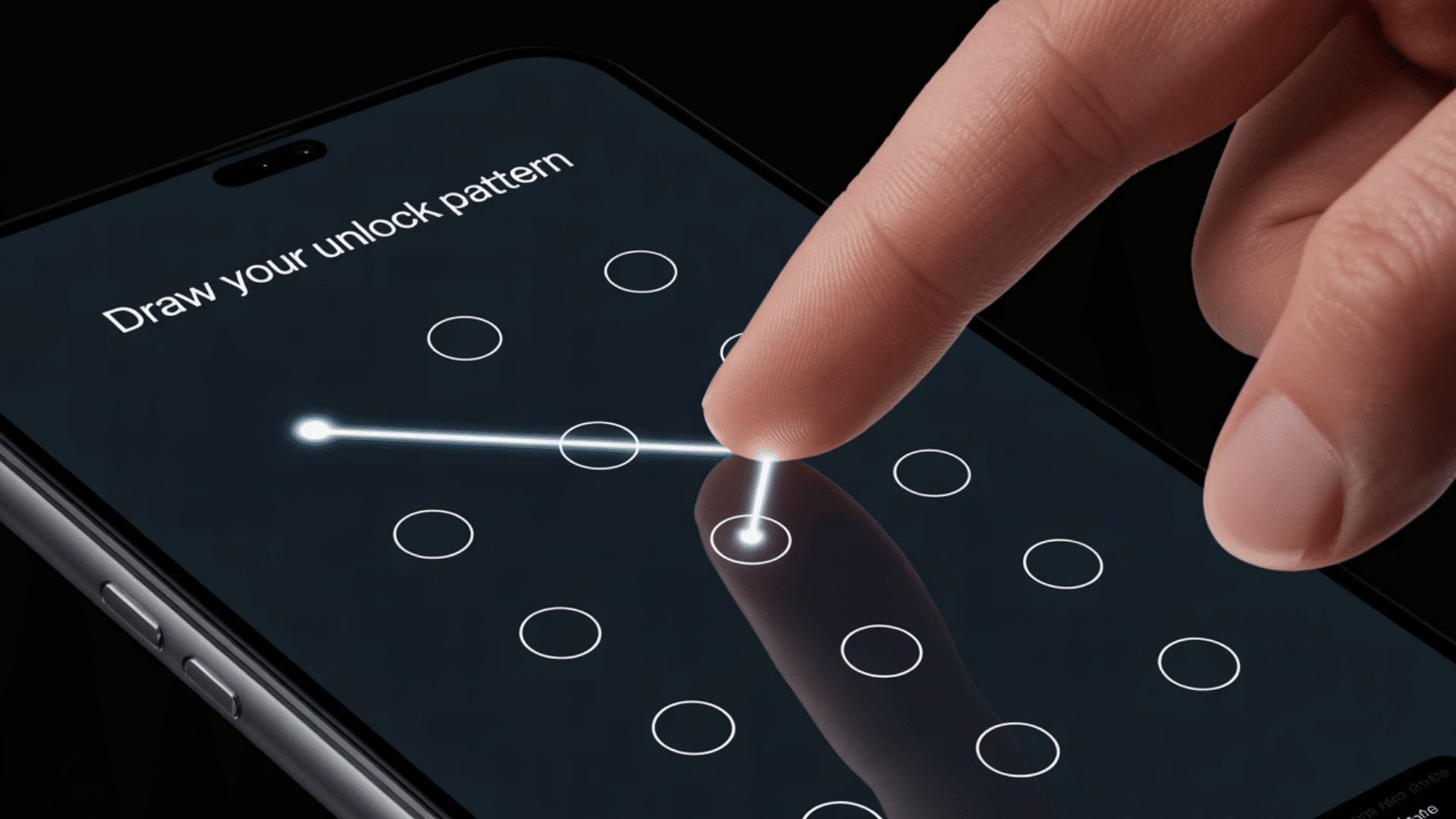
Many people follow a similar process when trying to master codes, hoping for quick results. Here’s what typically happens at each stage and why these attempts usually fail on modern devices.
Step 1: Identify the Android Brand and Model
Before attempting any master code, you need to know your phone’s exact manufacturer and model number, which you can find on the device’s back panel or in the settings menu under “About Phone.”
Different manufacturers like Samsung, LG, Motorola, and HTC use completely different code structures that won’t work interchangeably between brands.
The model year and software version also matter significantly because codes that worked on Android 8 may not function on Android 12 or newer versions.
Even within the same brand, flagship models often have different codes than budget models, making identification crucial before proceeding.
Step 2: Enter Commonly Circulated Master Codes
Users typically try codes like *#*#7780#*#* or similar sequences found online through YouTube videos and forum posts claiming guaranteed results.
These codes are entered directly into the phone’s dialer app, and some may trigger responses while others show error messages or do nothing at all.
The codes circulating on social media are often outdated or designed for specific older models that no longer receive support or updates.
Many codes open diagnostic menus showing battery health, network information, or hardware test screens, but they rarely affect lock screens on devices running updated Android operating systems.
Step 3: Understand the Result of Using a Master Code
Most attempts result in error messages, blank screens, or access to harmless information displays that show phone specifications and technical data.
Successful code entry might display details about your device’s IMEI number, software version, or sensor functionality, but these screens won’t remove security locks or bypass password requirements.
Some codes may restart your phone or open factory test modes that look promising but don’t actually grant access to locked content or user data.
Even when codes work, they are for diagnostics, not a “secret code to unlock Android phone password” on modern protected devices.
Step 4: Check for Account Verification Locks
Even after successfully performing a factory reset through recovery mode or service codes, Google’s Factory Reset Protection (FRP) immediately activates on devices running Android 5.1 and newer versions.
This security feature requires you to enter the original Google account email and password that was previously synced to the device before the reset occurred.
FRP prevents unauthorized access regardless of which code or method was used to wipe the device, making stolen phones essentially useless to thieves.
Without the original account credentials, the phone remains locked at the setup screen, unable to complete activation or access any features beyond basic emergency calls.
Step 5: Evaluate Whether the Method is Viable
Despite claims about a “master code to unlock any phone,” modern security, like encryption and biometrics, makes such codes ineffective on current devices.
The time spent searching for and testing various codes often exceeds the time needed to pursue legitimate recovery methods through official manufacturer or Google account support channels.
Alternative approaches like contacting your carrier, visiting an authorized service center, or using Google’s account recovery tools prove more effective and don’t risk damaging your device or violating terms of service.
Understanding these limitations upfront saves frustration and helps you choose the most practical solution for regaining access to your locked Android phone.
Common Android Master Codes and What They Do
Android master codes, often searched as “master code to unlock any phone,” are USSD or MMI codes used to access diagnostic menus and device information.
These codes vary significantly by brand, model, and Android version, with functionality changing between updates.
- Factory Reset Service Codes: ##7780## resets apps and settings but keeps firmware, while 27673855# fully wipes older devices. Both trigger Factory Reset Protection on Android 10+.
- Diagnostic and Testing Codes: #0# opens Samsung hardware tests, and ##4636## shows battery, usage, and network details on most Android devices.
- Brand-Specific Service Codes: Samsung uses *#1234# for firmware and *#0228# for battery info. LG and Motorola codes vary by model and software version
These codes reveal technical information and support device maintenance tasks but never compromise security measures or authentication systems.
Manufacturers patch exploits regularly, keeping diagnostic features separate from lock screen security on all modern Android versions.
Alternative Methods Used to Bypass Android Lock Screens
When master codes fail to provide access, several alternative methods offer more reliable solutions for locked devices. These approaches vary in complexity and effectiveness depending on your specific Android version.
1. Google Account Recovery Method
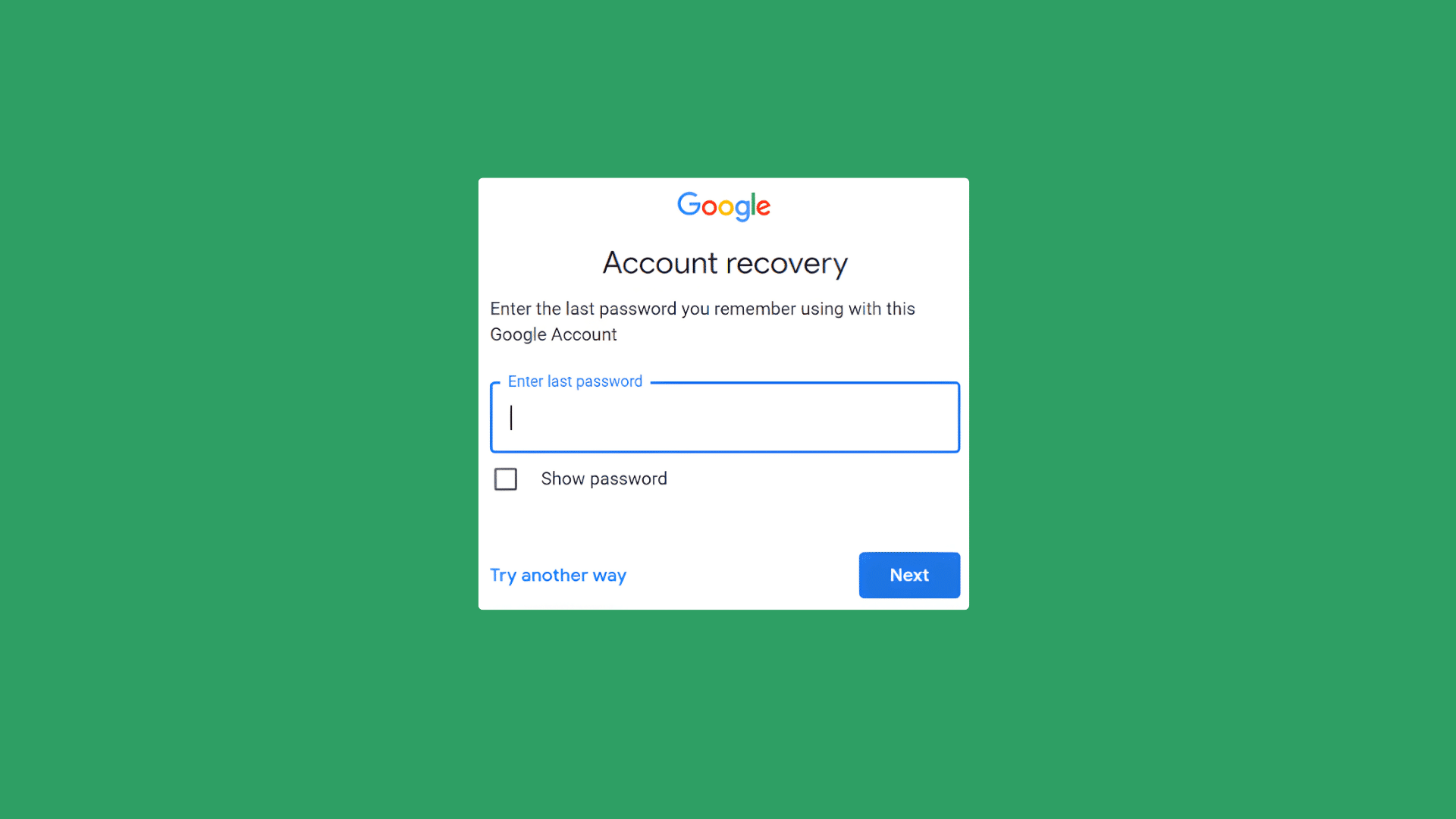
If you’ve forgotten your lock screen password but remember your Google account credentials, this method provides the most straightforward recovery option.
Navigate to Google’s account recovery page from any browser and select the “Forgot Password” option to begin the verification process.
You’ll receive a verification code through your backup email address or registered phone number to confirm your identity.
Once verified, reset your Google password and use these new credentials to sign back into your locked Android device.
This method works best when you have access to your recovery email or phone number and doesn’t require any technical expertise or additional software installation.
2. Find My Device Reset Option
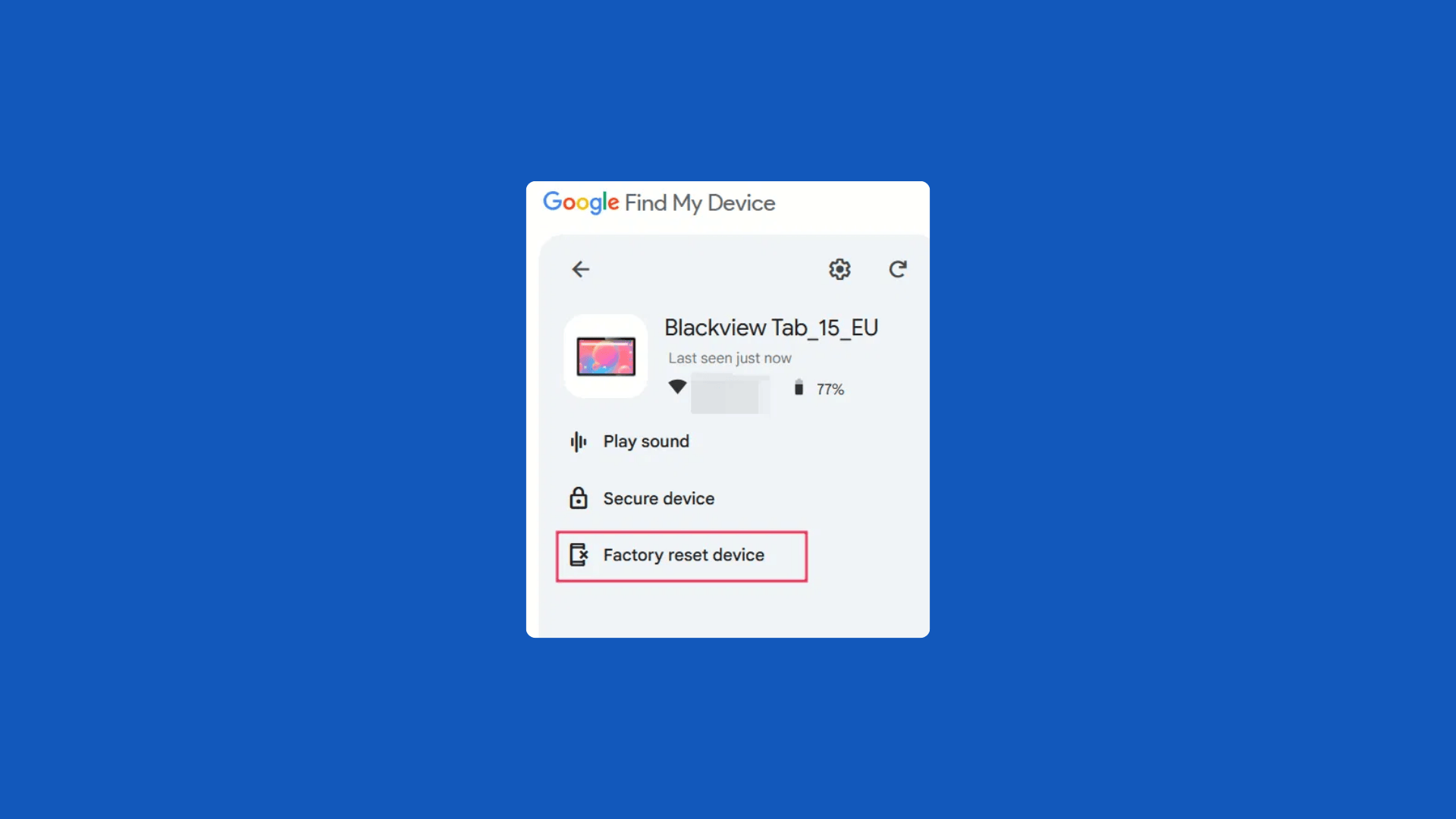
Google’s Find My Device service offers a remote management solution that can factory reset your locked phone from any web browser.
Log into the Find My Device website using your Google account credentials associated with the locked device to view its current location and available options.
Select the “Erase Device” option to initiate a complete factory reset that removes all data, settings, and the lock screen.
Keep in mind that after the reset completes, you’ll still need your original Google account credentials to set up the phone due to Factory Reset Protection.
This method proves particularly useful when you can’t physically access the device or when other unlock methods have failed completely.
3. Recovery Mode Factory Reset
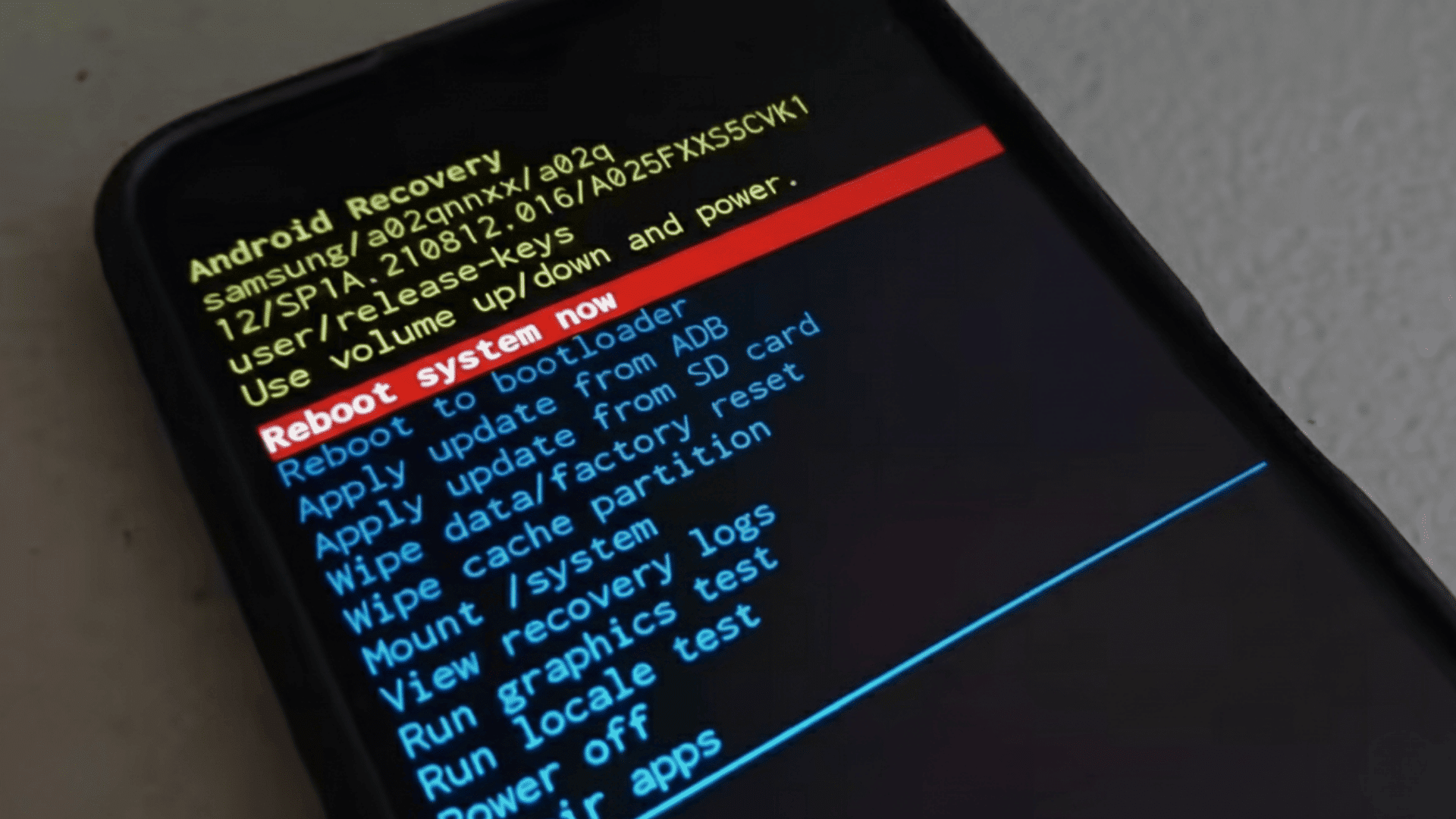
Recovery mode provides a built-in system-level option to factory reset your device without accessing the operating system or lock screen.
Power off your device completely, then press and hold specific button combinations that vary by manufacturer during startup to enter recovery mode.
Use the volume buttons to navigate through the recovery menu and select “Wipe Data/Factory Reset” using the power button to confirm.
This process erases all user data, installed apps, and settings, returning the device to its original factory state.
However, on devices running Android 5.1 or newer, Factory Reset Protection automatically activates after the reset, requiring you to verify the original Google account before completing setup.
4. PC-Based Software Tools

Several third-party software applications claim to bypass Android lock screens through computer connections, though results vary significantly by device model and Android version.
These programs typically require you to connect your locked phone to a computer via USB cable and follow on-screen instructions to remove the lock.
Popular options include specialized unlocking software designed for specific manufacturers, though their effectiveness has decreased with newer security updates.
Using these tools often voids your device warranty, may cause data loss, and requires some technical knowledge to operate correctly.
Additionally, some tools only work on older Android versions or specific device models, making compatibility a major concern before purchase.
Pros and Cons of Using Master Codes and Bypass Methods
Weighing advantages against risks helps you make informed decisions about attempting these methods on your locked device.
| Pros | Cons |
|---|---|
| Quick access to diagnostic information without professional help | Rarely effective on modern Android versions with current security |
| Some codes work across multiple devices of the same brand | Factory Reset Protection prevents unauthorized access even after resets |
| No software downloads or computer connections required | Risk of data loss without proper backups |
| Useful for checking hardware functionality and device specifications | Potential warranty issues if unauthorized methods damage the device |
Common Mistakes to Avoid When Using Master Codes
Understanding common pitfalls helps you avoid permanently damaging your device or losing valuable data during unlock attempts.
- Skipping data backups: Factory reset codes erase all data without recovery options once executed.
- Paying for unlock codes: Legitimate master codes are free; websites charging money are scams.
- Ignoring compatibility: Codes for Android 8 won’t work on Android 12 due to security updates.
- Not removing SIM cards: Some codes require SIM removal to function properly and prevent complications.
- Using codes blindly: Certain codes can brick devices, void warranties, or cause irreversible changes.
- Trusting outdated sources: Tutorials from 2018-2020 don’t apply to current Android security protocols.
- Overlooking FRP locks: Successful resets still require original Google account credentials afterward.
Conclusion
The search for a master code to unlock any phone often leads to frustration rather than solutions.
While these codes exist, they serve diagnostic purposes rather than security bypassing on modern Android devices.
Google’s multi-layer protection, including FRP and encryption, has effectively eliminated simple code-based bypasses.
For legitimate access recovery, your best options involve Google account verification, manufacturer support, or authorized service centers.
Understanding these limitations saves time and prevents potential security violations.
Master codes won’t magically open your locked phone, but proper recovery channels can restore access legally and safely.
Have you tried any master codes or alternative methods when locked out of your device?
Share your experiences and what worked for you in the comments below.










One Response
Hi I’m ralyy trying to open my old daughters Samsung but can’t cuz u can’t remember the old pattern