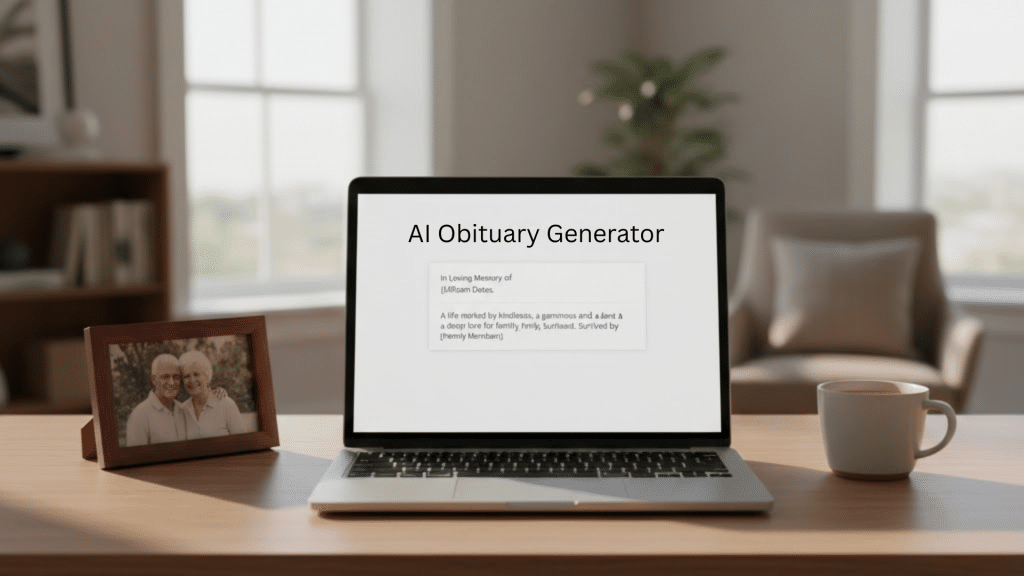
An AI-written obituary can feel strange at first, especially when you’re dealing with loss.
When you lose someone, even simple tasks feel heavy, and writing their obituary becomes one of the hardest things to face.
You want to say the right words, but your mind feels slow, and your heart is tired. That’s when many people turn to AI.
It doesn’t replace real feelings, but it gives a starting point when the page feels empty.
As someone who writes about AI for a living, I’ve tested obituary prompts the same way I test other writing workflows: by looking for clarity, tone control, and error risks.
AI cannot “know” a person’s life, but it can help you structure facts and produce a first draft you can edit into something real. The goal is simple: reduce the blank-page stress while keeping the final words fully human.
This guide is written from a technology perspective: how to use AI tools to create a clear first draft, then edit it into something personal and accurate. It is not grief counseling, and it is not a substitute for guidance from a funeral director, faith leader, or licensed mental health professional if you need support. If you feel stuck, asking a funeral home for help with obituary wording is also common and completely okay.
AI Tools You Can Use to Write an Obituary
Several AI tools can help you write an obituary, and each works slightly differently.
ChatGPT is useful if you want flexibility and control. You can describe the person in your own words and adjust the tone as much as you like.
Dedicated obituary generators are simpler and guide you step by step, but they often produce more generic results.
Writing apps with AI features can help polish wording, but they usually work best after you already have a draft.
If you want the most personal result, tools that allow free-form input and editing tend to work better than rigid templates.
AI Obituary Prompts You Can Copy and Use Immediately
Before using AI, it helps to collect a few details:
- Full name of the person
- Age and date of passing
- Close family members
- A few defining traits or habits
- One or two personal memories
- Any cause or service details you wish to include
Having this information ready makes the AI draft clearer and reduces the need for heavy editing later.
If you are using ChatGPT or a similar tool, these prompts can help you start.
Prompt 1: “Help me write a respectful obituary for someone who passed away. Their name is [Name], they were [age], and they were known for [key traits]. Keep the tone warm and simple.”
Prompt 2: “Rewrite this obituary to sound more personal and less formal. Add gentle emotion without exaggeration.”
Prompt 3: “Shorten this obituary while keeping the most important memories and details.”
Expanded ChatGPT Prompts for Writing an AI-Generated Obituary
When emotions feel heavy, having the right prompt matters more than perfect wording. These prompts are designed to help you start gently and edit at your own pace.
You do not need to use them exactly as written. Treat them as a guide and adjust details until the draft feels right to you.
Prompt 1: Simple and Respectful Obituary Draft
Use this if you want a calm, traditional starting point.
Help me write a respectful obituary.
The person’s name is [Name].
They were [age] years old and passed away on [date].
They were known for [kindness, humor, dedication to family, or other traits].
Please keep the tone warm, clear, and sincere.
This prompt works well when you feel overwhelmed and just need something on the page.
Prompt 2: More Personal and Story-Focused
Use this if you want the obituary to reflect personality and warmth.
Write an obituary that feels personal and human, not formal.
Include gentle emotion and simple language.
This person enjoyed [hobbies, routines, passions], and was loved for [personal qualities].
Focus on who they were, not just dates and facts.
This helps move the writing away from generic phrases.
Prompt 3: Short and Simple Obituary
Use this if the obituary needs to be brief.
Create a short obituary that shares the most important details clearly.
Avoid long sentences and formal language.
Keep it respectful and easy to read.
This is useful for online notices or newspapers with word limits.
Prompt 4: Editing an Existing Draft
Use this after you already have a rough version.
Please rewrite this obituary to sound more natural and less formal.
Remove repetitive phrases and add warmth where appropriate.
Keep the message respectful and emotionally balanced.
This prompt helps refine what you already wrote.
Prompt 5: Gentle Tone for Family and Friends
Use this if you want to avoid sounding distant or overly polished.
Rewrite this obituary using softer language that feels comforting and sincere.
Avoid clichés and formal expressions.
Make it sound like it was written by someone who truly knew them.
This works well when the draft feels correct but emotionally flat.
Prompt 6: Including a Closing Line
Use this if you struggle with how to end the obituary.
Add a gentle closing paragraph that reflects remembrance, gratitude, or quiet reflection.
Keep the tone calm and meaningful, without religious language unless specified.
Endings are often the hardest part, and this prompt helps ease that step.
Example: AI Obituary Draft Before and After Editing
Below is a simplified example of how an AI-generated obituary might look before and after personal editing.
AI Draft (First Version): “[Name] passed away at the age of [age]. They were known for their dedication to family and the kindness they showed to others. They will be remembered by those who knew them.”
After Personal Editing: “[Name] passed away at the age of [age], leaving behind a family who loved their quiet humor and steady presence. They were someone who showed care through small actions, and those moments will be remembered long after.”
This example shows how AI can provide structure, while personal memories bring warmth and meaning to the final message.
Sample AI-Generated Obituary (Fictional Example)
Below is a fully fictional example showing how an AI-assisted obituary might look after personal editing.
“James Allen Roberts, age 72, passed away peacefully on March 4, 2025, surrounded by his family. James was known for his quiet humor, steady kindness, and deep love for those closest to him. He spent his life caring for others through simple acts, whether it was showing up when needed or listening without judgment. James is survived by his spouse, children, and grandchildren, who will remember him for the warmth he brought into everyday moments. His presence will be deeply missed and lovingly remembered.”
This example shows how AI can help shape structure and clarity, while personal edits give the obituary its true voice and meaning.
AI Tools for Writing an Obituary: Comparison Overview
| Tool Name | Best For | Ease of Use | Customization Level | Pricing | Notes |
|---|---|---|---|---|---|
| ChatGPT | Flexible, personal obituary drafts | Easy | High | Free plan available; paid plans for advanced features | Best for writing in your own voice and revising drafts gently |
| FuneralFolio | Structured obituary creation | Very Easy | Low | Free service | Guided process, but results can feel generic |
| Ever Loved | Memorial pages and notices | Easy | Medium | Free basic use; optional paid features | Useful for sharing and hosting memorials, less flexible for writing style |
| General AI Writing Apps | Polishing existing drafts | Easy | Medium | Free and paid versions available | Works best after you already have a first draft |
Pricing can change over time, but free tools are often enough for creating a thoughtful first draft. Paid platforms may offer convenience or hosting features, while flexible AI tools allow more personal editing without extra cost.
How to Use These Prompts Without Feeling Overwhelmed
You do not need to use every prompt. Many people start with just one, then slowly edit the draft over time.
It is okay to pause, step away, and return later. The goal is not perfection. The goal is to help you express something meaningful without carrying the full weight alone.
AI provides structure, but your memories and voice give the obituary its heart.
Why People Turn to AI for Obituaries

Many people use AI during this time because writing feels heavy, and they need support that gives a clear start without adding more stress.
1. Time Constraints During Grief
During grief, daily tasks feel slow, and even small duties take more energy. You may be arranging the service, managing calls, and trying to hold yourself together.
Writing an obituary can feel like one more hard step. AI helps by giving you a draft quickly, so you don’t feel rushed or overwhelmed.
It offers structure when your time and focus are limited, allowing you to adjust things when you’re ready.
2. Writer’s Block in Emotional Moments
Grief often blocks your thoughts. You may want to write about your person, but the words don’t come, and the blank page feels heavier by the minute.
That pressure makes everything harder. AI helps by offering simple lines and ideas you can use as a starting point. It lifts the weight of beginning from nothing.
You stay in control, but the tool helps you break through the emotional wall so you can keep going.
3. Need for Structure and Guidance
Many people don’t know how to shape an obituary or which parts matter most. You may worry about missing important details or not setting the right tone.
AI gives you a layout that feels steady and easy to follow. It organizes facts and helps you craft a clear message.
With that structure in place, you can add real memories, personal notes, and small stories that bring warmth to the final piece.
4. Cost Considerations
Hiring a writer or using a professional service can be costly, especially during a period of many unexpected expenses.
AI offers a simple option that doesn’t put financial pressure on you. It gives you a helpful start at no cost and lets you adjust the writing as much as you want.
You still create something personal, but you get support that feels accessible and simple during a moment when budgets may already feel stretched.
How I Tested AI Obituary Drafts (So You Can Trust the Process)
To keep this guide practical, I tested multiple obituary drafts by changing inputs like tone, length, and how many personal details were included. I compared results for common issues people run into: generic phrasing, missing family roles, incorrect dates, and “too polished” language. The pattern was consistent: the more specific your inputs, the less generic the output becomes, and the fewer edits you need later. That’s why this article focuses on prompts, checklists, and safe editing steps, not on pretending AI can replace lived memory.
The first draft I received was simple and factual, but after editing a few lines and adding personal memories, it became something my family felt comfortable sharing.
I used AI when my mind felt slow and heavy, and I needed help finding a clear place to start. I first tried it with simple hopes.
I thought it might give me a few lines to work from, or at least help me get past the blank page. I didn’t expect much more than a rough shape.
What surprised me was how it helped me slow down and think. The draft wasn’t perfect, but it gave room for my own memories to rise to the surface.
It reminded me of dates, simple facts, and ways to open the message. The helpful part was the way it pushed me to finish the parts I had been avoiding.
It didn’t replace my voice, but it made the process feel less heavy and gave me space to bring the real heart into the final piece.
Reported Experiences From People Using AI to Write Obituaries
Reporting over the past year shows both families and some funeral homes experimenting with AI to speed up first drafts, especially when time and emotional energy are limited. At the same time, the most common concerns are predictable: drafts can sound generic, they can contain factual mistakes, and they may feel emotionally “flat” unless a family member adds real memories and edits carefully. Because of those risks, a simple rule works well: use AI for structure, then do a human review for accuracy, tone, and personal detail before sharing anything publicly.
Many people have shared how AI helped them during difficult moments, especially when they needed to write an obituary or death notice but didn’t know where to begin.
One person used ChatGPT to write a notice for a team member who passed away, making it easier to share the news with their company in a clear, respectful way.
Another used it to write their father’s obituary, giving the tool key details and letting it guide them through what to include.
After a few edits, the final version was praised by family members.
Someone else shared that their mother used ChatGPT to write her own father’s obituary, using it as a starting point before making personal edits.
These stories show how AI can offer support when words are hard to find.
How to Use AI Without Losing the Personal Touch

AI can help you start, but the heart of the obituary still comes from you. These steps keep it real and grounded.
1. Use AI Only as the First Step
AI helps you start, but the first draft should never be the final one. After you get the base, read each line slowly and decide what feels real and what feels flat.
Change the tone, add missing details, and remove lines that don’t sound like something you would say.
This keeps the writing personal while still letting AI handle the early work when starting feels too hard.
2. Bring In Real Memories
AI can’t know your person’s small stories, so adding your own moments makes the writing come alive.
Think about simple memories, like shared routines, inside jokes, or things they loved. Even tiny details can make the message feel warm.
These stories move the obituary from basic facts to a true picture of their life. They remind people of who they were, not just what they did.
3. Show Who They Truly Were
Many special traits are small, and AI drafts miss these. Add details about their habits, little quirks, or the way they made others feel.
It could be how they laughed, how they greeted people, or how they spent quiet time.
These pieces bring a human tone that AI cannot create on its own. They help the writing sound full and honest, instead of flat or distant.
4. Let Family Help Shape the Final Draft
Sharing the draft with family members helps fill in gaps you may not notice. Others might remember stories you forgot or suggest lines that sound more natural.
Their input adds depth and keeps the message balanced. Working together also makes the process feel less heavy.
It turns the obituary into something created with shared love, not just something you had to write alone.
What AI Gets Right and Wrong
AI can help during tough moments, but it still needs your voice to make the obituary feel real and meaningful.
The Good Parts
- Quick results help you move forward when your time and energy are limited.
- Organized thoughts make the first draft feel clearer and less stressful to shape.
- A ready starting point keeps you from staring at a blank page during heavy moments.
- Basic facts come together smoothly, so you don’t worry about missing simple details.
The Not-So-Good Parts
- The message may lack the warmth of real memories and lived moments.
- Some lines sound generic and don’t match the person or their life story.
- Unique traits and small habits often fade because AI can’t know them.
- Emotional distance can make the writing feel plain, even when the story deserves more depth.
These points show why AI works best as support, not a full solution, and why your own voice matters in the final message.
Tips if You Want to Use AI for an Obituary
AI can help you begin, but you still guide the final message. These tips make the process smoother and keep the writing true.
- Start with simple facts so the draft forms clearly.
- Add your own voice as you revise each line.
- Include small memories that make the writing warm.
- Remove lines that feel flat or too formal.
- Share the draft with someone who knew the person well.
- Read the final version out loud before sharing it.
These steps help you balance the draft with your own words so the message feels steady and honest.
Conclusion
An AI-written obituary can help you start when your mind feels heavy, but the heart of the message still comes from you.
AI gives shape and direction, yet your memories and stories make the final piece feel real. I learned that using AI doesn’t take away from how much you care.
It simply gives support when writing feels too hard to face alone. You still choose the tone, add the moments that matter, and shape the message into something honest.
When you mix AI guidance with your own voice, the obituary becomes clearer and easier to build. It lets you focus on what you want to say instead of fighting the blank page.
If you’re ready to write your own obituary draft and want help shaping it, just tell me, and I’ll guide you through it step by step.