I often see people confused when shopping for a new monitor, especially once HDR labels start appearing on spec sheets.
The names sound similar, yet the experience can feel very different in real use. In this guide, I want to slow things down and look at what those labels actually mean for everyday viewing.
If you watch movies, edit photos, or spend long hours gaming, these details matter more than marketing suggests.
This guide includes brightness levels, contrast expectations, and how certification standards affect what you see on screen.
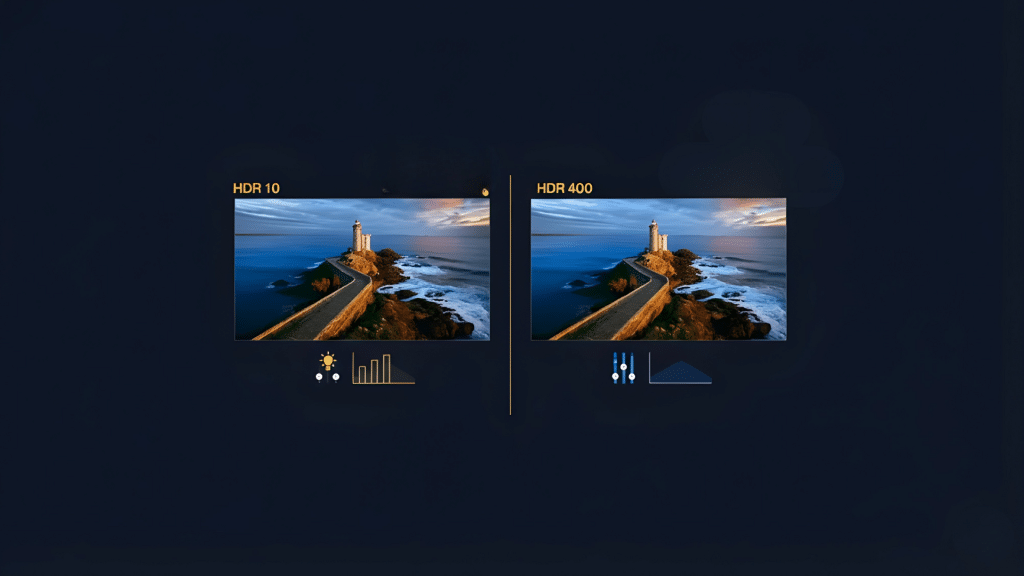
Along the way, I’ll compare HDR10 vs HDR400 in a clear, practical way, without technical overload.
By the end, you should feel more confident judging whether an HDR monitor fits your needs, your space, and how you actually use your display.
What is HDR Technology?
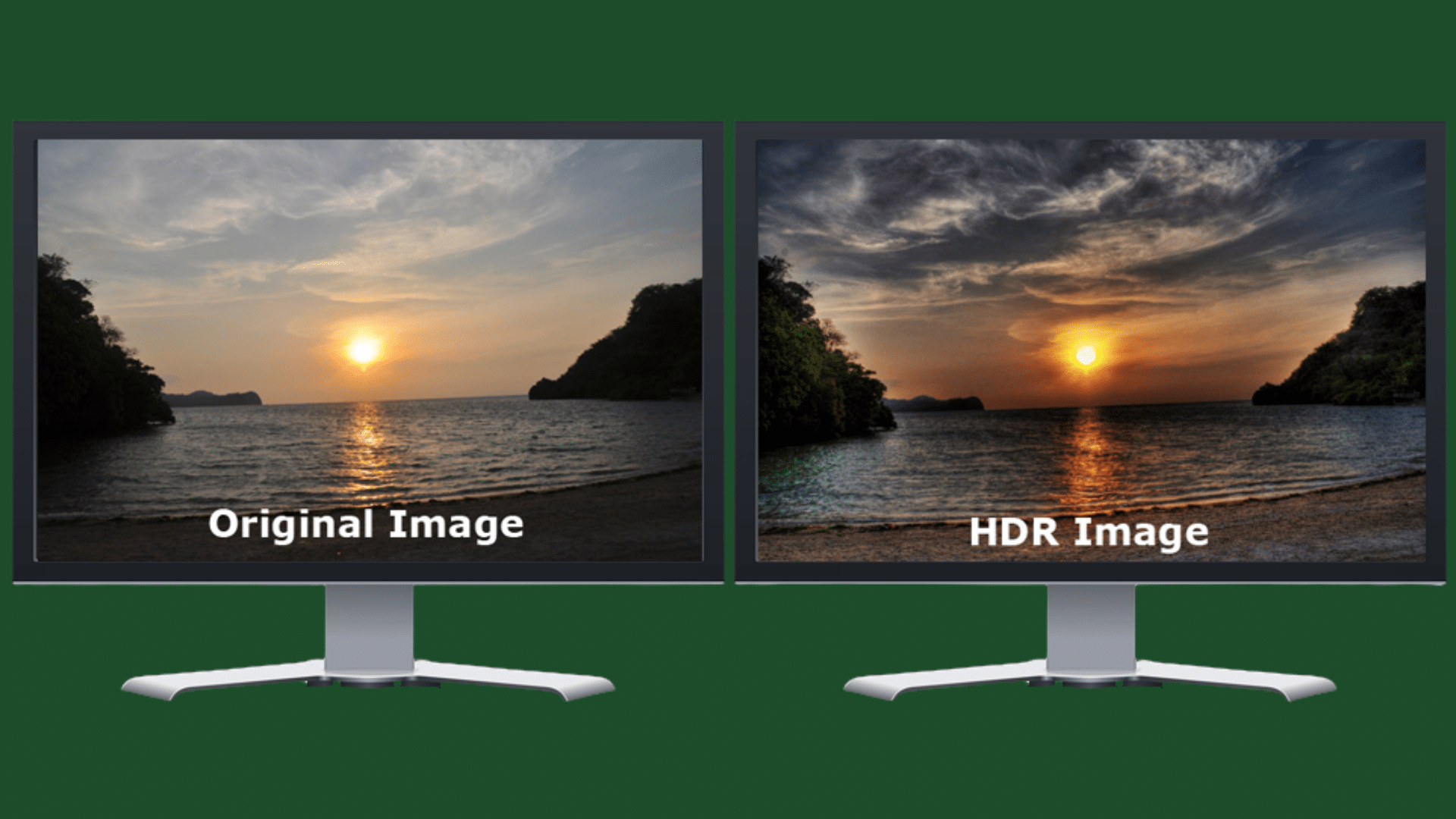
HDR technology, or High Dynamic Range, improves how images appear on a screen by expanding the range between the darkest blacks and brightest highlights.
It allows displays to show more detail in shadows and bright areas at the same time, creating a more lifelike picture.
HDR also enhances color depth, making tones look richer and closer to real-world lighting. This technology is widely used in TVs, monitors, streaming platforms, and modern games.
However, not all HDR standards deliver the same results. Certifications differ based on brightness levels, contrast handling, and color performance.
Understanding these differences helps buyers set realistic expectations. Comparisons like HDR10 vs HDR400 highlight how standards can vary in visual impact, even though both carry the HDR label.
Knowing how HDR works makes it easier to choose displays that match viewing habits better.
HDR10 Explained: Industry Standard for HDR Content
HDR10 is the most widely adopted HDR format used across TVs, monitors, streaming services, and gaming consoles.
It uses static metadata, meaning brightness and color settings are applied uniformly across an entire piece of content.
HDR10 supports a wide color gamut and up to 10-bit color depth, allowing for smoother gradients and fewer visible color bands.
The standard targets peak brightness levels up to 1,000 nits, though real performance depends heavily on the display itself.
Because HDR10 is open and royalty-free, it has become the default HDR format for most content creators and hardware makers.
While it does not adapt scene by scene, its broad support ensures consistent playback across devices, making it a reliable baseline for HDR viewing.
HDR 400 Demystified: VESA’s Entry-Level Certification
DisplayHDR 400 is VESA’s entry-level HDR certification designed mainly for monitors. It requires a peak brightness of at least 400 nits, global dimming, and basic color support.
Unlike higher tiers, HDR 400 does not require local dimming, which limits contrast improvements in dark scenes.
As a result, HDR effects often appear subtle rather than dramatic. This certification focuses more on signaling minimal HDR capability than delivering a cinematic experience.
Many monitors with HDR 400 can accept HDR signals but struggle to show deep blacks or strong highlights.
Understanding this level is useful when comparing HDR10 vs HDR400, since both labels may appear together.
HDR 400 works best as a starting point for casual users who want limited HDR compatibility without higher costs.
HDR10 vs HDR400: Direct Performance Comparison
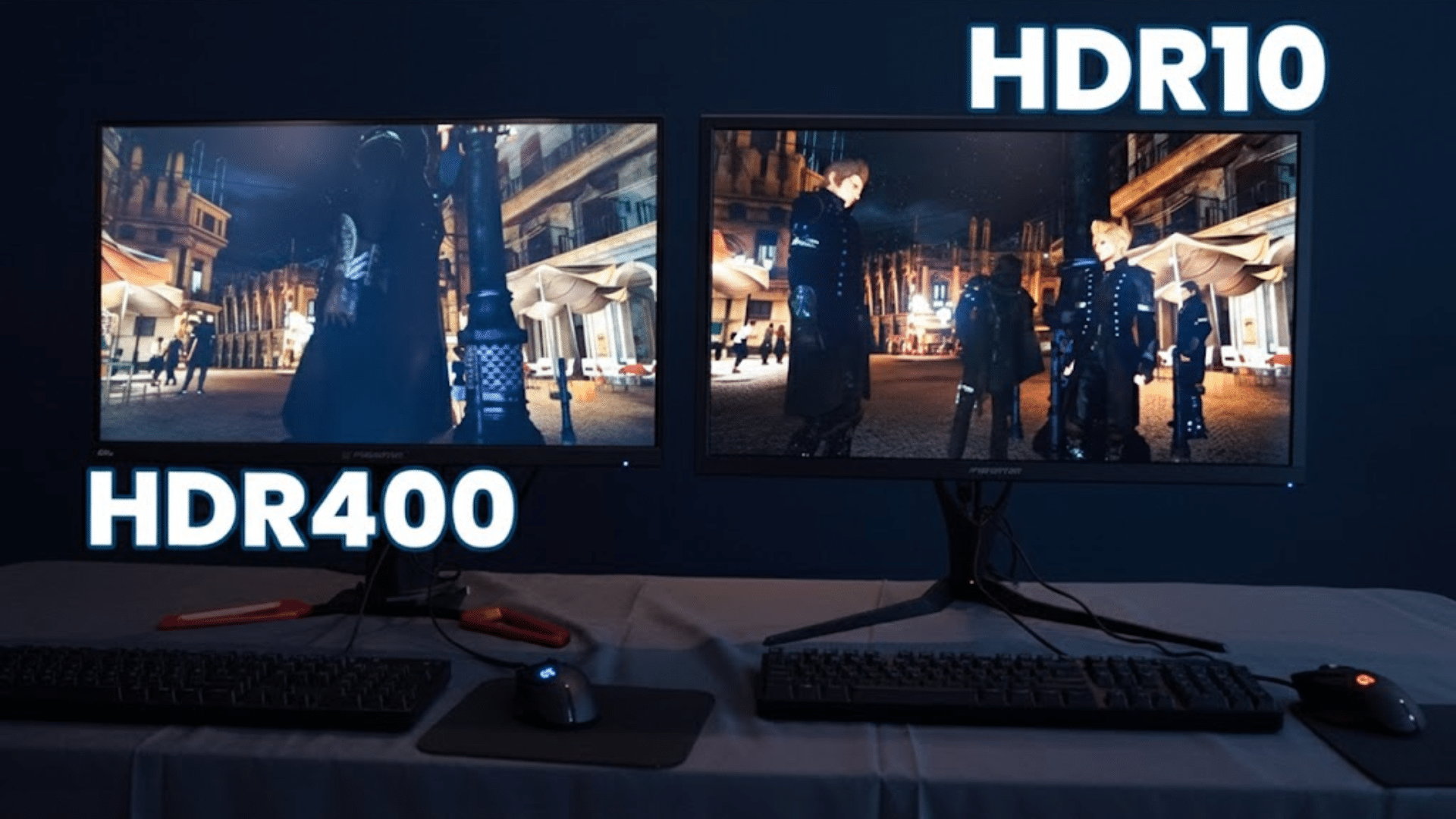
This section compares real-world performance factors to help readers understand how these HDR standards differ in everyday viewing situations clearly.
1. Brightness and Contrast in HDR10 vs HDR 400
Brightness and contrast define how noticeable HDR effects appear on a display.
HDR10 content is mastered to support much higher peak brightness levels, allowing highlights to appear more intense when paired with capable hardware.
Contrast improves when displays can balance bright highlights with deeper blacks, especially when local dimming is present.
HDR 400, by comparison, sets a lower brightness threshold that limits how dramatic highlights can look. Because it relies on global dimming, dark scenes often appear washed out.
2. Color Reproduction in HDR10 vs HDR 400
Color reproduction plays a major role in how realistic HDR content appears. HDR10 content appears more detailed due to support for a wider color gamut and 10-bit color depth.
This allows smoother transitions and reduces visible banding in gradients. When paired with capable panels, colors look fuller and more accurate.
HDR 400 certification places fewer demands on color performance, meaning many displays only simulate wider color ranges.
This can result in flatter tones, especially in bright scenes. Differences become noticeable in nature footage, animated content, and games with rich environments.
3. Content Compatibility: HDR10 vs HDR 400
Content compatibility determines how easily HDR features work across devices and platforms. HDR10 is supported by most streaming services, game consoles, and Blu-ray formats, making it widely usable.
Content mastered in HDR10 plays consistently across compatible displays without extra processing requirements.
HDR 400 does not define content formatting but instead indicates minimum display capability. Monitors with this certification can accept HDR10 signals, yet may not show noticeable improvements.
This can create confusion when HDR is enabled, but visual changes appear minimal. Compatibility does not equal performance, which is why understanding labels matters.
Other HDR Standards You Should Know About
Beyond HDR10 and HDR400, several other HDR standards exist, each offering different brightness targets, metadata handling, and viewing benefits depending on hardware support levels available.
- HDR10+: Uses dynamic metadata to adjust brightness scene by scene, improving contrast and highlight detail compared to standard HDR10 on supported displays.
- Dolby Vision: Delivers dynamic metadata, higher peak brightness support, and enhanced color depth, allowing more precise HDR performance across compatible TVs, monitors, and streaming platforms.
- HLG: Designed for broadcast television, combining SDR and HDR signals into one format that works across HDR-capable and standard displays without metadata.
- DisplayHDR 600: VESA certification requiring higher brightness, improved contrast, and some local dimming, offering a noticeable step up from entry-level HDR monitors.
- Advanced HDR by Technicolor: Supports multiple HDR formats and dynamic metadata, aiming to simplify content delivery while improving compatibility across diverse broadcast and streaming ecosystems.
Knowing these standards helps buyers set expectations, match content with capable hardware, and avoid confusion when HDR labels appear similar but deliver very different real-world viewing results in practice today.
Comparison Table: HDR10 vs HDR 400
This table highlights the core differences between HDR10 and HDR 400, making it easier to compare brightness, color handling, and real-world HDR performance quickly.
| Feature | HDR10 | HDR 400 |
|---|---|---|
| Peak brightness | Up to 1000 nits | Minimum 400 nits |
| Metadata type | Static metadata | No metadata requirement |
| Color depth | Supports 10-bit color | Often simulated 8-bit |
| Local dimming | Display dependent | Not required |
| Content support | Widely supported | Accepts HDR signals |
| Overall HDR impact | Strong potential | Subtle effect |
Choosing Between HDR10 vs HDR400
Choosing between HDR10 and HDR400 depends on viewing habits, budget, and performance expectations.
HDR10 focuses on content standards and supports higher brightness, wider color range, and 10-bit color depth when paired with capable displays.
It is better suited for users who watch HDR movies, play modern games, or want noticeable visual improvements.
HDR400, on the other hand, is an entry-level monitor certification that confirms basic HDR signal support but offers limited contrast and brightness gains.
Many HDR400 displays show only subtle differences compared to standard SDR viewing. Understanding HDR10 vs HDR400 helps buyers avoid confusion caused by similar labels.
Those seeking strong highlights, better shadow detail, and richer colors should prioritize displays that fully support HDR10.
HDR400 works best for casual use, office setups, or users wanting simple HDR compatibility without paying for higher-end display hardware.
Conclusion
Wrapping things up, I want to make one thing clear: HDR labels matter, but understanding them matters more.
Throughout this guide, I focused on real performance, not marketing promises. Some displays truly improve brightness, contrast, and color, while others only offer basic compatibility.
When comparing HDR10 vs HDR400, the gap often comes down to hardware limits, not content access. I believe knowing these limits helps avoid frustration and wasted money.
HDR10 opens the door to better visuals when paired with the right screen, while HDR400 sets a lower entry point with modest gains.
The right choice depends on how the display will be used daily. Before buying, I always recommend checking specs carefully and matching them to real needs.
Have thoughts or experiences to share? Drop a comment below and join the discussion now.