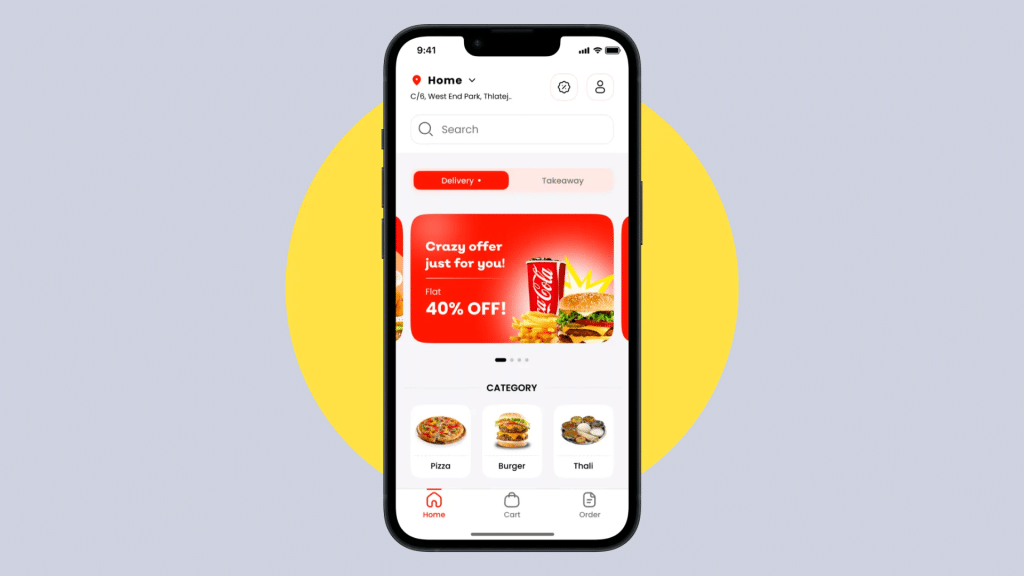
When I started learning about food delivery app development, I realized how many moving parts come together to create a smooth and reliable experience for users.
From choosing the right features to planning the technical workflow, every decision shapes how well the app performs.
In this guide, I break down the entire development process in a way that feels easy to follow, even for beginners.
I go through the essential features users expect, the steps involved in designing and building the app, and a few helpful tips that make the final product stand out.
My goal is to give anyone the confidence to start building a food delivery app that is fast, user-friendly, and ready to scale as the business grows.
How Do Food Delivery Apps Work?
The process begins when a user browses menus, selects items, and places an order through the app.
The system then sends the order to the chosen restaurant, where staff prepare the food and update the status in real time.
Once the order is ready, the app assigns a nearby delivery driver using location-based algorithms.
The driver accepts the request, picks up the order, and follows GPS navigation to reach the customer.
Throughout the process, the app provides real-time tracking so customers can monitor progress and estimated delivery times.
Payments are handled securely within the app, and ratings or reviews help maintain service quality.
Core Features of a Food Delivery App
Core features of a food delivery app focus on creating a smooth experience for customers, restaurants, and delivery partners.
Each group relies on specific tools to keep orders moving without delays or confusion.
Key features include:
- Easy user registration, restaurant browsing, and menu selection
- Secure checkout with real-time order tracking for customers
- Order management and status updates for restaurants
- Navigation, pickup details, and delivery tracking for drivers
Together, these features keep communication clear between all sides of the platform.
They reduce errors, speed up delivery times, and help users stay informed at every stage of the order. When each feature works well, the app becomes easy to use.
Step-by-Step Process to Build a Food Delivery App
Building a food delivery app is easier when the process is divided into clear stages. These steps guide the planning, design, setup, and launch of a working app.
Step 1: Access the Jotform Platform
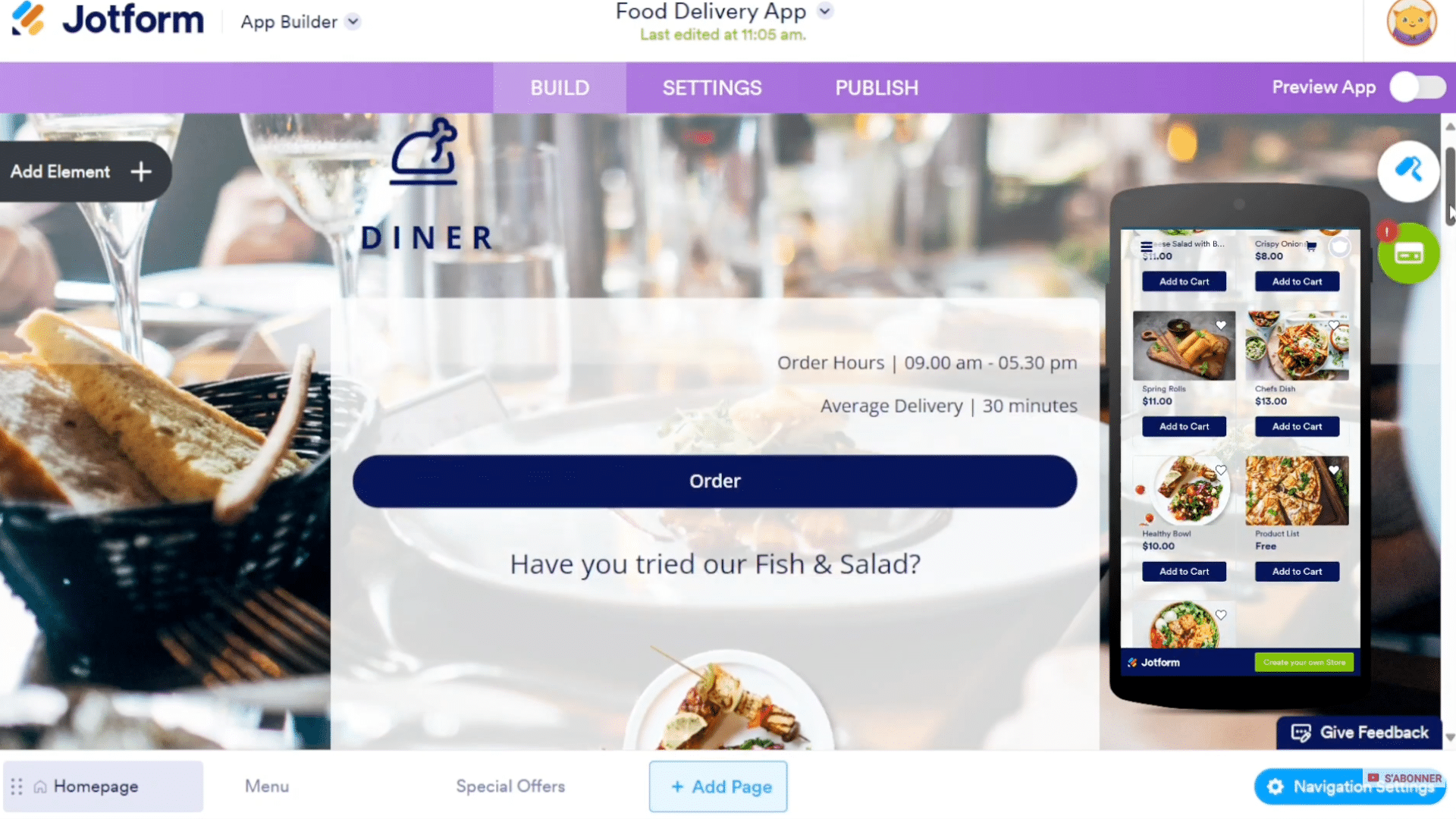
Building a food delivery app with Jotform begins by visiting the link provided in the video description, which directs users to the Jotform homepage.
Jotform is an online tool that enables users to create forms, surveys, quizzes, and full applications without coding.
The platform supports more than 30 secure payment gateways, including PayPal, Stripe, Square, Apple Pay, and Google Pay, making it suitable for app-based ordering.
Once on the site, users are introduced to the app-building environment, where they will eventually assemble the food delivery app.
Step 2: Create and Access the Jotform Account
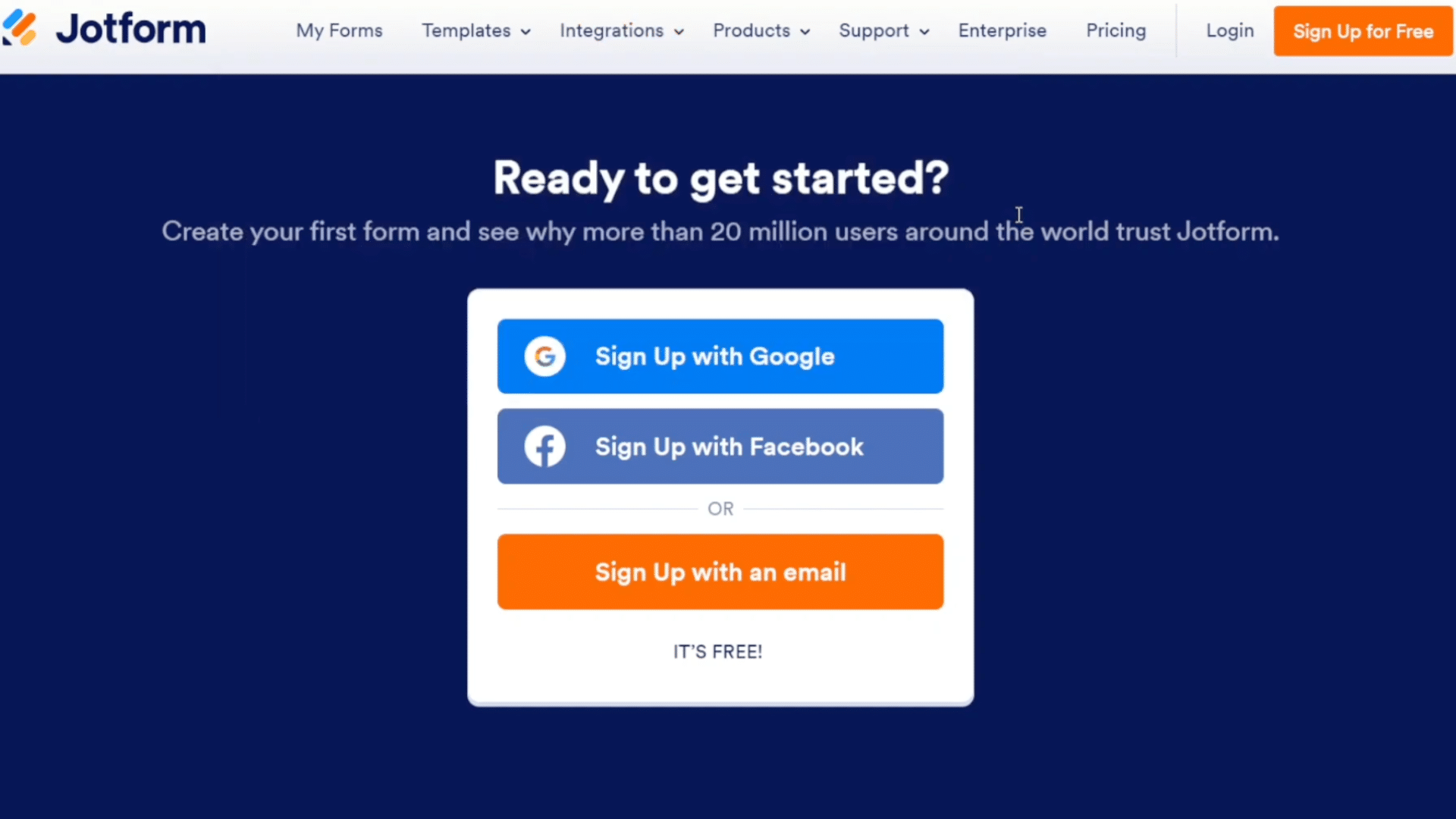
After opening Jotform, users must create an account to access the app-building features. Signup options include Google, Facebook, or using an email address.
Once registration is completed, the system redirects to the main Jotform dashboard, where tools for forms, apps, and other resources are located.
The user should then navigate to My Forms and select My Apps, which displays previously created apps or a blank area if none exist.
Creating an account is essential because it unlocks customization options, enables data saving, and allows publishing or sharing the final food delivery app.
Step 3: Select a Template and Start Building
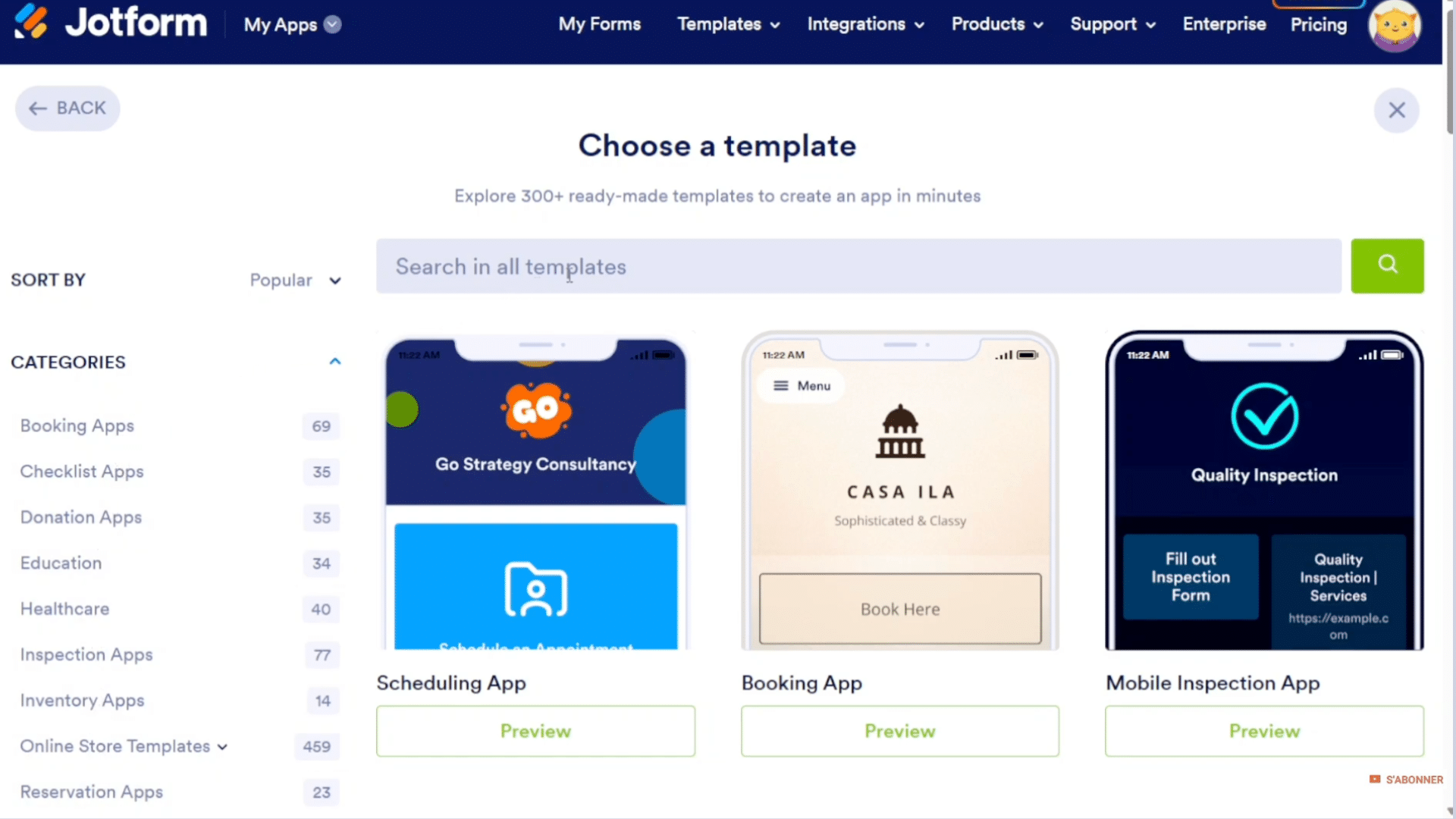
To begin the food delivery app development, users click Create App from the My Apps screen.
Jotform offers four creation modes: starting from scratch, using a template, cloning an existing app, or building a store.
For this project, the user selects Use Template, which opens a library of categorized designs.
Using the search bar and typing “food delivery” filters the templates, making it easy to locate pre-made layouts.
Step 4: Add Elements and Enhance Functionality
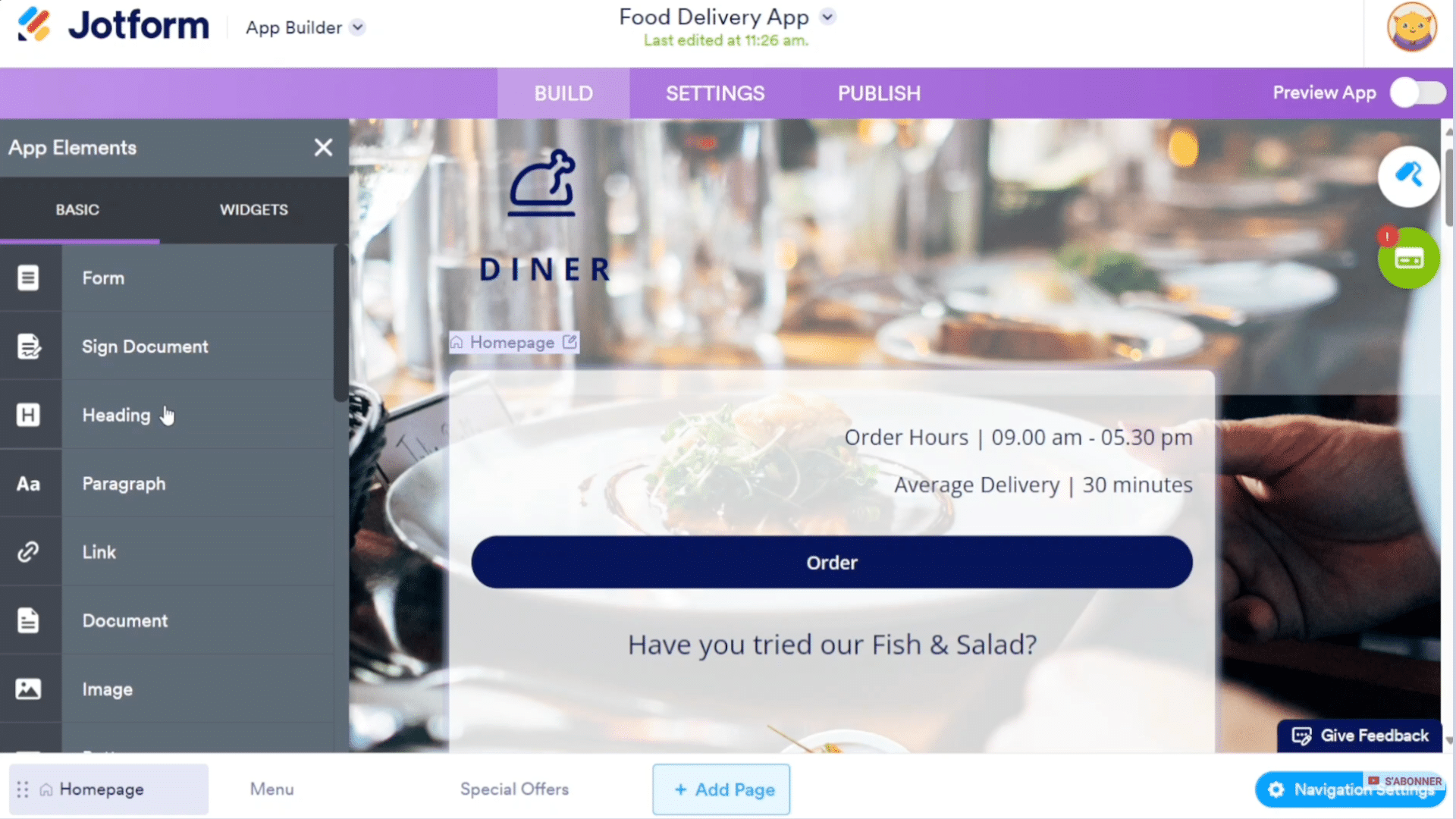
To improve the app’s usability, users can add elements through the Add Element panel.
This includes headings, images, paragraphs, forms, links, and various widgets such as data grids and embedded PDFs.
Navigation settings can also be adjusted, allowing users to toggle visibility, rename menu items, and modify icons.
Enhancing functionality at this stage ensures the food delivery app is visually appealing, easy to use, and aligned with the restaurant’s brand identity.
Step 5: Adjust Design, Theme, and Layout
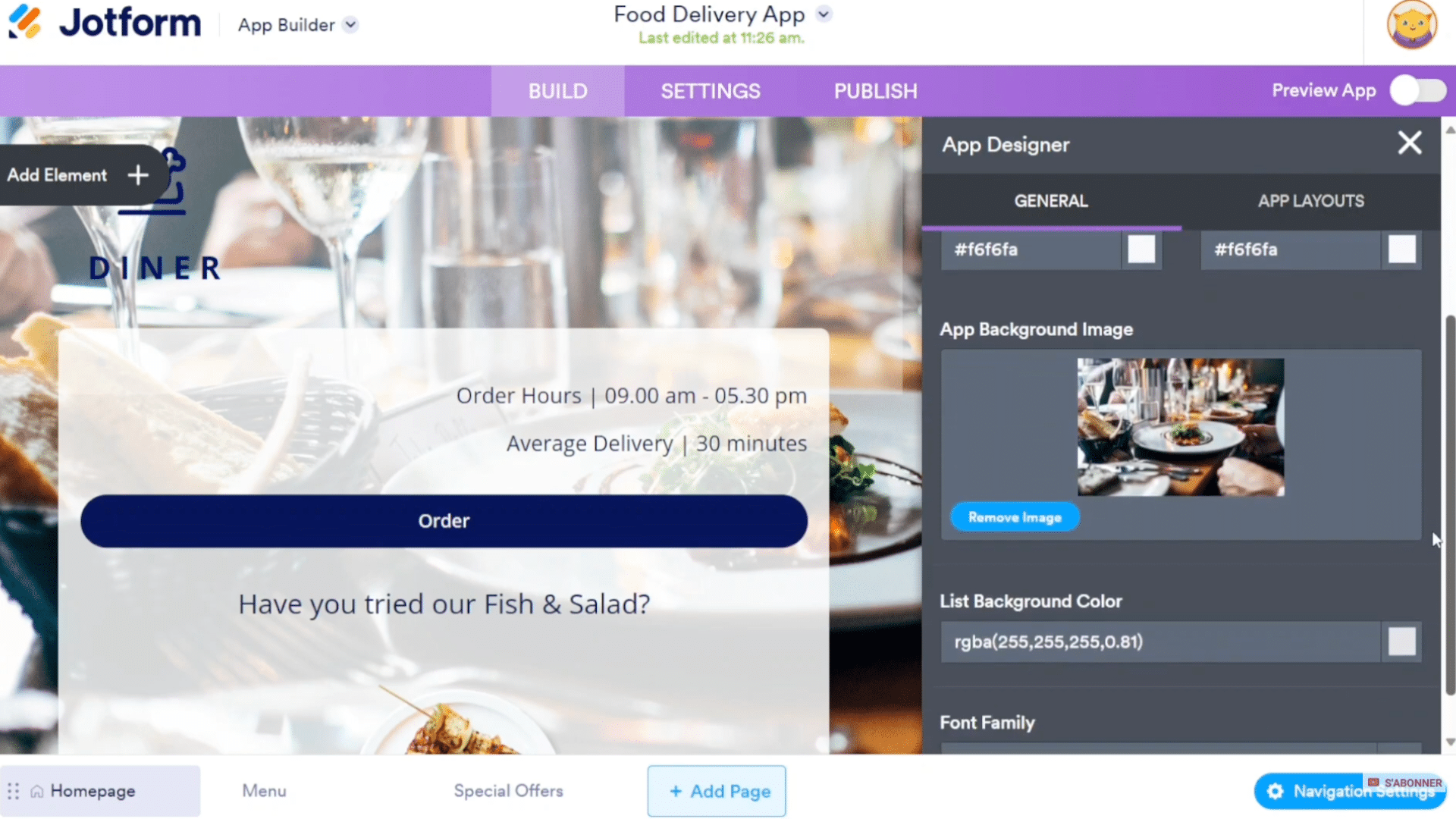
A polished food delivery app requires a strong visual design. Using the App Designer, users can modify color themes, fonts, backgrounds, button shapes, and layout structures.
Adjusting layout settings allows the app to present information more clearly, creating an intuitive user experience.
These design modifications help match the restaurant’s branding and create a professional appearance.
Ensuring the interface is visually organized also increases customer satisfaction and makes the ordering process smoother.
Step 6: Set Up Payment Integration and App Settings
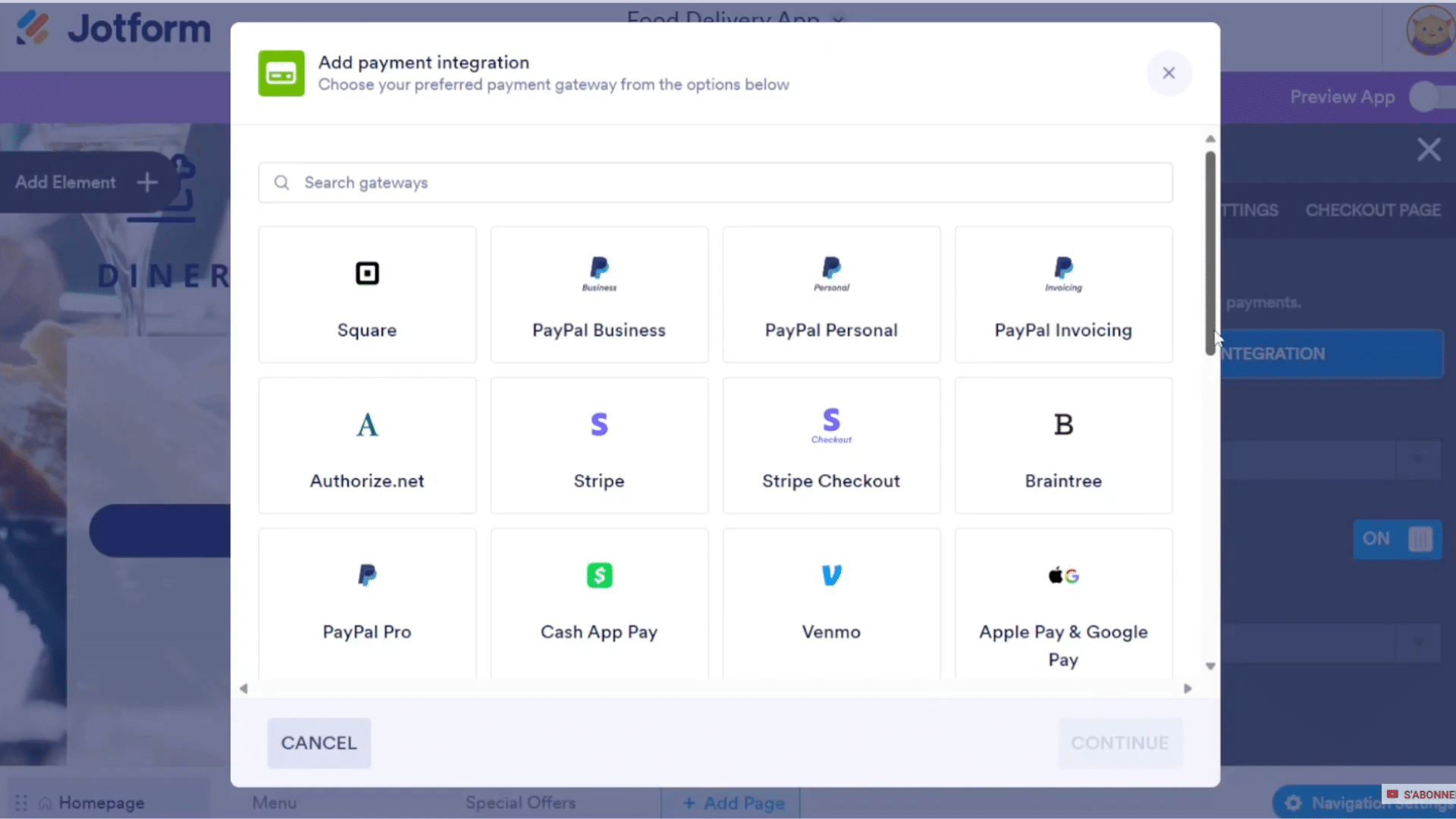
To process online orders, users add a payment gateway via Store Properties and select Add Payment Integration. It is an essential part of the food delivery app development.
Available options include Square, PayPal, Stripe, and other gateways. After choosing a provider, users follow prompts to authorize and connect the payment method.
Once integration is complete, customers can securely pay within the app.
Next, the user navigates to Settings, allowing customization of the app name, icon, splash screen, and additional configuration details.
Step 7: Publish, Share, and Embed the App
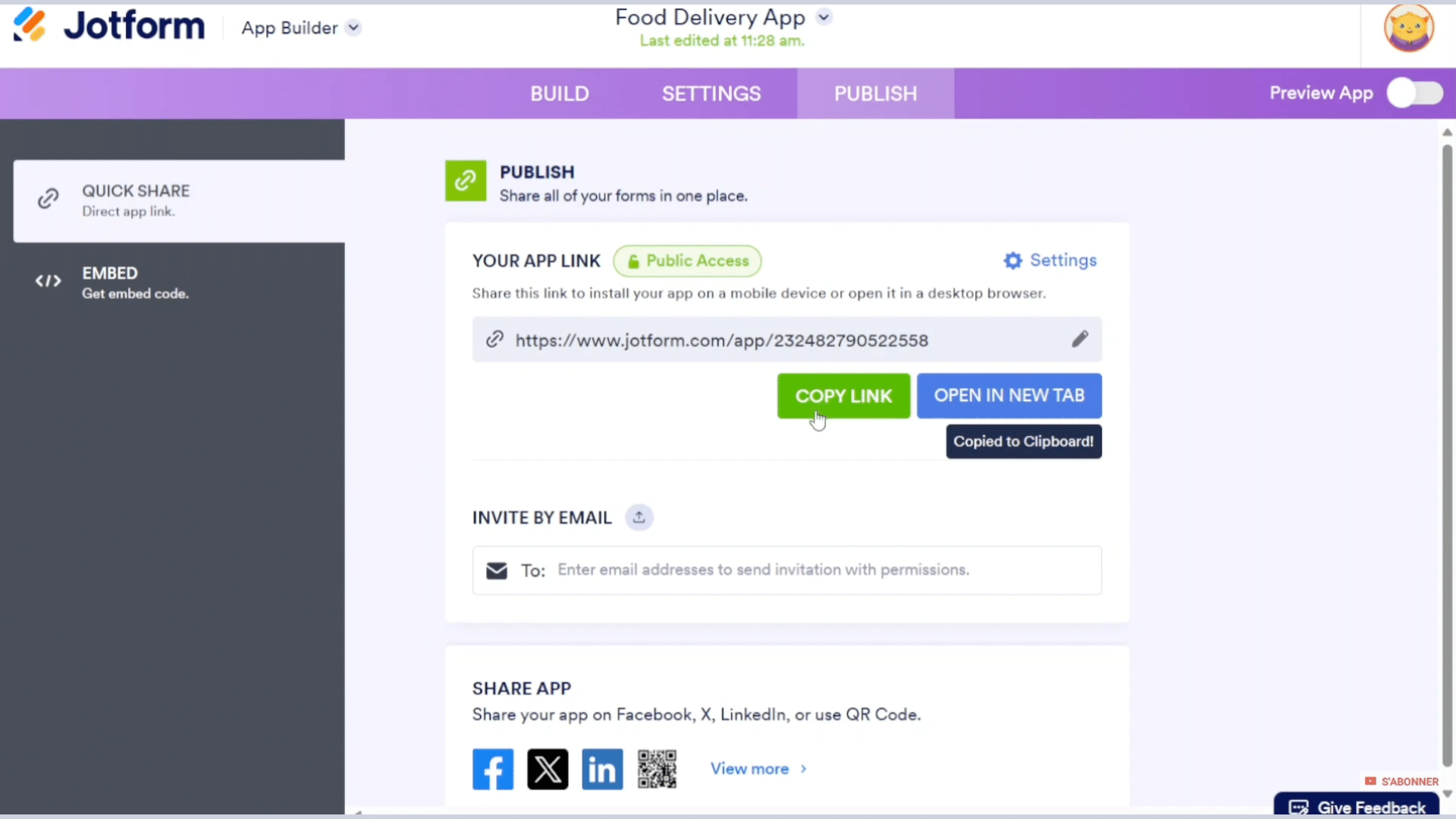
The final step of food delivery app development is publishing the app. Under the Publish section, users can generate a shareable link, invite others via email, or download a QR code for easy access.
The app can also be embedded into a WordPress website using the provided embed code, expanding its reach.
Opening the app in a new tab allows a full user-perspective test, helping identify improvements before release.
Publishing options make it simple for restaurants to share the app with customers, enabling quick ordering and seamless interaction across multiple platforms.
This tutorial is based on a helpful video by Speak About Digital. A big thanks to the creator for providing such a clear and detailed walkthrough. You can check out the original video on their YouTube channel here or watch it below.
Must-Have Integrations for Modern Food Apps
Must-have integrations for modern food delivery apps ensure smooth ordering, fast communication, and secure payments.
One essential integration is GPS and mapping services, which support real-time delivery tracking, accurate routes, and estimated arrival times.
Customers rely on these updates to monitor their orders, while drivers use them to navigate efficiently.
Payment gateway integrations are equally important, enabling secure online transactions through options like credit cards, digital wallets, and third-party processors.
These tools help build trust and reduce friction during checkout. SMS and email notifications keep users informed about order confirmations, status changes, and delivery updates.
Many apps also integrate restaurant management systems to sync menus, pricing, and availability automatically.
Tips for the Food Delivery App Development
I share key steps, features, and helpful tips to build a smooth food delivery app that users enjoy and trust.
- Simple onboarding: Make sign-up quick with phone, email, or social login.
- Real-time tracking: Show accurate driver location to improve user confidence.
- Secure payments: Offer trusted gateways and protect user data at every step.
- Intuitive UI: Keep screens clean and easy to navigate for faster ordering.
- Strong admin panel: Enable smooth order management, analytics, and restaurant controls.
Conclusion
As I look back at the whole process of food delivery app development, I realize how each step plays an essential role in creating a smooth and user-friendly experience.
From choosing the right template to customizing pages, adding features, and integrating payment methods, every decision shapes how well the app serves customers.
I also learned how valuable design, navigation, and testing are when building something people will use every day.
With the right tools and a clear plan, creating a food delivery app becomes far more achievable than it first seems.
My goal now is to keep refining the app, improve its features, and make sure it delivers the kind of convenience users expect.
If you want to build your own food delivery app, start today and see how simple the process can be. Let me know in the comments what feature you would add first.