Digital design offers a stark choice. You either pay thousands of dollars for a custom illustrator to build a unique brand language, or you settle for disjointed stock assets.
For years, teams without massive budgets pieced together visual identities from scattered sources. The result is often a “Frankenstein” UI where the login screen style clashes with the 404 page.
The central question for modern product teams isn’t about finding a pretty picture. It is about whether an off-the-shelf library can support a coherent brand system.
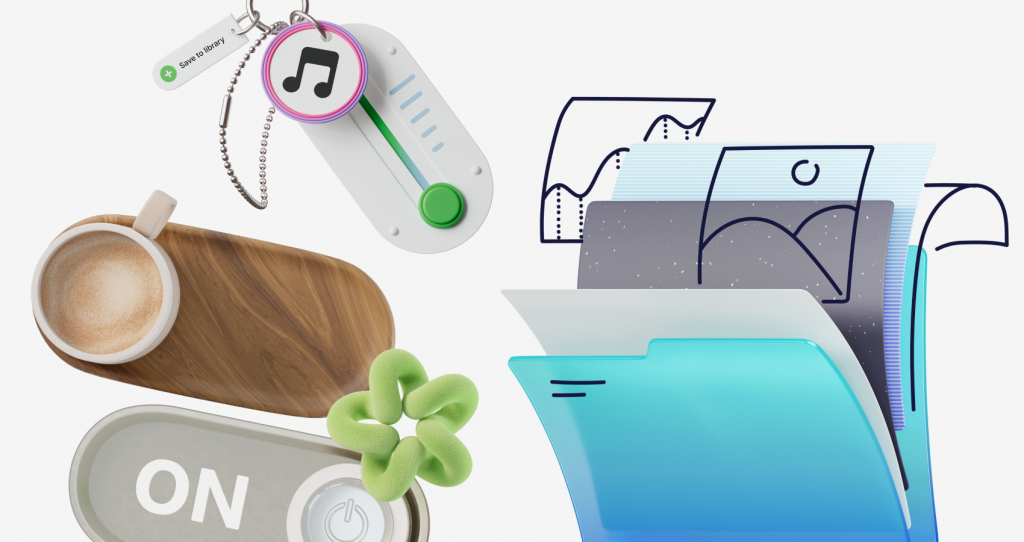
Ouch, a vector and 3D illustration library by Icons8, attempts to solve this. It prioritizes comprehensive style collections over individual images.
The System Approach to Illustration
Most stock sites operate on keywords. Search for “analytics,” and you get ten thousand results in ten thousand different drawing styles. Ouch operates on style. It currently hosts over 101 illustration styles, ranging from 3D formats to flat vector art and surrealism.
Practicality drives this approach. When you choose a specific style-say, “Business” or a specific trendy aesthetic-you don’t just get a hero image for your homepage. You get the corresponding empty states, error messages, success confirmations, and spot illustrations.
Designers can maintain visual continuity from the marketing site all the way through the checkout flow. With over 28,000 business illustrations and 23,000 technology-focused assets, the library is dense. You rarely hit a dead end where you have to switch styles because a specific concept is missing.
Scenario: The SaaS Product Overhaul
Picture a UI designer tasked with refreshing a B2B dashboard. The budget allows for a UI kit, not a dedicated illustrator. The goal: move away from the “Corporate Memphis” look (generic flat people with purple skin) that dominated the late 2010s.
The designer selects a 3D style from Ouch’s collection. The workflow begins by downloading assets in FBX or PNG formats. Because the dashboard has a dark mode, the designer needs assets that pop against a charcoal background.
They download the “Upgrade Plan” illustration for the pricing page and “No Results Found” for the search function. Since these assets belong to the same style family, the lighting, texture, and rendering quality match perfectly. Next, the designer checks for motion. Finding a Lottie JSON file for the “Success” state, they implement a lightweight animation that triggers when a user saves settings.
The product feels high-budget and custom-built. Consistency in the 3D rendering ties disparate screens together.
Scenario: Rapid Content Marketing
A content manager at a startup needs to publish three blog posts a week plus social media snippets. They lack access to the design team, who are buried in the product roadmap.
Instead of relying on overused stock photography, the manager turns to Ouch. They select a flat vector style matching the company’s brand colors. Using the Mega Creator integration (Ouch’s built-in editor), they tweak the image rather than just downloading it.
For a post about “Remote Collaboration,” the manager takes a base illustration of two people talking. One character holds a coffee cup, but a laptop fits the context better. They swap the object within the editor, creating a new composition. A quick recolor of primary elements matches the company’s blue and orange palette.
They export the final result as a high-res PNG. This process takes about ten minutes per image. The marketing team remains autonomous while sticking to brand guidelines.
A Typical Workflow: The Developer’s MVP
Here is a realistic interaction for a freelance developer building a landing page on a Tuesday afternoon:
- Discovery: Open the Pichon desktop app. Search for a hero image for a “Construction Management” app.
- Selection: Filter by “Vector” and “Blue” tones to match the CSS framework. Find a technical style, avoiding cartoonish options.
- Refinement: The illustration works, but the character wears a hard hat that clashes with the logo. Click “Recolor.”
- Integration: Copy the code directly or drag the SVG file into the IDE.
- Animation: The “Contact Us” section needs movement. Filter for animated illustrations. Find a Rive file of a mail envelope. Download and embed.
No Adobe Illustrator. No freelancers. Just code-ready assets that fit the structure.
Ouch vs. The Alternatives
You need to understand where Ouch sits in the market compared to other repositories.
Vs. Freepik: Freepik is the volume king. If you need a generic flyer background, it wins on quantity. But Freepik lacks strict stylistic organization. You might find one great isometric server icon, but you won’t find the matching user avatar and 404 page. Ouch wins on consistency.
Vs. Undraw: Undraw is the open-source standard. Free and easy. But it is everywhere. Using Undraw signals “bootstrapped startup” immediately. Ouch offers premium, distinct styles that haven’t been saturated across the web.
Vs. Custom Illustration: Custom work remains the gold standard for ownership. If you need a unique mascot that reacts to specific brand in-jokes, Ouch cannot compete. But for 90% of UI needs-empty states, onboarding, marketing headers-Ouch provides 80% of the value for 1% of the cost.
Many designers treat stock assets as simple clipart. Ouch forces you to think in design systems. It bridges the gap between the “grab bag” nature of free sites and the curated nature of a commissioned portfolio.
Limitations and When to Avoid
Ouch isn’t a magic bullet. Specific instances exist where it is not the right choice:
- Hyper-Specific Technical Diagrams: Building documentation for complex machinery or surgical procedures? The “Healthcare” or “Technology” categories will likely be too metaphorical. You need technical drawing, not editorial illustration.
- Mascot-Driven Brands: If your brand relies entirely on a specific character (like the Duolingo owl), you cannot cobble that together from a library. You need a character designer.
- Free Plan Attribution: The free tier requires a link back to Icons8. For professional client work or white-label apps, this acts as a dealbreaker. Factor in the subscription cost for the Pro plan to get SVG access and remove attribution.
Practical Tips for Getting the Best Results
To make Ouch illustrations look truly custom, never use them exactly as downloaded.
Mix and Match Objects: Assets are often layered. In vector tools or Mega Creator, you can separate elements. Take the background from one scene and the character from another (within the same style) to create a composition no other website has.
Leverage Lottie and Rive: Static images are standard. Motion retains attention. The library includes Lottie JSON and Rive formats. These code-light animations scale perfectly. Replacing a static “Message Sent” icon with a loop is a low-effort, high-impact UX win.
Utilize the 3D Source Files: Have 3D capability? Download the MOV or FBX files. Rotate models to get angles absent from the preview PNGs. Adjust lighting in your own 3D software to match your product’s specific shadows.
Don’t Ignore the “Weird” Styles: Sticking to “Business” or “Flat” styles is tempting. But the library includes experimental styles like “Surrealism” or “Sketchy.” In a sea of clean, corporate tech design, a rougher, hand-drawn style can be a powerful differentiator.
Treat Ouch as a component library rather than a gallery of pictures. By doing so, designers build systems that feel robust and intentional. Off-the-shelf libraries can support a brand system, provided the library is built with systems in mind.