I have seen many healthcare teams struggle with scattered patient data and slow workflows, and that is what pushed me to learn more about EHR software development.
Building an Electronic Health Record system is not just a technical task.
It is about creating a secure, reliable tool that doctors and staff can trust every day.
In this blog, I walk through how to develop an EHR system from scratch.
I cover the full process, from planning and feature selection to compliance, security, and long-term maintenance.
I also share practical best practices and real considerations that matter during development.
If you are a founder, product manager, or developer looking for clear guidance, this resource is meant to help you understand what it truly takes to build an effective EHR system successfully.
What is EHR Software Development?

EHR software development is the process of designing and building a digital system that stores and manages patient health information in one secure platform.
I see it as creating a central workspace where doctors, nurses, and staff can access medical histories, test results, prescriptions, and treatment notes without delays or errors.
This type of software goes beyond simple record storage. It supports daily clinical workflows, improves data accuracy, and helps healthcare teams make better decisions.
When done right, EHR development focuses on usability, security, and compliance while making patient information easy to access for authorized users.
The goal is to build a system that fits real healthcare needs and supports long-term growth.
Step-by-Step Process to Develop an EHR System
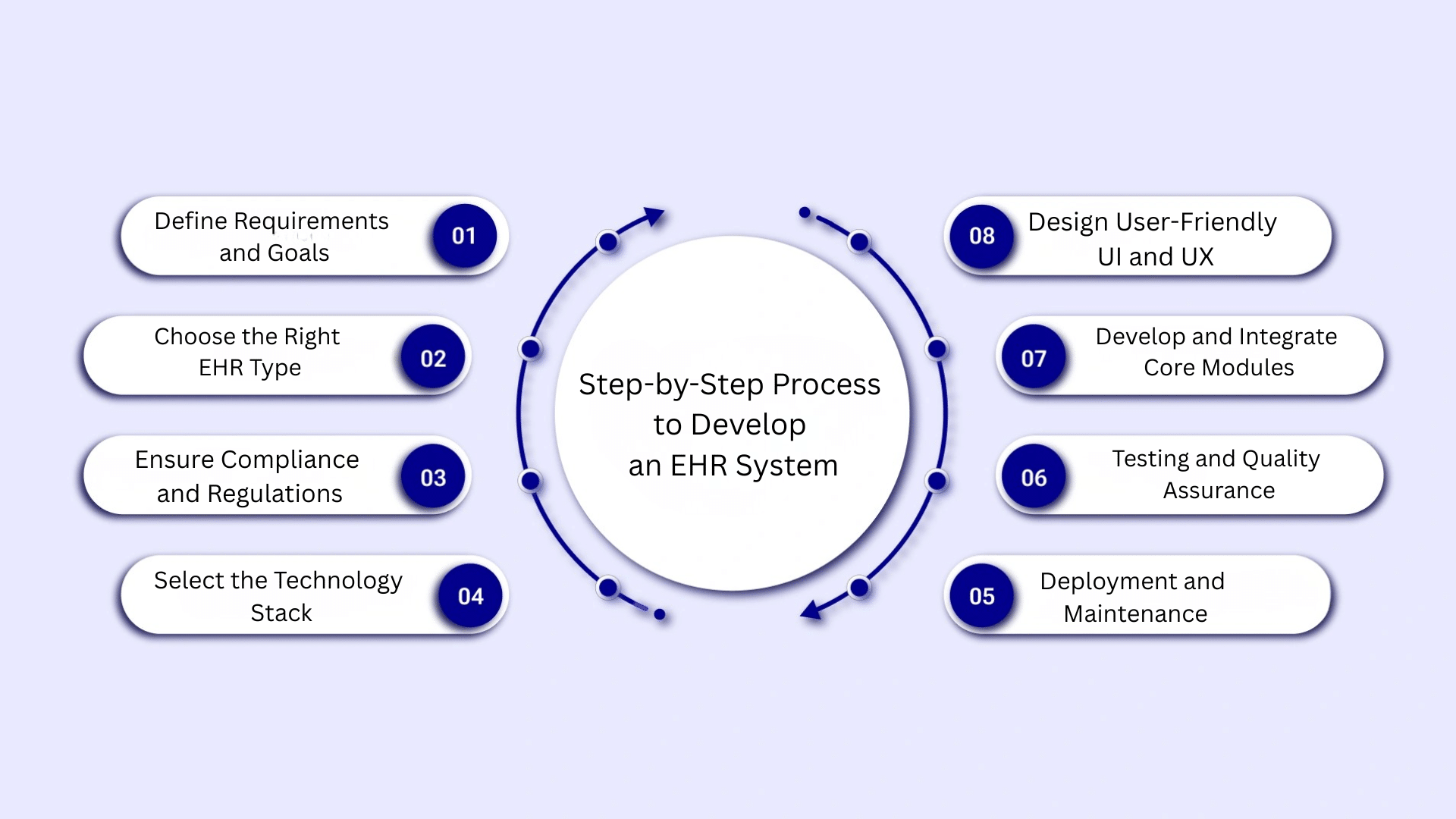
Developing an EHR system requires a structured approach to ensure it is secure, compliant, and easy to use. Each step below highlights key decisions that support real healthcare workflows.
Step 1: Define Requirements and Goals
You start by identifying who will use the EHR system and the healthcare environment it will serve. This includes doctors, nurses, administrative staff, and patients.
You define core features, workflows, and data needs based on daily operations. Clear goals help prioritize functionality and avoid scope changes later.
This step ensures the EHR system aligns with clinical processes, business objectives, and long-term operational needs.
Step 2: Choose the Right EHR Type
You decide whether a cloud-based or on-premise EHR system best fits your organization. This choice affects scalability, cost, data access, and maintenance.
You also evaluate custom EHR development versus off-the-shelf solutions. Selecting the right type early prevents performance limitations and supports future growth.
This step ensures the system fits your technical capacity, budget, and healthcare delivery model.
Step 3: Ensure Compliance and Regulations
You plan for healthcare regulations such as HIPAA to protect patient data and reduce legal risks. This step includes defining privacy rules, access controls, audit trails, and security policies.
Addressing compliance early avoids costly changes later in development.
A compliant EHR system builds trust with healthcare providers and patients while ensuring data protection throughout the system lifecycle.
Step 4: Select the Technology Stack
You choose backend, frontend, and database technologies that support performance, security, and scalability. The technology stack should handle sensitive health data and growing user demands.
You also plan for interoperability using standards like HL7 and FHIR.
Strong technical choices help ensure smooth integrations, reliable performance, and easier system updates as healthcare needs evolve.
Step 5: Design User-Friendly UI and UX
You design the interface around real clinical workflows to reduce user frustration. Role-based access ensures each user sees relevant information only.
Simple navigation, clear layouts, and minimal clicks help reduce clinician workload.
A well-designed UI and UX improve adoption, reduce training time, and allow healthcare staff to focus more on patient care.
Step 6: Develop and Integrate Core Modules
You build essential modules such as patient records, scheduling, billing, and prescriptions. Each module should work seamlessly with others to avoid data silos.
You also integrate third-party systems like laboratories, pharmacies, and imaging tools.
Proper integration reduces manual data entry, improves accuracy, and supports connected healthcare workflows across departments.
Step 7: Testing and Quality Assurance
You perform testing throughout development to identify issues early. This includes functional testing, security testing, and performance testing under real conditions.
Quality assurance ensures the EHR system works reliably and protects patient data.
Regular testing reduces system failures, improves stability, and ensures the software meets both technical and healthcare requirements before launch.
Step 8: Deployment and Maintenance
You plan a controlled launch to minimize disruption to healthcare operations. This includes user training, system monitoring, and performance checks.
After deployment, ongoing maintenance is required for updates, security patches, and compliance changes.
Continuous support ensures the EHR system remains stable, secure, and effective as healthcare needs and regulations evolve.
Key Features of an EHR System
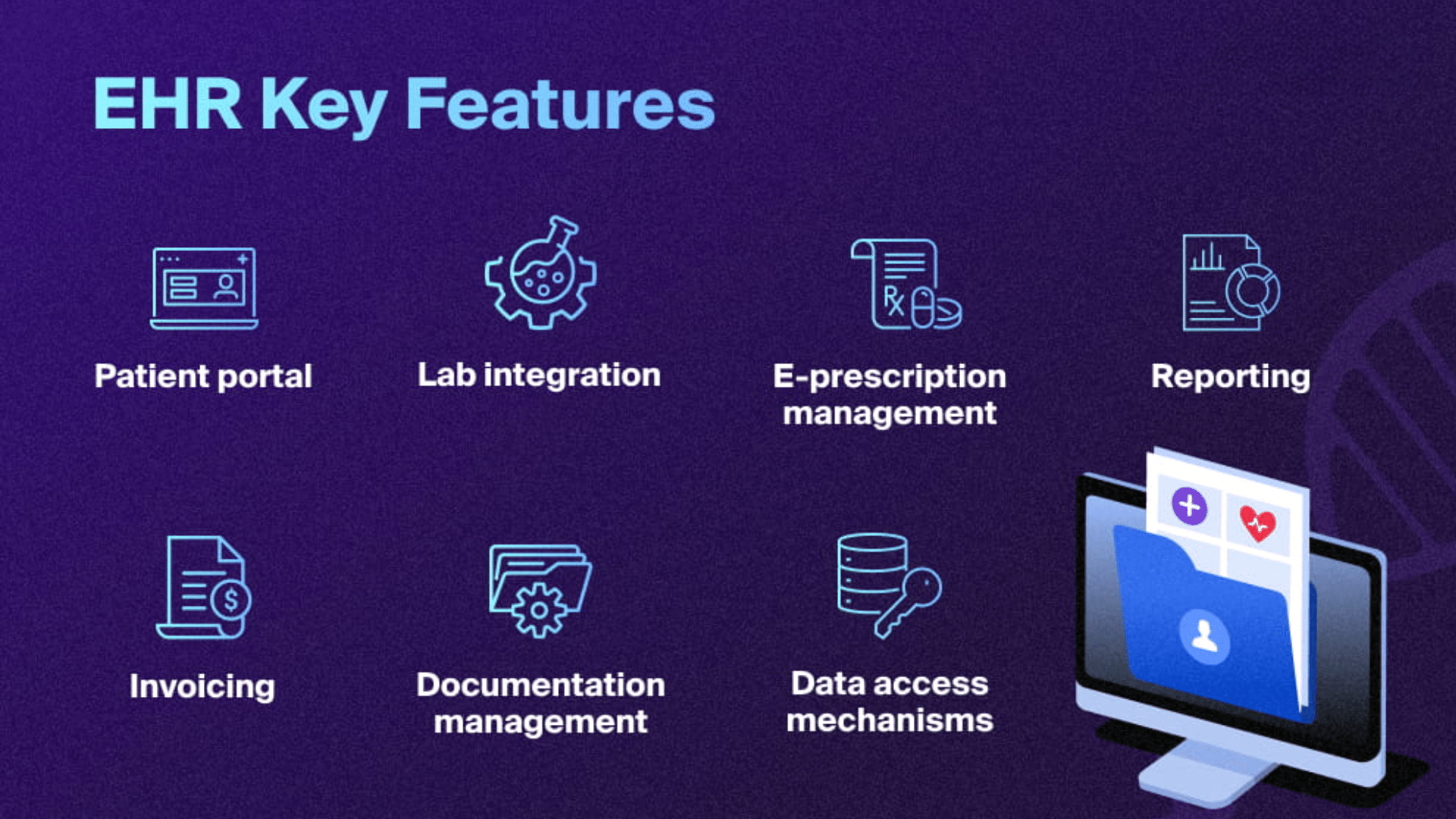
When I plan EHR software development, I always start with the core features that support daily healthcare tasks. These features help teams manage patient care while keeping data organized.
1. Patient Records Management
I see patient records management as the backbone of any EHR system. This feature stores medical histories, diagnoses, lab results, allergies, and visit notes in one secure place.
It allows healthcare providers to view complete patient information without switching systems or paperwork. A well-built records module also supports quick updates, accurate data entry, and controlled access.
This helps reduce errors, improve care quality, and keep patient data organized for long-term use.
2. Appointment and Scheduling Tools
Appointment and scheduling tools help healthcare teams manage daily patient visits smoothly. I focus on features like calendar views, automated reminders, and easy rescheduling options.
These tools reduce missed appointments and improve time management for clinics and hospitals. When appropriately integrated, scheduling connects directly with patient records and billing systems.
This creates a smoother workflow for staff and a better experience for patients from booking to follow-up.
3. Clinical Documentation
Clinical documentation allows providers to record patient visits clearly and consistently. I prefer systems that offer structured templates, voice input options, and quick note entry.
This reduces time spent on paperwork and helps clinicians focus on patient care. Good documentation tools also support standard medical terms and coding needs.
When designed well, this feature improves accuracy, supports compliance, and makes future patient visits easier to manage.
4. E-Prescriptions and Medication Tracking
E-prescription and medication tracking features help reduce prescription errors and improve patient safety. I see this as a critical part of EHR software development.
It allows providers to send prescriptions digitally, track medication history, and check for allergies or drug interactions. This feature also improves communication with pharmacies.
A reliable medication module supports safer treatments and helps patients follow their prescribed plans correctly.
5. Billing and Insurance Support
Billing and insurance support features help healthcare providers manage payments and claims without confusion. I focus on tools that handle medical coding, insurance verification, claim submissions, and payment tracking.
When billing is integrated with patient records, it reduces manual work and errors. This feature helps clinics maintain steady cash flow while giving patients clear billing information.
Accurate billing tools also support compliance with healthcare regulations.
Best Practices for EHR Software Development
Following best practices helps avoid common issues and improves system reliability. I focus on security, usability, and scalability to ensure the EHR system performs well in real healthcare environments.
1. Focus on Data Security from Day One
Data security should be treated as a core requirement from the earliest planning stage.
This includes encrypting patient data, enforcing strong user authentication, and applying role-based access controls.
Building security early helps prevent data breaches and reduces compliance risks later. It also ensures patient information remains protected across all system modules.
When security is embedded into the foundation, the system stays safer, more reliable, and easier to maintain long-term.
2. Build for Scalability and Future Growth
EHR systems should be designed with future growth in mind, as healthcare organizations often expand services, users, and data volume over time.
Scalable architecture allows systems to handle these changes without performance issues.
This includes flexible databases, modular design, and cloud-ready infrastructure.
Early planning for growth helps avoid major redesigns, reduces downtime, and supports smooth feature additions as healthcare needs evolve.
3. Prioritize Usability for Healthcare Staff
Usability plays a critical role in adoption and daily efficiency. Complex interfaces slow workflows and increase the risk of errors.
Well-designed systems align with real clinical tasks, reduce unnecessary steps, and present information clearly.
Simple navigation and role-based dashboards help staff work more efficiently.
When healthcare professionals can use the system comfortably, productivity improves and training time decreases.
4. Use Standardized Data Formats
Standardized data formats support smooth data exchange across systems.
Standards such as HL7 and FHIR allow EHR platforms to communicate effectively with labs, pharmacies, and external providers.
Using standard formats improves data accuracy, reduces integration challenges, and simplifies future updates.
Consistent data standards help healthcare teams share information securely and reliably across different tools and care settings.
Cost Considerations for Building an EHR System
Planning costs early helps you avoid budget overruns and unexpected delays during EHR development.
- Development and infrastructure costs cover design, development, hosting, integrations, testing, and deployment.
- Custom feature development increases cost when workflows, dashboards, or reports are tailored to specific healthcare needs.
- Maintenance and upgrades cover bug fixes, performance tuning, feature updates, and system optimization after launch.
- Compliance costs include audits, documentation, and updates required to meet healthcare regulations.
- Security expenses involve encryption, access controls, monitoring tools, and regular vulnerability testing.
- Data migration costs arise when transferring, validating, and cleaning records from legacy systems.
Planning costs early keeps EHR development predictable and aligned with real healthcare needs. Precise budgeting helps avoid delays while supporting a secure, compliant system.
EHR System Development Timeline
The timeline for EHR software development depends on scope, compliance requirements, and system complexity.
A simple EHR with core features like patient records, scheduling, and documentation can take several months to develop.
More advanced systems that include integrations, analytics, automation, and interoperability standards require additional time for planning and validation.
EHR development usually moves through discovery, requirement analysis, design, development, testing, data migration, and deployment.
Regulatory compliance reviews, security testing, and stakeholder feedback can extend timelines but are necessary for long-term success.
The experience of the development team and clarity of requirements also play a major role.
Major Challenges During Implementation
Building an EHR system comes with technical, regulatory, and operational challenges. Being aware of these early helps you plan better and avoid mistakes during development and rollout.
- Data Migration Issues: Moving data from legacy systems can be difficult due to inconsistent formats, missing records, and data quality problems that require careful validation.
- Interoperability and Integrations: Connecting labs, pharmacies, imaging systems, and other platforms often creates integration complexity and workflow gaps.
- Regulatory and Compliance Pressure: Meeting healthcare regulations requires constant attention to privacy rules, security controls, audits, and changing laws.
- User Adoption Difficulties: Doctors and staff may resist systems that feel slow, complex, or poorly aligned with real clinical workflows.
- Security and Usability Balance: Strong security measures must protect patient data without slowing down healthcare staff during daily tasks.
- Scalability Challenges: Rushed architecture decisions early on can limit system performance and make future growth harder to manage.
Conclusion
Building an EHR system is a detailed process that requires strong planning, technical expertise, and ongoing attention to healthcare needs.
From early discovery and compliance planning to development, testing, and long-term support, each stage plays a critical role in success.
An effective EHR system must protect patient data, support daily clinical workflows, and scale as healthcare organizations grow.
By following a structured development approach, you reduce risks, improve usability, and ensure regulatory alignment from the start.
Precise requirements, the right technology choices, and continuous validation help avoid costly issues later.
Ready to build an EHR system that supports real clinical workflows and long-term growth?
Start planning your solution with the right strategy today.